New Update CIS 2025 is now LIVE!

I installed C 2025 two days ago in my main windows 10 pc and it looks fine. It seems quicker and more responsive than previous editions and the icon in system tray does not disappear as it used to and all settings persist , to the point of even being able to apply my previous config automatically.
Please cruelsister keep doing your wonderful job in spite of (hope AI lets me mention this) some IT psychopats infesting this section of the forum.
You should change your nick into 'nicesister' or 'supersister',that would be more apt,unless you intend you're cruel towards stupidity...
 
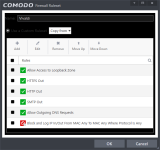
Here' something odd...the pre-defined firewall ruleset "Web Browser" does not have included rules for https port 443. Why? That seems like it would cause more problems than not. Vivaldi wasn't working right without it. I just manually made my own ruleset with it in there.
 
Here' something odd...the pre-defined firewall ruleset "Web Browser" does not have included rules for https port 443. Why? That seems like it would cause more problems than not. Vivaldi wasn't working right without it. I just manually made my own ruleset with it in there.
It's there.
1718522198835.png


1718522053734.png
1718522080748.png
 
  • Like
Reactions: n8chavez
That's really odd! Before, using just the default "Web Browser" rules Vivaldi wasn't refreshing ESPNs gamecast. After I manually added port 443 it was.

Screenshot 2024-06-16 004214.png
 
Comodo Firewall 2025

9040 cispro (suit) version is on the official download page.
But installation process does not give an option to disable antivirus component.

So firewall only version is not on the official download page.
So, do you use the 9040 cispremium which is available only through comodo forum links? ISn't it a Beta? How/why do we trust it when it is not on the official download page?
 
Comodo Firewall 2025

9040 cispro (suit) version is on the official download page.
But installation process does not give an option to disable antivirus component.

So firewall only version is not on the official download page.
So, do you use the 9040 cispremium which is available only through comodo forum links? ISn't it a Beta? How/why do we trust it when it is not on the official download page?
Comodo website is full of old info. Just crab 2025 installer from forum link melih posted and install firewall only. Its not beta, but it should slowly come to downloadable from their official website ( hopefully )
 
  • Like
Reactions: ErzCrz and rashmi
Decopi:
pushing garbage to users, exploiting false mantras:
1. gang of fanatics is always pushing garbage to users, exploiting false mantras such as: “It's free, if you don't like it don't use it”,
I have been using CIS almost from the beginning, but I am not part of a gang or fanatics

2. How did I get to comodo:
in my early days of using a PC or Internet, an IT expert (graduate computer scientist in Germany, responsible for security in a large company - still) introduced me to comodo. I was and still am a complete user, I have very, very little knowledge of IT. Today, a large company in Germany uses comodo as security software - probably also ignorant people. :-??
3. "It's free, if you don't like it, don't use it"
True, it's free with almost all functions
4. ", "Our software is perfect, the fault lies with the users who don't know how to use it"
When I think back to myself, it's true. I got a lot of help from the computer scientist mentioned.
5. We are not babysitters, users became infected due to their own irresponsibility
Reminds me of the computer scientist who sometimes seemed to lose patience with me because I changed settings in CIS, saying it would be better without knowing what I was doing. He then had to help me again, with more or less willingness to help now. I shouldn't just intervene in the software if I don't understand what I'm doing and what the impact on security is.
6. It always worked for me (thus, it'll work for everybody)", "I never got infected (thus, nobody is going to be infected)"
That's true too. Who am I? Not a computer scientist, but I can assemble and build PCs (which I haven't done for a long time).

I am a user with the following background:

a) I worked with 5" floppy disks, also professionally
b) The basis was DOS
c) I have used PCs from the beginning (at the time, PCs were still called: with hard drive, 20 MB, that was something special, I had one myself)
d) I used databases in pocket-sized devices
e) And so it went on: X laptops, X PCs with all Windows versions, X programs for managing personal data, data storage, banking transactions, at that time already Datev, etc. So: handling sensitive data, not just my own, and always with Comodo security software. So I am a representative of a wide variety of people - with a wide variety of computers/laptops etc. with all versions of Windows, such as Millenium (not exactly the most recommendable OS). And always CIS. And:

"It has always worked for me (so it will work for everyone)", "I have never been infected."
constantly feeding rubbish to users by using false mantras how
This so-called garbage has been protecting me from viruses, malware, worms, backdoors, ransomware, etc. etc. for decades.

Now tell me how garbage as security software was able to protect me so reliably. Even my data never fell into the wrong hands. CIS ultimately stopped the containment several times, ending it with a warning to me or a threat notice.

You or others can make what they want out of this post:
Fake, not true or whatever.

Everything is true. Just as I am supposed to believe other posts, you can also believe this post.

To repeat briefly: I am only one user, but with many PCs, with all versions of Windows, with many programs and activities, with sensitive handling of other people's data (due to my job), and not just one.

I am not an employee of Comodo, I get nothing for it, I am ONLY a user of this software.
 
Last edited:
This is just a heads up (FYI POST)... It is not an attack, just a comment...

First Thank You all of those here who assist us little people, and thanks to those who do the testing, and thanks to CS for her videos on setting up CF.

I installed the new Comodo when CS did the new settings video.

I then deleted all the vendors in the list, then I went thru all my software, turning them on and off several times, choosing allow / trusted if anything popped up. I used the PC for a 18 hours, all was fine. I checked to make sure if anything was blocked, that I switched it to trusted or allow.

I turned off the PC went to bed at 2AM, got up at 8AM, walked the dogs, ate, and did some chores.

I turned on the PC. and noticed some of my taskbar icons were not showing up. I went to mark anything as trusted again, and nothing I did made the icons show again. This happed about 4 years ago also with just CFW, without CIS.

So I restored my base image, and was going to re-install panda, but decided on Avast one instead. Not sure what all this means, just sharing info.
 
I turned on the PC. and noticed some of my taskbar icons were not showing up. I went to mark anything as trusted again, and nothing I did made the icons show again. This happed about 4 years ago also with just CFW, without CIS.
just sharing info.
Just a sharing info too: Such a problem I had never. However, I don't want to imply that this problem doesn't exist or that it's someone's fault.
 
  • Like
Reactions: rashmi
This is just a heads up (FYI POST)... It is not an attack, just a comment...

First Thank You all of those here who assist us little people, and thanks to those who do the testing, and thanks to CS for her videos on setting up CF.

I installed the new Comodo when CS did the new settings video.

I then deleted all the vendors in the list, then I went thru all my software, turning them on and off several times, choosing allow / trusted if anything popped up. I used the PC for a 18 hours, all was fine. I checked to make sure if anything was blocked, that I switched it to trusted or allow.

I turned off the PC went to bed at 2AM, got up at 8AM, walked the dogs, ate, and did some chores.

I turned on the PC. and noticed some of my taskbar icons were not showing up. I went to mark anything as trusted again, and nothing I did made the icons show again. This happed about 4 years ago also with just CFW, without CIS.

So I restored my base image, and was going to re-install panda, but decided on Avast one instead. Not sure what all this means, just sharing info.
You seem to lack an understanding of how Comodo works, including its core features and dependencies. It would be best if you stuck to CS settings and refrained from experimenting with Comodo. While you can delete vendor lists, change rulesets, and make other advanced tweaks, it's crucial to have knowledge and understanding of the impact your changes will have.
 
This is just a heads up (FYI POST)... It is not an attack, just a comment...

First Thank You all of those here who assist us little people, and thanks to those who do the testing, and thanks to CS for her videos on setting up CF.

I installed the new Comodo when CS did the new settings video.

I then deleted all the vendors in the list, then I went thru all my software, turning them on and off several times, choosing allow / trusted if anything popped up. I used the PC for a 18 hours, all was fine. I checked to make sure if anything was blocked, that I switched it to trusted or allow.

I turned off the PC went to bed at 2AM, got up at 8AM, walked the dogs, ate, and did some chores.

I turned on the PC. and noticed some of my taskbar icons were not showing up. I went to mark anything as trusted again, and nothing I did made the icons show again. This happed about 4 years ago also with just CFW, without CIS.

So I restored my base image, and was going to re-install panda, but decided on Avast one instead. Not sure what all this means, just sharing info.
Don`t remember CS recommending deleting the trusted vendors list ? Why not install the CFW as CS recommends using her settings ? If you`re happy enough restoring images then I don`t see how setting up Comodo could present much of a problem ?


Just a comment

Reguards Eck:)
 
Last edited:
  • Hundred Points
  • Like
Reactions: rashmi and kylprq
You seem to lack an understanding of how Comodo works, including its core features and dependencies. It would be best if you stuck to CS settings and refrained from experimenting with Comodo. While you can delete vendor lists, change rulesets, and make other advanced tweaks, it's crucial to have knowledge and understanding of the impact your changes will have.
Well this is what happens when people go around, trying to prove that the best software is one for very advanced users. It is not the user’s fault. For non-advanced users, automated solutions are needed. Manual doo-hickeys are effective (obviously) but you must know what you are doing and be able to troubleshoot.
And these people need to understand that they will not have luck with anything else, but a fully automated system (many of which exist). This software is not for them, just like Adobe Photoshop is not for everyone.

“The best” is subjective, but in general, “best” is something where the provider/vendor does the heavy lifting — and not the user.

And even if the user lacks understanding, had Comodo software been built for quality, just deleting the trusted vendors list is not gonna cause the system to freeze. I had the same experience few years ago when I tried Comodo, without deleting anything.

Stop trying to blame problems on users and make them look like they are incompetent. Accept that what works for you, doesn’t work for everyone.
 
Last edited:
Well this is what happens when people go around, trying to prove that the best software is one for very advanced users. It is not the user’s fault. For non-advanced users, automated solutions are needed. Manual doo-hickeys are effective (obviously) but you must know what you are doing and be able to troubleshoot.
And these people need to understand that they will not have luck with anything else, but a fully automated system (many of which exist). This software is not for them, just like Adobe Photoshop is not for everyone.

“The best” is subjective, but in general, “best” is something where the provider/vendor does the heavy lifting — and not the user.

And even if the user lacks understanding, had Comodo software been built for quality, just deleting the trusted vendors list is not gonna cause the system to freeze. I had the same experience few years ago when I tried Comodo, without deleting anything.

Stop trying to blame problems on users and make them look like they are incompetent. Accept that what works for you, doesn’t work for everyone.
Well if you don`t use the recommended settings for any particular software and run into problems you wouldn`t call that approach smart, would you ?

Regards Eck :)
 
Why not install the CFW as CS recommends using her settings ?
Trolling by stealth, maybe ?
Once again, fanboyism is being caught. Why do you need to offend the user sharing their experience that they are trolling by stealth?

1. If a software is allowing you to do something in an official way, through the UI, you as a user can do it. If that causes problems, it is the vendor’s job to revise this option and if needed, to remove it.

2. Why should everyone use Comodo with a third-party setting list? Comodo offers a list of settings for everyone to adjust the product the way they need and not the way they’ve been told to, online.

3. There are no official Comodo warnings or recommendations in regards to the settings.

If you`re happy enough restoring images then I don`t see how setting up Comodo could present much of a problem ?
So a bunch of guys are going around, promoting usage of this software and when people experience problems (which they do), the answer is:
-I think you are trolling by stealth
-It’s ok, I see you like restoring images so it’s not much of a problem really.

Well if you don`t use the recommended settings for any particular software and run into problems you wouldn`t call that approach smart, would you ?
These settings and features are allowed by Comodo. When Comodo has put a button in the UI, you can’t blame users that they’ve pressed it and have gone against someone’s third-party recommendations.
As well as, non-advanced users should be choosing their software wisely, as mentioned in my previous post. Using Comodo is not for them.
 
Once again, fanboyism is being caught. Why do you need to offend the user sharing their experience that they are trolling by stealth?

1. If a software is allowing you to do something in an official way, through the UI, you as a user can do it. If that causes problems, it is the vendor’s job to revise this option and if needed, to remove it.

2. Why should everyone use Comodo with a third-party setting list? Comodo offers a list of settings for everyone to adjust the product the way they need and not the way they’ve been told to, online.

3. There are no official Comodo warnings or recommendations in regards to the settings.


So a bunch of guys are going around, promoting usage of this software and when people experience problems (which they do), the answer is:
-I think you are trolling by stealth
-It’s ok, I see you like restoring images so it’s not much of a problem really.


These settings and features are allowed by Comodo. When Comodo has put a button in the UI, you can’t blame users that they’ve pressed it and have gone against someone’s third-party recommendations.
As well as, non-advanced users should be choosing their software wisely, as mentioned in my previous post. Using Comodo is not for them.
I`m only promoting the recommended CS settings so yes I can blame users who deliberatly go off road and then claim to have problems.

Regards Eck :)
 
I`m only promoting the recommended CS settings so yes I can blame users who deliberatly go off road and then claim to have problems.

Regards Eck :)
You can not blame people for having problems, or instruct them specifically how to use the software. The option is allowed by Comodo. User sees the option and makes use of it. Who are people supposed to trust? The official vendor of the software or a group of anon users on the internet?

Instead of criticising the user, why don’t you, Comodo pro-users contact Comodo and try to get it resolved?

Oh and last but not least, it was one of the Comodo pro-fanatics, back then Oerlink, now @bazang who advised users to delete the trusted vendors list.

So it seems like amongst the pro-fanatics, the left hand doesn’t know what the right one is doing.

Post in thread 'Comodo might come back from the grave'
Comodo might come back from the grave
 
  • Love
Reactions: ForgottenSeer 67091
You can not blame people for having problems, or instruct them specifically how to use the software. The option is allowed by Comodo. Users sees the option and makes use of it. Who are people supposed to trust? The official vendor of the software or a group of anon users on the internet.

Instead of criticising the user, why don’t you, Comodo pro-users contact Comodo and try to get it resolved?

Oh and last but not least, it was one of the Comodo pro-fanatics, back then Oerlink, now @bazang who advised users to delete the trusted vendors list.

So it seems like amongst the pro-fanatics, the left hand doesn’t know what the right one is doing.

Post in thread 'Comodo might come back from the grave'
Comodo might come back from the grave
If you are on an internet security forum and don`t follow advice laid out for you there then it`s the vendors fault is that what you are saying ?

How can Comodo come back from the grave when it isn`t in one ?

So yes again I can blame the user if they don`t follow the advice.

Regards Eck :)
 
How can Comodo come back from the grave when it isn`t in one ?
I didn’t name the topic, I am not responsible for this statement.
If you are on an internet security forum and don`t follow advice laid out for you there then it`s the vendors fault is that what you are saying ?
I had the same experience of crashes and freezes twice. Once was many years ago, when I put it on my sister’s laptop. She spent an hour with Comodo, before asking me to replace it with at the time, AVG 9. The system was very slow.
Second time, around Covid I tried to install Comodo and my laptop (much more modern) was almost frozen too. I did not delete anything from the trusted list and normally, I am the one advising people how to use software.

So again, it doesn’t always flawlessly work under all conditions.
 
I didn’t name the topic, I am not responsible for this statement.

I had the same experience of crashes and freezes twice. Once was many years ago, when I put it on my sister’s laptop. She spent an hour with Comodo, before asking me to replace it with at the time, AVG 9. The system was very slow.
Second time, around Covid I tried to install Comodo and my laptop (much more modern) was almost frozen too. I did not delete anything from the trusted list and normally, I am the one advising people how to use software.

So again, it doesn’t always flawlessly work under all conditions.
You posted the link in your reply so you are responsible for posting it.

Might be time to try it again then, the CFW under CS settings that is but some softs just don`t agree with some systems and that`s just the way it is.

Where did I state that it works flawlessly under all conditions.

Regards Eck :)