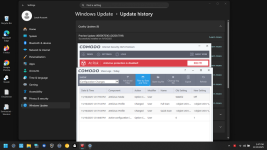
Advice Request COMODO blocks Windows Updates with error 0x80070005

Please provide comments and solutions that are helpful to the author of this topic.
Yes and No.

Yes, because it still works even if Auto-containment is disabled. For example, the PowerShell CmdLines are converted to PS1 files and put into:
C:\ProgramData\Comodo\CIS\tempscript

No, because it is integrated with both HIPS and Auto-containment. So, disabling one of them or both can impact the final effect.
 
  • +Reputation
Reactions: simmerskool
Can you please redo the Windows update test with default Proactive setup and only disable HIPS in the GUI and delete all HIPS rules from the HIPS rules list (leave all other protections at their default Proactive state)?

Test done. No surprise - update successful.
 
Last edited:
  • +Reputation
Reactions: simmerskool
"Script Analysis" from the help files.

Runtime Detection
  • Relevant settings are applied to the scripts. For example, if a script is detected by the containment module, then auto-containment rules are applied. Each module (AV, FW, VirusScope and so on) that detects a script will apply its appropriate settings.
Autoruns Scans
  • CIS ships with a list of predefined applications for which it performs heuristic analysis on programs that are capable of executing code.
  • The applications added here are applicable for the settings in:
    'Scan Options' > 'Apply this action to suspicious autorun processes' (monitors only during on-demand scans)
    'Advanced Settings' > 'Miscellaneous' > 'Apply the selected action to unrecognized autorun entries related to new/modified registry items' (monitors constantly)
 
  • Like
Reactions: Andy Ful
So it's not due to HIPS... What is it due to, in your opinion?

It is hard to say. It is not a direct HIPS issue, but Comodo is a complex security solution, so HIPS or other components can still be indirectly involved.

Anyway, a reasonable setup to avoid most problems with troublesome updates could be to temporarily disable HIPS+Auto-containment+Viruscope+Script Analysis, while keeping other security layers enabled (Firewall, Website Filtering, Antivirus). I tested this setup, and it passed the updates.

However, I noticed that this works well when the setup is applied before installing the troublesome update, and may not help if applied after the update failure. Update failures can often spoil the whole Windows Update machinery.
 
Last edited:
Anyway, a reasonable setup to avoid most problems with troublesome updates could be to temporarily disable HIPS+Auto-containment+Viruscope+Script Analysis,
I experienced issues with Windows updates failing when using certain antivirus solutions, but disabling them resolved the problem. However, I have never encountered Windows updates failing when using Comodo with proactive security, default containment, and disabled HIPS.

I have previously noted that Comodo has a history of incompatibilities when running in virtual machines (VMs). For instance, while using Eazy Fix, a lightweight virtualization tool, I encountered issues where Comodo became corrupted to the point that I couldn't uninstall it after restoring to an Eazy Fix snapshot.

Are you running Comodo in a virtual machine? I'm curious if the VM or some incompatibility could be causing the Windows updates problem.
 
However, I have never encountered Windows updates failing when using Comodo with proactive security, default containment, and disabled HIPS.

There is no problem with this, and most of the configs used in my tests, too. There was an update problem noted in the OP, but the CIS settings were different from those used in my tests.

Are you running Comodo in a virtual machine? I'm curious if the VM or some incompatibility could be causing the Windows updates problem.

Yes, I mentioned it earlier.
There is no indication of incompatibility in VirtualBox.
So far, the configurations with enabled/disabled HIPS, Auto-containment, Script Analysis, or Viruscope have updated successfully. So, the issue may be caused by disabling AV, Website Filtering, or Firewall. Comodo's Firewall is most suspicious, because it works alongside Windows Firewall.

I will test the Proactive configuration with disabled HIPS (this config updated successfully), but this time I will also disable Comodo's Firewall module.
 
Last edited:
Finally, the issue has been identified. It was not Firewall but AV. I ran the test twice with the same result (Install error - 0x80070005).
The reported tests show that enabling/disabling other modules (HIPS, Auto-containment, VirusScope, Firewall, Script Analysis, Website Filtering) did not cause the KB5067036 update error. But whenever one of the disabled modules was the Antivirus module, the update failed.

In fact, the issue is quite similar to that from the OP (the same update KB5067036 and the same error). In my case (last two tests), I used CIS Proactive config with disabled HIPS and AV modules, which is almost the same setup as the Comodo Firewall config in the OP. However, I did not use the silent setup, and all tests were run on the default Admin account.

I also ran two additional tests with the installed Comodo Firewall application (Proactive config with disabled HIPS), and the KB5067036 failed as in the OP.

It is strange, but all of this suggests that the active AV component's absence may be the cause of the issue in both CIS and Comodo Firewall.
 
Finally, the issue has been identified. It was not Firewall but AV. I ran the test twice with the same result (Install error - 0x80070005).
The reported tests show that enabling/disabling other modules (HIPS, Auto-containment, VirusScope, Firewall, Script Analysis, Website Filtering) did not cause the KB5067036 update error. But whenever one of the disabled modules was the Antivirus module, the update failed.

In fact, the issue is quite similar to that from the OP (the same update KB5067036 and the same error). In my case (last two tests), I used CIS Proactive config with disabled HIPS and AV modules, which is almost the same setup as the Comodo Firewall config in the OP. However, I did not use the silent setup, and all tests were run on the default Admin account.

I also ran two additional tests with the installed Comodo Firewall application (Proactive config with disabled HIPS), and the KB5067036 failed as in the OP.

It is strange, but all of this suggests that the active AV component's absence may be the cause of the issue in both CIS and Comodo Firewall.

"Preview Update (KB5067036) (26200.7019) is available." I never install preview updates. Is only the KB5067036 update failing with Comodo?

Damn, this preview update is around 4 GB, which would take a long time on my system and with my internet, but I may try it at least once.

Here are the important settings I always use on my system.
Microsoft Firewall and Defender "Disabled"
Fast Startup "Disabled"
Comodo Proactive Security
Containment "Defaults" (the first and third options "unticked" in Containment Settings)
HIPS "Disabled"
Firewall "Safe Mode" (Network Zones "Public" and "Block Incoming Connections" Enabled)
File Rating "Enabled" (upload unknown files and metadata of unknown files both "disabled")
VirusScope "Enabled" (Monitor only the applications in the container "Enabled")
Web Filtering "Disabled"
Antivirus "Not Installed"

Does the KB5067036 update have a high chance of failing if I install Comodo Antivirus and disable it?
 
  • Like
Reactions: Andy Ful
Finally, the issue has been identified. It was not Firewall but AV. I ran the test twice with the same result (Install error - 0x80070005).
The reported tests show that enabling/disabling other modules (HIPS, Auto-containment, VirusScope, Firewall, Script Analysis, Website Filtering) did not cause the KB5067036 update error. But whenever one of the disabled modules was the Antivirus module, the update failed.

In fact, the issue is quite similar to that from the OP (the same update KB5067036 and the same error). In my case (last two tests), I used CIS Proactive config with disabled HIPS and AV modules, which is almost the same setup as the Comodo Firewall config in the OP. However, I did not use the silent setup, and all tests were run on the default Admin account.

I also ran two additional tests with the installed Comodo Firewall application (Proactive config with disabled HIPS), and the KB5067036 failed as in the OP.

It is strange, but all of this suggests that the active AV component's absence may be the cause of the issue in both CIS and Comodo Firewall.
I don't use Comodo and never will but I really appreciate all the work you've done to investigate this. Thanks.
 
Finally, the issue has been identified. It was not Firewall but AV. I ran the test twice with the same result (Install error - 0x80070005).
The reported tests show that enabling/disabling other modules (HIPS, Auto-containment, VirusScope, Firewall, Script Analysis, Website Filtering) did not cause the KB5067036 update error. But whenever one of the disabled modules was the Antivirus module, the update failed.

In fact, the issue is quite similar to that from the OP (the same update KB5067036 and the same error). In my case (last two tests), I used CIS Proactive config with disabled HIPS and AV modules, which is almost the same setup as the Comodo Firewall config in the OP. However, I did not use the silent setup, and all tests were run on the default Admin account.

I also ran two additional tests with the installed Comodo Firewall application (Proactive config with disabled HIPS), and the KB5067036 failed as in the OP.

It is strange, but all of this suggests that the active AV component's absence may be the cause of the issue in both CIS and Comodo Firewall.
Actually you may be right. COMODO stand-alone firewall has no AV module, so that could be the culprit. But I don’t like comodo signatures, I prefer to use windows defender paired with COMODO
 
Is only the KB5067036 update failing with Comodo?

I tested only this one update.

Does the KB5067036 update have a high chance of failing if I install Comodo Antivirus and disable it?

No idea. This is a preview update, so it can be skipped. :unsure:
 
Finally, the issue has been identified. It was not Firewall but AV. I ran the test twice with the same result (Install error - 0x80070005).
The reported tests show that enabling/disabling other modules (HIPS, Auto-containment, VirusScope, Firewall, Script Analysis, Website Filtering) did not cause the KB5067036 update error. But whenever one of the disabled modules was the Antivirus module, the update failed.

In fact, the issue is quite similar to that from the OP (the same update KB5067036 and the same error). In my case (last two tests), I used CIS Proactive config with disabled HIPS and AV modules, which is almost the same setup as the Comodo Firewall config in the OP. However, I did not use the silent setup, and all tests were run on the default Admin account.

I also ran two additional tests with the installed Comodo Firewall application (Proactive config with disabled HIPS), and the KB5067036 failed as in the OP.

It is strange, but all of this suggests that the active AV component's absence may be the cause of the issue in both CIS and Comodo Firewall.
But what about the fact that with comodo firewall and the default proactive config, updates were successful for me?

The CF default proactive does not include the antivirus module
 
But what about the fact that with comodo firewall and the default proactive config, updates were successful for me?

The CF default proactive does not include the antivirus module

That proves that some other factors are also important, and the absence of an active AV module is one of them. For now, I do not know what they are, but I suspect that they are unrelated to Comodo.
I ran tests on the same initial system state, so those other factors most probably did not change, and I could get consistent results. This is an advantage of using Virtual Machine snapshots.
You ran your updates with different system states, so those other factors could be different too, and cause different (inconsistent) results.
 
Last edited:
I might install the preview update KB5067036 to confirm if it fails on my real system, like it did on your VM with Comodo Antivirus disabled.
The settings I mentioned in #Post69 included adding Comodo Antivirus to the setup, updating the antivirus database, completing a quick scan, disabling Comodo Antivirus, restarting the system, and running Windows Update; as a result, the KB5067036 update successfully installed on my Windows 11 Pro system.

cis.png
 
The settings I mentioned in #Post69 included adding Comodo Antivirus to the setup, updating the antivirus database, completing a quick scan, disabling Comodo Antivirus, restarting the system, and running Windows Update; as a result, the KB5067036 update successfully installed on my Windows 11 Pro system.

View attachment 292862

That is good.(y)
This is another argument that disabling the AV module can be only one of the required factors for failing this particular update.
I wonder what is the missing factor. Maybe the Comodo staff will identify it. For example, my tests were done just after upgrading from Windows 23H2 to 25H2. Can this be an important factor? Who knows, there can be many possible situations.

Post edited.
 
Last edited:
@rashmi

I noticed a difference in your setup: Microsoft Firewall and Defender "Disabled".
What do you mean by Defender disabled when using CF or CIS with a disabled AV module?
 
That is good.(y)
This is another argument that disabling the AV module can be only one of the required factors for failing this particular update.
I wonder what is the missing factor. Maybe the Comodo staff will identify it. For example, my tests were done just after upgrading from Windows 23H2 to 25H2. Can this be an important factor? Who knows, there can be many possible situations.

Post edited.
On 23H2 I had no issues with updates. They arised from 24H2 and 25H2
 
@rashmi

I noticed a difference in your setup: Microsoft Firewall and Defender "Disabled".
What do you mean by Defender disabled when using CF or CIS with a disabled AV module?
That is the setup I prefer when I use Comodo: no Comodo Antivirus or a third-party one. I also disable the Microsoft Firewall through Group Policy and Microsoft Defender with Sordum's Defender Control.

For the test, I used the same setup (already had Comodo on the system) and installed Comodo Antivirus.
 
  • Like
Reactions: Andy Ful