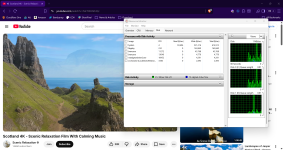
I realized that I was wrong about this analysis of mine. I mean writes are only being done in the browser cache, not by Avast is wrong. What System Informer's disk write column showed was double writes which is accurate. One by Browser, one by Avast. It seems System Informer's value is always accurate one way or another.
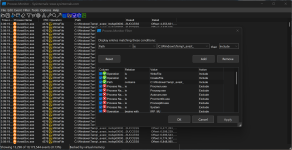
I noticed write activities from AVG in the temp folder while watching YouTube. So to properly measure, I opened a YouTube video and set
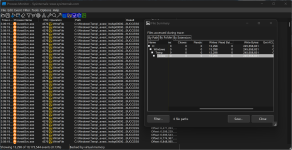
Process Monitor to log activities of the AVG processes only. I played a video for 2-3 minutes. Saved the log as a CSV file and let Claude analyze it. I asked it to tell me about the disk writes.
View attachment 295759View attachment 295760
As you can see in the screenshot, AVG/Avast/Norton do their HTTPS scanning even on YouTube, and for doing so, they have to scan all the contents, including the video streams in real-time to look for malicious contents. This scanning cache for Avast is written in the temp folder, so in your SSD/HDD. Your browser already writes cache in its own cache folder, while this write from Avast is extra. So it seems, if you watch a 100 MB YouTube video, with Avast/AVG/Norton you will end up writing double the amount on your SSD.
I don't know why Avast thinks it's necessary to do HTTPS scanning on YouTube. ESET and Bitdefender, for example don't do it on YouTube, so they by default, avoid these excessive disk writes when you watch YouTube.
This is not just YouTube for Avast, any website you visit, anything that is loaded by your browser, is written temporarily in Avast's cache to be scanned by it. So this is the reason, Avast disk writes on System Informer always keeps increasing as you browse the web. I don't remember seeing this for other AV products with HTTPS scanning, like Bitdefender, ESET, and Kaspersky. Avast's HTTPS scanning method is different. It seems this method causes more disk writes than the methods used by Avast. Others may also cause writes when scanning a streamed content like a live sports match. I did a small test with ESET in a live sports streaming site where ESET was doing HTTPS scanning. ESET wrote 21 MB in 3-4 minutes in the Temp folder like Avast, but I thought I watched more than 21 MB worth of live streaming. So I need to test again.
I did a brief test with Bitdefender also, but Bitdefender doesn't do HTTPS scanning on 8/10 sites I visit, including my current go-to site for watching sports. So it not doing HTTPS scanning on most sites means they avoid these extra disk writes + faster web browsing in most cases.
I haven't tested Kaspersky. Kaspersky usually does HTTPS scanning on most websites, so it would be interesting for me to learn if it causes similar extra writes also.
Anyway, Avast is the biggest offender here. So if you're an Avast/AVG/Norton user, you may want to disable HTTPS scanning.
Avast support doc clearly states that there is a correlation between your internet speed, your HDD speed and Avast's webguard, impacting the speed.
Learn how to troubleshoot connection speed issues with Web Guard in Avast Antivirus.

support.avast.com