Open MalwareTips in Safari and tap Share. You may need to open the Page Menu first.
Choose Add to Home Screen. If it is not listed, use Edit Actions to add it.
Keep Open as Web App enabled if shown, then tap Add.
Android
Open MalwareTips in Chrome or another browser that supports app installation.
Open the browser menu and look for Install app, Install and create shortcut, or Add to Home screen.
Choose Install and confirm. Wording varies by browser.
Desktop
Chrome: use the install icon in the address bar, or the menu under Cast, save and share.
Edge: open the menu, then More tools, Apps and Install this site as an app.
Safari on Mac: choose Share or File, then Add to Dock. Firefox on Windows: look for the web apps button in the address bar.
If you cannot find an install option, update your browser or use its bookmark option to keep MalwareTips close.
Keep up with your conversations
After installation, open the app and sign in. Enable push notifications in Preferences if you want alerts. On iPhone and iPad, push requires a Home Screen web app and iOS or iPadOS 16.4 or later.
I recently converted my storage from MBR to GPT with data retained.
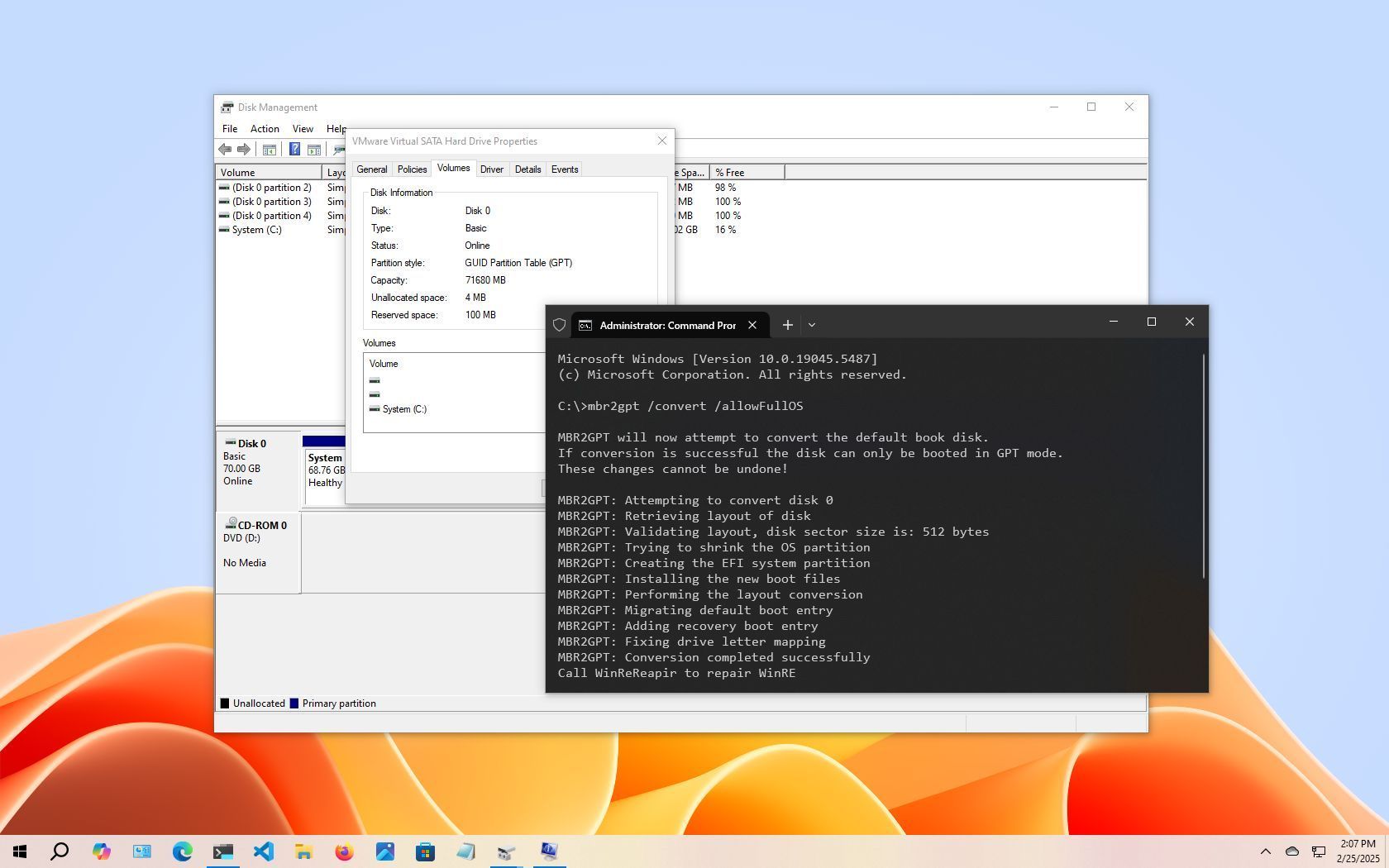
MBR2GPT makes gpt conversion of system disks easy and reliable. All you have to do is start it from the installation media or other pe and enter a few lines of command. No files were lost.
There are many third-party disk utility software that have the ability to convert to GPT without evacuating the data. However, there seems to be a small problem when using these.
I converted my data drive to GPT with those software (this process is not mandatory. I just ran it because I was bored) and when I could no longer write backups to this data drive, I found out about it.
Disks processed with those software can have glitches in the code that describes the partitions.
In my case, the problem was caused by a blank partition name description.
I also found other cases online where the partition name description was garbled.
I also found a small program(
Download GPT fdisk for free. GPT fdisk is a disk partitioning tool loosely modeled on Linux fdisk, but used for modifying GUID Partition Table (GPT) disks. The related FixParts utility fixes some common problems on Master Boot Record (MBR) disks.
sourceforge.net
) that checks and fixes these, but I wasn't confident in using it, so I finally solved my problem by saving my data and reformatting it.
no need for 3rd party utils windows has it built in
MBR2GPT.exe /validate /disk:0. This will run the MBR2GPT tool on your OS disk to validate that it is ready for the conversion.
MBR2GPT.exe /convert /disk:0
Recently browsing
Members who viewed this thread in the last 5 minutes




 www.windowscentral.com




