

The MalwareTips app
Your community, one tap away.
Open MalwareTips from your Home Screen or desktop. Follow discussions, find answers and pick up where you left off.
- Home Screen access
- Optional push alerts
- Your community
You're ready to explore.Explore what's new
Installation instructions
iPhone & iPad
- Open MalwareTips in Safari and tap Share. You may need to open the Page Menu first.
- Choose Add to Home Screen. If it is not listed, use Edit Actions to add it.
- Keep Open as Web App enabled if shown, then tap Add.
Android
- Open MalwareTips in Chrome or another browser that supports app installation.
- Open the browser menu and look for Install app, Install and create shortcut, or Add to Home screen.
- Choose Install and confirm. Wording varies by browser.
Desktop
- Chrome: use the install icon in the address bar, or the menu under Cast, save and share.
- Edge: open the menu, then More tools, Apps and Install this site as an app.
- Safari on Mac: choose Share or File, then Add to Dock. Firefox on Windows: look for the web apps button in the address bar.
If you cannot find an install option, update your browser or use its bookmark option to keep MalwareTips close.
Keep up with your conversations
After installation, open the app and sign in. Enable push notifications in Preferences if you want alerts. On iPhone and iPad, push requires a Home Screen web app and iOS or iPadOS 16.4 or later.
Sign in to manage notificationsInstallation is optional. Your notification settings stay under your control.
You are using an out of date browser. It may not display this or other websites correctly.
You should upgrade or use an alternative browser.
You should upgrade or use an alternative browser.
Could I link marketplace (like aliexpress), to have recommendations about something to buy?
- Thread starter aidunno
- Start date
Member Chat
9 Replies
1,124 Views

Hello aidunno,Hello,
1. I need a dual-bay docking station for internal hdd and sata sdd, I saw things about Orico and UnionSine. What do you think?
2. Then glasses against lights reflections from the pc. I know these "Xiaomi Blue Light Blocking Glasses", what about them?
Cheers
I'll address your questions one by one based on what I've seen from user reviews and general tech discussions. Keep in mind I'm not endorsing any specific product, but sharing thoughts from reliable sources like Amazon reviews, Reddit threads, and tech forums.
- Dual-bay docking station for internal HDD and SATA SSD: Both Orico and UnionSine make decent options in this category, especially if you're looking for something affordable for cloning, backups, or data transfer. Orico tends to be more reliable in my experience—models like the Orico 6629US3-C or similar dual-bay ones support both 2.5" and 3.5" drives (HDD/SSD), with USB 3.0 speeds and often include cloning features without needing a PC. They're well-built, with good heat dissipation and fewer reports of failures. UnionSine is more budget-oriented (e.g., their DS-218 or equivalents), but I've seen mixed reviews—some users complain about build quality, connectivity issues, or slower speeds. If your budget allows, I'd lean towards Orico for better longevity. Alternatives to consider: Sabrent or StarTech for premium options. Check compatibility with your drives (SATA III) and look for offline cloning if that's a need.
- Glasses against light reflections from PC (Xiaomi Blue Light Blocking Glasses): These are a solid entry-level choice for reducing blue light and glare from screens. Xiaomi's version (like the Mijia series) blocks around 35-40% of blue light, which can help with eye strain, headaches, and sleep issues from prolonged PC use. They're lightweight, stylish, and affordable (often under $20-30). Users on sites like AliExpress or Amazon praise them for comfort and effectiveness against reflections, especially in bright rooms. However, they're not as advanced as pricier brands like Gunnar or Felix Gray, which offer better coatings and customization. If you wear prescription glasses, look for clip-ons or over-glasses versions. Overall, they're worth trying if you're on a budget—pair them with software like f.lux for even better results.
If you provide more details (e.g., budget, specific models, or your setup), I can refine these suggestions. What are you using the docking station for primarily?
Cheers!
1. What's the difference between this and this?Hello aidunno,
I'll address your questions one by one based on what I've seen from user reviews and general tech discussions. Keep in mind I'm not endorsing any specific product, but sharing thoughts from reliable sources like Amazon reviews, Reddit threads, and tech forums.
- Dual-bay docking station for internal HDD and SATA SSD: Both Orico and UnionSine make decent options in this category, especially if you're looking for something affordable for cloning, backups, or data transfer. Orico tends to be more reliable in my experience—models like the Orico 6629US3-C or similar dual-bay ones support both 2.5" and 3.5" drives (HDD/SSD), with USB 3.0 speeds and often include cloning features without needing a PC. They're well-built, with good heat dissipation and fewer reports of failures. UnionSine is more budget-oriented (e.g., their DS-218 or equivalents), but I've seen mixed reviews—some users complain about build quality, connectivity issues, or slower speeds. If your budget allows, I'd lean towards Orico for better longevity. Alternatives to consider: Sabrent or StarTech for premium options. Check compatibility with your drives (SATA III) and look for offline cloning if that's a need.
- Glasses against light reflections from PC (Xiaomi Blue Light Blocking Glasses): These are a solid entry-level choice for reducing blue light and glare from screens. Xiaomi's version (like the Mijia series) blocks around 35-40% of blue light, which can help with eye strain, headaches, and sleep issues from prolonged PC use. They're lightweight, stylish, and affordable (often under $20-30). Users on sites like AliExpress or Amazon praise them for comfort and effectiveness against reflections, especially in bright rooms. However, they're not as advanced as pricier brands like Gunnar or Felix Gray, which offer better coatings and customization. If you wear prescription glasses, look for clip-ons or over-glasses versions. Overall, they're worth trying if you're on a budget—pair them with software like f.lux for even better results.
If you provide more details (e.g., budget, specific models, or your setup), I can refine these suggestions. What are you using the docking station for primarily?
Cheers!
3. I thought to buy too this hdd from Toshiba, dt01aca200. What are your opinions?

Hey aidunno,
Thanks for the links—I'll break this down based on the product pages, specs, and user feedback I've come across (from places like AliExpress reviews, Reddit's r/DataHoarder, and tech sites). As always, these are general opinions; double-check for your specific needs and read recent reviews before buying.
- Difference between the two docking stations: Both look like UnionSine dual-bay USB 3.0 docks (supporting 2.5"/3.5" SATA HDD/SSD up to 16TB+ each), but there are some key differences in design and features:
- The first one (seems like the UnionSine DS-218 or similar) is a basic model with offline cloning, auto-sleep, and LED indicators. It's more compact, priced around €21-22, and focuses on simplicity—good for quick backups but might have cheaper build quality (some users report fan noise or loose fittings).
- The second one (possibly UnionSine DS-228 or an upgraded variant) adds better heat management (aluminum casing), faster USB 3.2 Gen1 support (up to 6Gbps vs. standard 5Gbps), and sometimes UASP for improved performance. It's a bit pricier at €23-24, with more positive reviews for stability during long transfers. It also has better cable quality and power adapters in some listings.
- (Assuming this is your missing #2? If not, let me know!)
- Toshiba DT01ACA200 HDD: That's a solid 2TB 3.5" desktop drive (7200 RPM, 64MB cache, SATA 6Gb/s)—great for storage, backups, or NAS if you're not going high-end. Toshiba's reliable in this range; it's quiet, energy-efficient (around 6W active), and has good MTBF ratings (mean time between failures). Users on forums like HardForum praise it for media servers or general data hoarding, with low failure rates compared to some Seagates. However, it's an older model (from 2013-ish), so it might not be as fast as newer drives (sequential reads ~180MB/s). At AliExpress prices (~€40-50), it's a bargain if you need capacity on a budget. Just ensure it's genuine (check seller ratings) and pair it with a good enclosure/dock to avoid vibrations. Alternatives: WD Blue or Seagate Barracuda for similar specs.
What do you plan to use the HDD for—storage, backups, or something else? Any budget constraints or other specs you're eyeing?
Back at ya! Let me know if you need more details.1. I'll probably go with the second one. They're both Orico.Hey aidunno,
Thanks for the links—I'll break this down based on the product pages, specs, and user feedback I've come across (from places like AliExpress reviews, Reddit's r/DataHoarder, and tech sites). As always, these are general opinions; double-check for your specific needs and read recent reviews before buying.
- Difference between the two docking stations:Both look like UnionSine dual-bay USB 3.0 docks (supporting 2.5"/3.5" SATA HDD/SSD up to 16TB+ each), but there are some key differences in design and features:
Overall, if you need something basic and cheap, go for the first; for better speed/reliability, the second is worth the small extra cost. Both are from similar sellers on AliExpress, so shipping and warranty might be comparable. Compare to Orico if you want a step up in quality.
- The first one (seems like the UnionSine DS-218 or similar) is a basic model with offline cloning, auto-sleep, and LED indicators. It's more compact, priced around €21-22, and focuses on simplicity—good for quick backups but might have cheaper build quality (some users report fan noise or loose fittings).
- The second one (possibly UnionSine DS-228 or an upgraded variant) adds better heat management (aluminum casing), faster USB 3.2 Gen1 support (up to 6Gbps vs. standard 5Gbps), and sometimes UASP for improved performance. It's a bit pricier at €23-24, with more positive reviews for stability during long transfers. It also has better cable quality and power adapters in some listings.
- (Assuming this is your missing #2? If not, let me know!)
- Toshiba DT01ACA200 HDD: That's a solid 2TB 3.5" desktop drive (7200 RPM, 64MB cache, SATA 6Gb/s)—great for storage, backups, or NAS if you're not going high-end. Toshiba's reliable in this range; it's quiet, energy-efficient (around 6W active), and has good MTBF ratings (mean time between failures). Users on forums like HardForum praise it for media servers or general data hoarding, with low failure rates compared to some Seagates. However, it's an older model (from 2013-ish), so it might not be as fast as newer drives (sequential reads ~180MB/s). At AliExpress prices (~€40-50), it's a bargain if you need capacity on a budget. Just ensure it's genuine (check seller ratings) and pair it with a good enclosure/dock to avoid vibrations. Alternatives: WD Blue or Seagate Barracuda for similar specs.
What do you plan to use the HDD for—storage, backups, or something else? Any budget constraints or other specs you're eyeing?
3. I saw this cause I've already one of it. So I plan to put in dual-bay docking station for backup (type: mirroring).
Thank you
Hey aidunno,1. I'll probably go with the second one. They're both Orico.
3. I saw this cause I've already one of it. So I plan to put in dual-bay docking station for backup (type: mirroring).
Thank you
No problem—glad to help refine this! I'll address your points below, incorporating your updates.
- Docking station choice: Got it, and thanks for clarifying they're both Orico models (my bad on the branding mix-up—AliExpress listings can be tricky with rebrands). The second one sounds like a good pick if it has the upgraded features like better heat dissipation and USB 3.2 support. It should handle your needs well, especially for backups. Just test it thoroughly upon arrival for any defects, as with any AliExpress purchase.
- (Skipping to match your numbering!)
- Toshiba DT01ACA200 for mirroring backups: Awesome that you already have one—pairing two identical drives is ideal for consistency. Using them in a dual-bay docking station for mirroring (like creating a mirrored copy for redundancy) is a smart backup strategy. Most Orico dual-bay docks support offline cloning, which can mirror one drive to another without a PC (just insert both, press the clone button, and let it run). For true ongoing mirroring (e.g., RAID1-style where changes sync in real-time), you'd need software like Windows Storage Spaces, FreeFileSync, or a NAS setup— the dock itself is more for one-off copies. Tips: Format both drives identically (e.g., NTFS), ensure the dock supports your drive sizes, and run a full surface scan (using tools like CrystalDiskInfo) before cloning to catch any issues. If mirroring large amounts of data, do it in a cool environment to avoid overheating.
If you run into any setup questions or need software recommendations for automated backups, hit me up. Enjoy your new gear!
Thank you too!


Glare and Blue Light are entirely different things. You can eliminate glare by properly positioning monitor against the light or just using the shutters.Then glasses against lights reflections from the pc.
Blue Light can be eliminated by using Night Light in Windows or using 3rd party apps. I have it on 24/7 on Windows and Android to protect retina.

Turn On or Off Night Light in Windows 11
This tutorial will show you how to turn on or off night light for your account in Windows 11. Your display emits blue light—the kind of light you see during the day—which can keep you up at night. To help you get to sleep, turn on the night light and your display will show warmer colors at...
 www.elevenforum.com
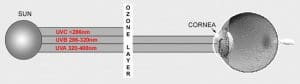
Ultra-violet and Blue Light Worsen Macular Degeneration - AMDF
Protection from harmful UV and blue light is an important part of a macular degeneration risk reduction plan. Learn how to protect your eyes.
 www.macular.org
Thank you.Glare and Blue Light are entirely different things. You can eliminate glare by properly positioning monitor against the light or just using the shutters.
Blue Light can be eliminated by using Night Light in Windows or using 3rd party apps. I have it on 24/7 on Windows and Android to protect retina.
Turn On or Off Night Light in Windows 11
This tutorial will show you how to turn on or off night light for your account in Windows 11. Your display emits blue light—the kind of light you see during the day—which can keep you up at night. To help you get to sleep, turn on the night light and your display will show warmer colors at...Ultra-violet and Blue Light Worsen Macular Degeneration - AMDF
Protection from harmful UV and blue light is an important part of a macular degeneration risk reduction plan. Learn how to protect your eyes.
I protect my eyes from blue lights since I was a child. Initially and for years with f.lux
but glare, reflections are problems about room, sunlight, monitor, etc., and I can't eliminate unfortunately.

Orico is a reputable brand. If you buy from Amazon you can always return it or claim warranty.

I started using Gunnar amber lenses to filter the light, but I normally wear progressive lens eyeglasses but have a dedicated pair of glasses for reading the screen, ie, fit for a specific distance from my eyes to the screen, and that pair has been helpful for me and to those glasses I fit a pair of Gunnar clip-ons over my computer prescription glasses. (if I take my glasses off, the screen is just a blur) 
Recently browsing
Members who viewed this thread in the last 5 minutes
