Try placing this file next to the application, I am curious if it will start
On my system it extracts, so I think it may be another error


Open MalwareTips from your Home Screen or desktop. Follow discussions, find answers and pick up where you left off.
If you cannot find an install option, update your browser or use its bookmark option to keep MalwareTips close.
After installation, open the app and sign in. Enable push notifications in Preferences if you want alerts. On iPhone and iPad, push requires a Home Screen web app and iOS or iPadOS 16.4 or later.
Sign in to manage notificationsInstallation is optional. Your notification settings stay under your control.

Worked.
Try placing this file next to the application, I am curious if it will start
On my system it extracts, so I think it may be another error
Is Defender active?
 KES as main av.
Ok, I will redesign it so without Defender the quick scan at least can be used :-DAh nop

It opened for me with Avast Free including quick scan.Ok, I will redesign it so without Defender the quick scan at least can be used :-D


Yeah, I noticed that too. There is one ASR rule where the ID has a typo as well, so it is not getting applied/disabled.It now works with the WebView2Loader.dll placed next to it
Using the Enterprise Productivity Profile.
I got an exclamation mark in Microsoft Defender because of App & Browser Control was turned off.
Can you change that?

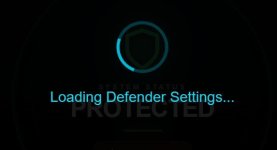
Thanks, as I'm getting the loading defender settings as well (Eset & F-Secure).Ok, I will redesign it so without Defender the quick scan at least can be used :-D
I am making some changes to the frontend and backend, will recompile the executable shortly.Thanks, as I'm getting the loading defender settings as well (Eset & F-Secure).
You're amazing, TridentI am making some changes to the frontend and backend, will recompile the executable shortly.
 sitting this testing phase out (& lately more often in linux) but reading with interest
The next few updates will slowly move the scan engine to Helios UltraQuick 1.38 (the current one is 1.01). The 1.38 version uses cloud checks for processes and connections.I had my first substantial hardware crash on my 9 year old hardware christmas morning, so sadly
to spend $$$ ($,$$$) or not to spend... that is the question. (right now $0)Hopefully you get your hardware back to a working state soon.
December and January are usually months where spendings are already quite highto spend $$$ ($,$$$) or not to spend... that is the question. (right now $0)

Members who viewed this thread in the last 5 minutes