My experience with Fedora so far
1- The live USB failed to boot while secure boot is enabled
2- Installation was fast and smooth
3- Out of the box, everything is working without any tweaks on my Intel Thinkpad X13 Gen 3.
4- While flatpak is installed, it is not enabled out of the box and none of the software is installed via flatpak. This is great for I always prefer native apps.
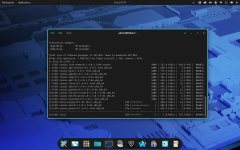
5- I experienced an issue while updating Fedora using dnf. Many mirrors threw "time out" error but that was easy to fix by using the fastestmirror=True flag.
6- the distro is not bloated at all. It comes with Libreoffice, Firefox, and Thunderbird pre installed. I removed Firefox and TB.
7- Driver and firmware updates are handled in FWUDmgr and I was able to update bios and Intel ME.
Now as for my config
I removed Firefox and TB and replaced them with Waterfox and claws mail.
I installed Hard Disk Sentinel cli
I also installed OnlyOffice, but kept Libreoffice as a backup.
----------------------
As for issues, I have not experienced any serious issues. The only issues I experience was a couple of warning that sth in cosmic de stopped working but I did not notice a difference and I already reported the issue.
The second issue was the time out error in updating Fedora, but that was easy to fix.
Lastly, removing a package (that was installed using .rpm package and imported its signing key) does not remove the imported key. You have to remove it manually.
1- The live USB failed to boot while secure boot is enabled
2- Installation was fast and smooth
3- Out of the box, everything is working without any tweaks on my Intel Thinkpad X13 Gen 3.
4- While flatpak is installed, it is not enabled out of the box and none of the software is installed via flatpak. This is great for I always prefer native apps.
5- I experienced an issue while updating Fedora using dnf. Many mirrors threw "time out" error but that was easy to fix by using the fastestmirror=True flag.
6- the distro is not bloated at all. It comes with Libreoffice, Firefox, and Thunderbird pre installed. I removed Firefox and TB.
7- Driver and firmware updates are handled in FWUDmgr and I was able to update bios and Intel ME.
Now as for my config
I removed Firefox and TB and replaced them with Waterfox and claws mail.
I installed Hard Disk Sentinel cli
I also installed OnlyOffice, but kept Libreoffice as a backup.
----------------------
As for issues, I have not experienced any serious issues. The only issues I experience was a couple of warning that sth in cosmic de stopped working but I did not notice a difference and I already reported the issue.
The second issue was the time out error in updating Fedora, but that was easy to fix.
Lastly, removing a package (that was installed using .rpm package and imported its signing key) does not remove the imported key. You have to remove it manually.