Question DNS rebinding attacks

Please provide comments and solutions that are helpful to the author of this topic.
You have two options:

1. use ControlD HaGeZi Pro Plus or Ultimate—Pro Plus contains TIF light; Ultimate contains TIF medium
2. use ControlD configurator at the middle of the page and select Ads & Tracking + Malware (uses multiple TIF blocklists).

I myself use ControlD HaGeZi Pro Plus because it uses TIF light which doesn't have any FP. Ultimate uses TIF medium which can have some FPs. Haven't tried Ads & Tracking + Malware though.
Then, it is the ultimate 🙏
 
Hagezi TIF is more than 500K; the largest Hagezi list is multi ultimate (aprox 250K); partial here mean "minor inclusion".
I think the developer refrained of completely including Hagezi TIF because of its very large size.
NextDNS just doesn't care about user requests. Many people wanted the Hagezi Threat Intelligence Feeds to be included as a separate blocklist, but the argument of the devs for multiple years now simply is: It can't be added as the custom third-party blocklists are in the privacy tab and Hagezi TIF is a security based blocklist and therefor cant be added.

Such a dumb statement in my opinion...
 
NextDNS just doesn't care about user requests. Many people wanted the Hagezi Threat Intelligence Feeds to be included as a separate blocklist, but the argument of the devs for multiple years now simply is: It can't be added as the custom third-party blocklists are in the privacy tab and Hagezi TIF is a security based blocklist and therefor cant be added.

Such a dumb statement in my opinion...
I suspect NextDNS is tied to agreements with vendors providing its own TIF, and trying to avoid pissing them off.
 
I suspect NextDNS is tied to agreements with vendors providing its own TIF, and trying to avoid pissing them off.
Yeah well, it would be a good start if they made their TIFs sources public again how it used to be. Now we don't even know which ones they are using. I am using NextDNS for multiple years and in general still like it and don't see a better alternative so far as I don't really like ControlD. Still, I feel bad for paying those guys money every year even tho they don't care about what their users want...
 
Yeah well, it would be a good start if they made their TIFs sources public again how it used to be. Now we don't even know which ones they are using. I am using NextDNS for multiple years and in general still like it and don't see a better alternative so far as I don't really like ControlD. Still, I feel bad for paying those guys money every year even tho they don't care about what their users want...
I'm using NextDNS in all of my devices (systemwide and in browser settings) and I've never crossed the 300,000 limit, so I did not buy a subscription. I wonder if you cross the limit or you just pay to support them?
 
I'm using NextDNS in all of my devices (systemwide and in browser settings) and I've never crossed the 300,000 limit, so I did not buy a subscription. I wonder if you cross the limit or you just pay to support them?
I manage multiple networks with my subscription so the free tier isn't an option unfortunately. Supporting them definitely isn't the main reason anymore. :(
 
I'm using NextDNS in all of my devices (systemwide and in browser settings) and I've never crossed the 300,000 limit, so I did not buy a subscription. I wonder if you cross the limit or you just pay to support them?
NextDNS has options to minimize dns queries; 300K will be more than sufficient for moderate use.
On the contrary, customized Adguard dns free consumes its 300K 2-3 times faster.
 
You have two options:

1. use ControlD HaGeZi Pro Plus or Ultimate—Pro Plus contains TIF light; Ultimate contains TIF medium
2. use ControlD configurator at the middle of the page and select Ads & Tracking + Malware (uses multiple TIF blocklists).

I myself use ControlD HaGeZi Pro Plus because it uses TIF light which doesn't have any FP. Ultimate uses TIF medium which can have some FPs. Haven't tried Ads & Tracking + Malware though.
Why not Control D Hagezi Pro?
Hagezi himself warns about false positives in the Pro Plus, he says an admin should be available to unblock incorrectly blocked domains, which is actually impossible to do in the free tier.
 
Last edited:
Why not Control D Hagezi Pro?
Even normal has partial TIF

Screenshot_3-12-2025_2316_github.com.jpeg
 
  • Thanks
Reactions: Templarware
Do DNS rebinding attacks matter for home users?
It depend on your threat model, there is much more than just dns rebinding to worry about. Default windows have so much stuff ON by default and gateway very often get compromised. Segmenting layer 2 ( vlan and subnetting ) , enforce dnssec and uses solutions like dnscrypt and you should be fine. Sadly home network are very often targeted by threat actor for multiple reasons like reselling residential proxy is just one.

Even if you use nextdns or controld ALOT of applications do use internal DNS nowaday most of electron based will resolve cloudflare cdn instead of yours. Portmaster is a userfriendly tool that might helps but any experienced attacker will figures it out.

You should restrict Multicast, aliases
You should understand read a bit about BCP38,vxlan,how threat actor can leverage ISP BRAS to exfil and do lot's of stuff.
NOTE: When an attacker compromise ur system ALOT of exe , dll will be replaced by living out the land binary aka lolbin
A good practice is to have decent blocklist , blacklisting ASN, Country u do not expect to ever have connections with and are known to be part of large scale attacks.
Known blacklisted c2, scanner, ddos bot etc. Peerblock and hardening your host file will do it for you but this do not replace having a DMZ device setup for proper filtering

This is only few common one but without an actual threat models it is imposible to properly cover and comprehend someone needs.
Security is not a tool or something u just apply once either


I would never recommend those 3RD party dns when you can achieve more without paying with dnscrypt, u can even use dns relay, anonymize request and much more
if you need an easy to use ui go for simplednscrypt
 
Last edited:
  • Like
Reactions: Parkinsond
I followed through and investigated how to make my DNS rebinding protection more complete. As it turns out, my DNS policy based on Cloudflare's "private IP addresses" security category was limited to domains pre-classified by Cloudflare's threat intelligence. This was never going to pass benign rebinding tests on its own.

I implemented a post-resolution DNS policy blocking all traffic resolving to private IP address ranges. The result? I now pass DNS rebinding tests, including the one on ControlD's website and a manual DNS lookup of net192.rebindtest.com.

This catch-all policy creates strong protection at the cost of blocking some legitimate traffic. I'll likely need to make some exceptions.
I'll quickly note that while this allowed me to pass any kind of test, the amount of false positives from this strict policy was honestly insane. Cloudflare's ability to filter these DNS resolutions is fundamentally different from how a router defends against DNS rebinding, in which case it can easily distinguish WAN from LAN to block suspicious "flips." I'm just not in the position to change any networking equipment on my end right now.

I decided to approach it differently. Cloudflare's dynamic list (private IP addresses) blocking domains known for rebinding attacks along with browser defenses should suffice for many people, probably including myself. Cloudflare Zero Trust has been a nice solution overall, so I won't be switching right away because of DNS rebinding concerns.
 
  • +Reputation
Reactions: Parkinsond
Why not Control D Hagezi Pro?
Hagezi himself warns about false positives in the Pro Plus, he says an admin should be available to unblock incorrectly blocked domains, which is actually impossible to do in the free tier.
Because Pro++ blocks more than Pro. I'm using it for a few months already and so far found just two false positives. Reported it to HaGeZi on GitHub and it was fixed within few hours. I found way more FPs on other block lists than on HaGeZi.

I tried OISD as well, but I got impression it doesn't block a lot.
 
Actually browser extension can do the job much better than dns; I only use dns ad blocking for my phone; I use only Chrome on phone, which does not support extensions.
I also don't use DNS, only an extension, for ad blocking on the laptop for two reasons: the extension allows instant or temporary unblocking, and occasionally I noticed ads in some videos in my experience. On the phone, I use both Vivaldi's built-in and DNS.

I'm using NextDNS in all of my devices (systemwide and in browser settings) and I've never crossed the 300,000 limit, so I did not buy a subscription. I wonder if you cross the limit or you just pay to support them?
We also never hit the NextDNS limit; our devices barely use half, even without "boost." All users have separate accounts from different households/internet services.

NextDNS has options to minimize dns queries; 300K will be more than sufficient for moderate use.
On the contrary, customized Adguard dns free consumes its 300K 2-3 times faster.
I believe you can set a higher TTL value (default 10 seconds) in "Servers" settings to minimize AdGuard DNS queries.

OISD states clearly "prefer usability to security"; comparable to Hagezi Normal or light, I do not which one precisely.
OISD and Hagezi light/normal haven't given me false positives, but Pro has sometimes. I have not tried the more advanced versions. I'm currently using only Hagezi Pro in NextDNS for phones (Private DNS), iPads (Configuration Profile), and TVs (AdGuard App).
 
I also don't use DNS
I usd secure DNS mainly for malicius websites, as uBOL lists are rather minor.
I believe you can set a higher TTL value (default 10 seconds) in "Servers" settings to minimize AdGuard DNS queries.
Thank you; I will search for this option and try to modify; do you recommend a specific figure instead of 10?
OISD and Hagezi light/normal haven't given me false positives, but Pro has sometimes
I surf just few websits; even Hagezi ultimate rarely gives me FP; most FP were by NRD option, that is why I have it disabled.
 
I usd secure DNS mainly for malicius websites, as uBOL lists are rather minor.
I'm using NextDNS on the laptop but with no ad blocking.

Thank you; I will search for this option and try to modify; do you recommend a specific figure instead of 10?
The unblocking time for blocked websites also relies on it. Some DNS providers have a 300-second/5-minute default.
 
I'm using NextDNS on the laptop but with no ad blocking.


The unblocking time for blocked websites also relies on it. Some DNS providers have a 300-second/5-minute default.
The max figure accepted is 3600
 
Does this new feature protects against DNS rebinding attacks?

Local Network Access. Local Network Access in Microsoft Edge is a security feature that restricts a website’s ability to send requests to servers on your local network. When a website tries to connect, Microsoft Edge shows a prompt asking you to grant or deny permission. This protects privacy and security while maintaining compatibility with modern web standards. The ability of a website to request this permission from users is restricted to secure contexts. This feature is currently enabled by default starting in Microsoft Edge 143.

 
  • Thanks
Reactions: TairikuOkami
Does this new feature protects against DNS rebinding attacks?
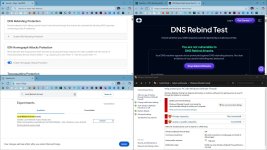
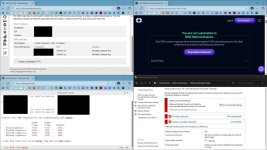
Yes and thanks for the tip, I am gonna use it, though it seems that this test is more complicated than expected. I pass the test with NextDNS's Rebind protection and firewall disabled as well as with ISP's unencrypted DNS and firewall disabled. It is like the DNS alone does not matter, it is probably a router or some other settings. :unsure:
 

Attachments

  • capture_12052025_135851.jpg
    capture_12052025_135851.jpg
    259.3 KB · Views: 22
  • capture_12052025_140806.jpg
    capture_12052025_140806.jpg
    269.7 KB · Views: 25
Yes and thanks for the tip, I am gonna use it, though it seems that this test is more complicated than expected. I pass the test with NextDNS's Rebind protection and firewall disabled as well as with ISP's unencrypted DNS and firewall disabled. It is like the DNS alone does not matter, it is probably a router or some other settings. :unsure:
That is the reason for asking about this browser feature, in order not to rely completely on DNS provider for the protection.
 
  • Like
Reactions: TairikuOkami

You may also like...