Question Does Windows 11 delivery optimization remain active in the background or...?

Help answer the author's question with clear explanations and useful steps.

lokamoka820

Level 58
Verified
Top Poster
Well-known
Does Windows 11 delivery optimization remain active in the background or is it disabled when it is turned off from the settings?

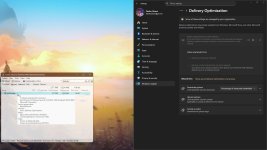
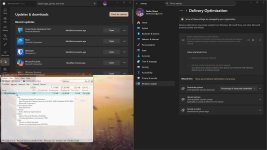
I have the Windows 11 delivery optimization option turned off in the settings, but today I noticed that it writes 2.27 GB to my disk. Does it still run whether this option is turned on or off?

Here's a screenshot of what I mean:

2026-03-12 01_48_19.png

Windows 11 Home Edition is what I'm using.

Thank you.
 
Last edited by a moderator:
I have the Windows 11 delivery optimization option turned off in the settings, but today I noticed that it writes 2.27 GB to my disk. Does it still run whether this option is turned on or off?

Here's a screenshot of what I mean:

View attachment 296300

Windows 11 Home Edition is what I'm using.

Thank you.
Yes, the Delivery Optimization service continues to run in the background even if you toggle it "off" in your settings.
 

MalwareTips community

Join the discussion

Create a free account to reply to this thread, ask your own questions and get help from the community.

  • Reply and ask questions
  • Get alerts when someone answers
  • Free malware removal help

Join 75,705 members who help each other for free, since 2010.

Create free account
or continue with

Recently browsing

Members and guests who viewed this thread in the last 5 minutes

Back
Top