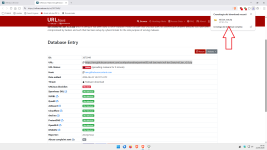
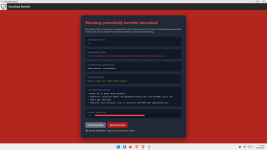
Version 1.1 is published on the Chrome webstore.
What it does: Warns for potentially harmful downloads and calculates a risk score. It lets the user decide to cancel & go back or ignore & proceed
Download sentinel runs with minimal permissions and is designed with privacy in mind (see privacy policy: DownloadSentinel/privacy.md at main · Kees1958/DownloadSentinel )
How it warns you?
The user interface is very simpel and uses minimal permissions (for privacy reasons)

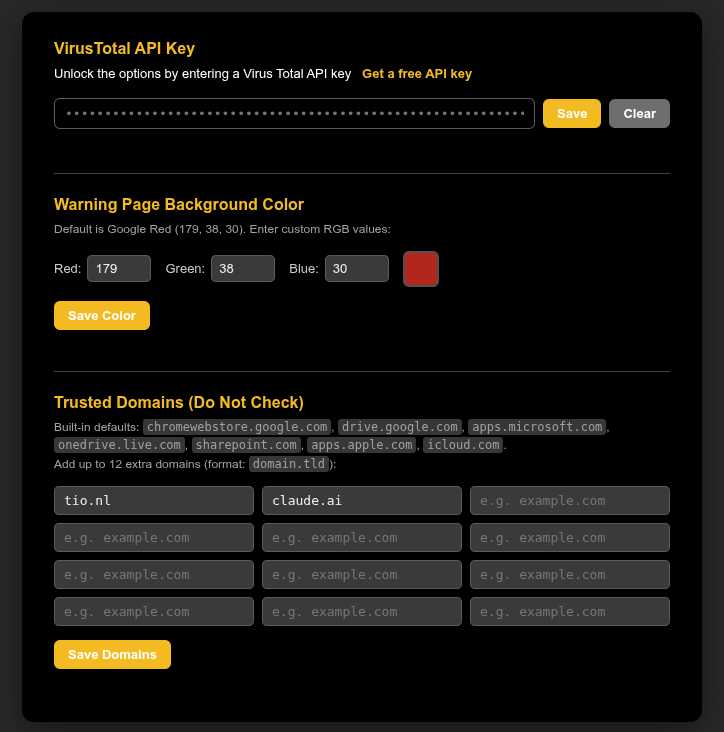
You can enter your Virus Total API key in the options menu, change the background colour of the warning page and enter up to 12 domains to be white listed
What it does: Warns for potentially harmful downloads and calculates a risk score. It lets the user decide to cancel & go back or ignore & proceed
Download sentinel runs with minimal permissions and is designed with privacy in mind (see privacy policy: DownloadSentinel/privacy.md at main · Kees1958/DownloadSentinel )
How it warns you?
- Checks whether the domain is on the build in whitelist or on the user defined whitelist (see options)
- When a download is initiated it checks whether the file type is an executable (including scripts) or an archive. It also check the mime-type of the download and when it is an executable type it is also checked.
- Even user has not entered a free Virus Total API key, the following background checks are performed (and reported in HOST REPUTATION DETAILS).
- Check whether the domain is blacklisted by Quad9.
Quad9 is DNS services located in Switzerland. Large companies are behind it (IBM and CISCO) as are well known security vendors (Proofpoint and F-secure) and uses well known feeds (e.g. OpenPhish and UrlHaus). Quad9 is intended for corporate use, so it applies a conservative blacklist approach (very few False Positives). - Check the domain age at RDAP
When the domain is less than 30 days, this is used as a negative signal - Checks whether the (legitimate) domain hosting the download is often used for spreading malware.
This included code sharing platforms, free hosting domains and URL shortener's often used in URL Haus malware URL feed (I just took the 30 most used) - Check whether the Top Level Domain is on the much abused list
It uses the malware percentage of that TLD to determine a negative signal - Check whether download-URL is sketchy
It looks for well known obfuscation patterns, like whether it includes puny code, mentions well known brands or uses numbers for characters e.g 1 for l and 0 for 0). - Checks whether file type is consistent with the mime-type
This is also a wel known tactic for malware by showing txt file type in URL, while the mime type is an executable. - Finally it checks the file size of the download is smaller dan the VT maximum
A well known tactic is offering very large downloads (e.g. > 650 MB) which are often skipped by antivirus solutions
- Check whether the domain is blacklisted by Quad9.
- When the user has signed up for a free personal Virus Total API-ket and entered this in the options page, the sanatized download URL is send to Virus Total and the findings are listed in VIRUS TOTAL DETAILS).
- Based on these signals it calculates a risk score
The user interface is very simpel and uses minimal permissions (for privacy reasons)
You can enter your Virus Total API key in the options menu, change the background colour of the warning page and enter up to 12 domains to be white listed
Last edited:

 )
)