

The MalwareTips app
Your community, one tap away.
Open MalwareTips from your Home Screen or desktop. Follow discussions, find answers and pick up where you left off.
- Home Screen access
- Optional push alerts
- Your community
You're ready to explore.Explore what's new
Installation instructions
iPhone & iPad
- Open MalwareTips in Safari and tap Share. You may need to open the Page Menu first.
- Choose Add to Home Screen. If it is not listed, use Edit Actions to add it.
- Keep Open as Web App enabled if shown, then tap Add.
Android
- Open MalwareTips in Chrome or another browser that supports app installation.
- Open the browser menu and look for Install app, Install and create shortcut, or Add to Home screen.
- Choose Install and confirm. Wording varies by browser.
Desktop
- Chrome: use the install icon in the address bar, or the menu under Cast, save and share.
- Edge: open the menu, then More tools, Apps and Install this site as an app.
- Safari on Mac: choose Share or File, then Add to Dock. Firefox on Windows: look for the web apps button in the address bar.
If you cannot find an install option, update your browser or use its bookmark option to keep MalwareTips close.
Keep up with your conversations
After installation, open the app and sign in. Enable push notifications in Preferences if you want alerts. On iPhone and iPad, push requires a Home Screen web app and iOS or iPadOS 16.4 or later.
Sign in to manage notificationsInstallation is optional. Your notification settings stay under your control.
You are using an out of date browser. It may not display this or other websites correctly.
You should upgrade or use an alternative browser.
You should upgrade or use an alternative browser.
New Update EaseUS Todo Backup Free
-
 Thread starter
silversurfer
Thread starter
silversurfer
- Start date
- 32 Replies
- 8,647 Views


Version: 2024 (20240305)
March 5th
Editions
- EaseUS Todo Backup Free 2024
- EaseUS Todo Backup Home 2024
New features
- Added support for selecting FTP/SFTP in file synchronization.
- List of features improved
- Improved support for backup Offsite copy to FTP/SFTP.
- Fixed an issue where Outlook backup prompted "The feature is not activated or the license is expired" in certain environments after upgrading to version 2024 (20240126).
Version: 2024 (20240126)
January 26th
Editions
- EaseUS Todo Backup Free 2024
- EaseUS Todo Backup Home 2024
New features
- Added file synchronization feature, allowing for one-way or two-way synchronization of files locally or on the network.
- List of features improved
- Resolved an issue causing WinPE creation to fail on Windows 11 systems.
- Fixed an issue with email notification functionality not supporting certain SMTP servers.
- Improved compatibility of network-related features with SSL encrypted transmission.
- Changed the style of the Tools menu, making it easier to find the desired functions.
EaseUS® Todo Backup Editions History
EaseUS® Todo Backup Editions History. See the new features and list of features improved for EaseUS Todo Bakcup new versions
 www.easeus.com
Download: EaseUS Todo Backup Free
EaseUS Todo Backup Free new version 20240409.295 is available to download from homepage: EaseUS Todo Backup Free
Version: 2024 (20240531)
May 31th
Editions
- EaseUS Todo Backup Free 2024
- EaseUS Todo Backup Home 2024
New features
- Supported to add and select FTP in the backup target.
- List of features improved
- Significantly increased the types of games supported for backup.
- Added PreOS switch.
- Added backup protection prompt function.
EaseUS® Todo Backup Editions History
EaseUS® Todo Backup Editions History. See the new features and list of features improved for EaseUS Todo Bakcup new versions
www.easeus.com
Download: EaseUS Todo Backup Free
Version: 2024 (20240607)
Editions
- EaseUS Todo Backup Free 2024
- EaseUS Todo Backup Home 2024
New features
- Support for FTP/SFTP has been added to backup targets.
List of features improved
- The game save backup has been upgraded, now supporting over 10,000+ games, and continues to be updated.
- The performance of backup and restoration has been improved.
- Network transmission compatibility has been improved.
- The display of PreOS creation and boot entry lists has been improved.
EaseUS® Todo Backup Editions History
EaseUS® Todo Backup Editions History. See the new features and list of features improved for EaseUS Todo Bakcup new versions
www.easeus.com
Download: EaseUS Todo Backup Free
Version: 2024 (20240903)
September 3rd
Editions
- EaseUS Todo Backup Free 2024
- EaseUS Todo Backup Home 2024
New features
- Added support for discovering and adding NAS devices when creating file backups.
- List of features improved
- Improved the interaction for browsing the directory tree during backup restoration; you can now directly input a path to navigate.
- Fixed the issue where Google Drive authorization failed.
- Fixed the issue where shutdown event backups would not execute when fast shutdown is enabled in Windows.
- Fixed the issue where email backups could crash when there are too many email directories.
- Fixed the issue where creating an emergency disk might fail on Windows 11 24H2.
EaseUS® Todo Backup Editions History
EaseUS® Todo Backup Editions History. See the new features and list of features improved for EaseUS Todo Bakcup new versions
www.easeus.com
Download: EaseUS Todo Backup Free
Version: 2024 (20241016)
October 16th
Editions
- EaseUS Todo Backup Free 2024
- EaseUS Todo Backup Home 2024
New features
- Backup image processes improved.
- List of features improved
- OneDrive, Win11 backup issues resolved.
- Game save restoration issues fixed.
- Cloning errors, boot issues resolved.
EaseUS® Todo Backup Editions History
EaseUS® Todo Backup Editions History. See the new features and list of features improved for EaseUS Todo Bakcup new versions
www.easeus.com
Download: EaseUS Todo Backup Free

I've been using AOEMEI Pro Giveaway, but briefly switched to Ashampoo Pro Giveaway (17, I think). Ashampoo recovery environments theoretically can deal with Bitlocker drives.
Full backup / incremental backup for AOEMEI, SSD to external HDD, ~40 mins. Full backup / incremental backup for Ashampoo ~3 hours. Back to AOEMEI!!!
Full backup / incremental backup for AOEMEI, SSD to external HDD, ~40 mins. Full backup / incremental backup for Ashampoo ~3 hours. Back to AOEMEI!!!
EaseUS Todo Backup Free new version 20241206.295 is available to download => https://down.easeus.com/product/tb_free?ref=%2Fbackup-software%2Ftb-free.html
EaseUS Todo Backup Free new version 20250207.295
Download: https://down.easeus.com/product/tb_free?ref=%2Fbackup-software%2Ftb-free.html
Download: https://down.easeus.com/product/tb_free?ref=%2Fbackup-software%2Ftb-free.html
Version: 2025 (20250328)
Editions
- EaseUS Todo Backup Free 2025
- EaseUS Todo Backup Home 2025
List of features improved
- Added support for ARM version of Windows environment.
- Added support for Google/Microsoft mailbox OAuth2.0 authorization and added multiple quality improvements.
EaseUS® Todo Backup Editions History
EaseUS® Todo Backup Editions History. See the new features and list of features improved for EaseUS Todo Bakcup new versions
www.easeus.com
Download: EaseUS Todo Backup Free

Free Backup Software - EaseUS Todo Backup
Download:
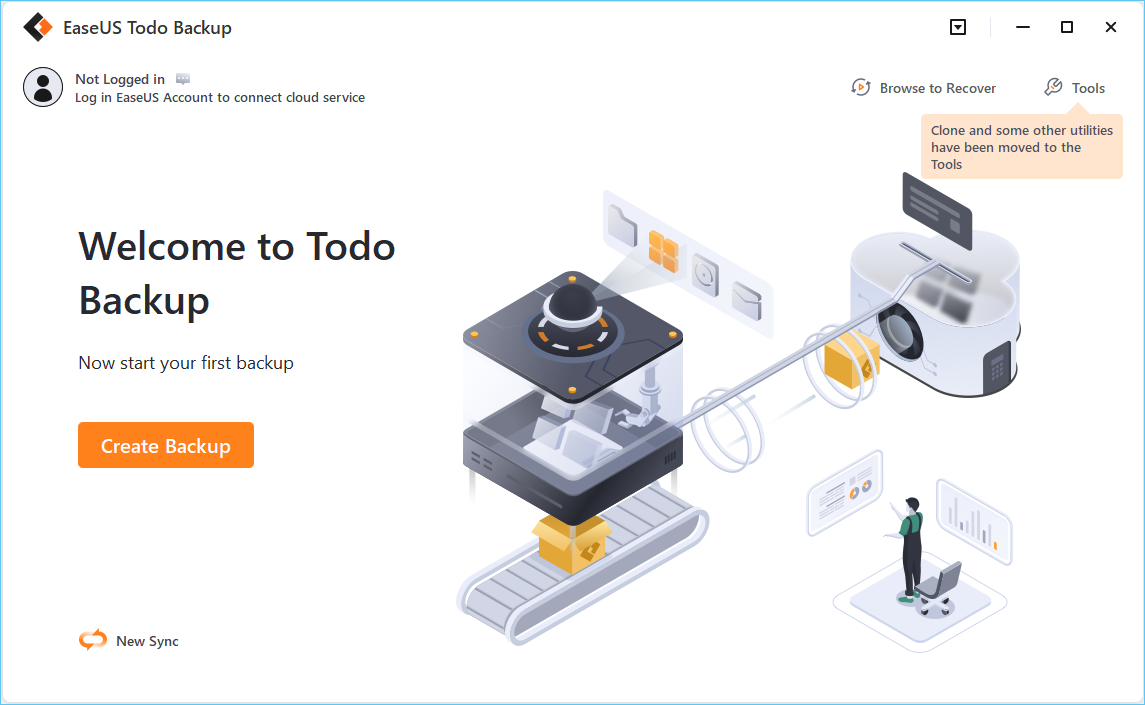 www.easeus.com
Download:
EaseUS Todo Backup - Best Free Backup Software for Windows 11/10/8/7
EaseUS Todo Backup Free is an award-winning and easy-to-use free data backup software for Windows 11/10 users to back up photos, music, videos, documents, system, etc. for PC users.
www.easeus.com

Recently browsing
Members who viewed this thread in the last 5 minutes

