ESET Smart Scan hanging

Status
Not open for further replies.

Maxxx58

Level 13
Thread author
Verified
Dec 20, 2014
619
1,061
1,169
Hi everyone,
This is the first time I use ESET Smart Security 8. i use default settings on my ESET but when I use Smart Scan, it hanging for several hours. i don't know why. I try uninstall and reinstall it but can't solve. I notice that if I turn off my network before use Smart Scan, it not hanging. This is screenshot when my Eset's Smart Scan hanging
p0Ib26w.png

Can someone help me?
 
You may need to remove some previously installed ESET drivers.

Here is the similar issue reported by users. https://forum.eset.com/topic/4129-install-on-win-81/
You may need to manually remove the driver stated by the user, brihy1, at that forum.
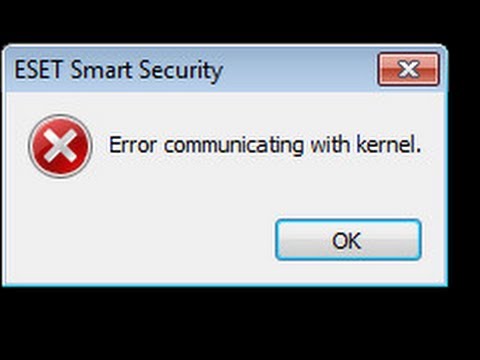
Thank you for your reply, I just reinstall Windows. Eset gives me so many problems! Before, my Eset can't start. It says "Error communicating with Kernel", and I must restart Windows to solve.Example photo for my problems
hqdefault.jpg
 
Thank you for your reply, I just reinstall Windows. Eset gives me so many problems! Before, my Eset can't start. It says "Error communicating with Kernel", and I must restart Windows to solve.Example photo for my problems
hqdefault.jpg

Not to the extent that you had to reinstall Windows as long as you didn't have any issue with installing other drivers. Has your problem been solved?
 
  • Like
Reactions: echo1
Not to the extent that you had to reinstall Windows as long as you didn't have any issue with installing other drivers. Has your problem been solved?
Yes, it's solved after I reinstall Windows
 
  • Like
Reactions: yongsua
I am sorry to hear that... There was probably some deeper problem existing already before you even installed ESET in the first place.
ESET gives me many problems in the first time I used it
 
Status
Not open for further replies.

You may also like...