New Update ESET v18

I had downloaded this suspicious file and opened the EXE file, maybe 5 times just to test if ESET flags it as suspicious and deletes it, but ESET never deleted it any time, whereas the clean version was deleted immediately. Just now, I checked it with File Reputation as you suggested and ESET deleted the file after 2 days on my laptop. Surprising.
It's very strange. It's like you have an unstable connection to the cloud. I don't have an answer for you, after all I'm just an average fan of this AV.
 

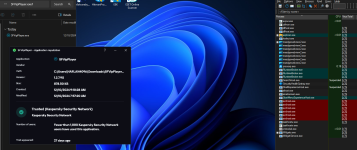
I tried it in a VM (W11 + KPremium 21.19b + default settings), it ran for a few seconds (no window GUI appeared, but checked with Process Explorer) and auto terminated. KPrem. put it in Low Restricted group, showing its certificate status: Untrusted.
 

I tried it in a VM (W11 + KPremium 21.19b + default settings), it ran for a few seconds (no window GUI appeared, but checked with Process Explorer) and auto terminated. KPrem. put it in Low Restricted group, showing its certificate status: Untrusted.
Definitely suspicious if it self terminated in a VM
 
It's very strange. It's like you have an unstable connection to the cloud. I don't have an answer for you, after all I'm just an average fan of this AV.
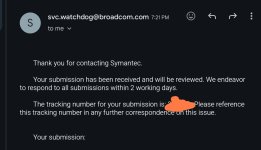
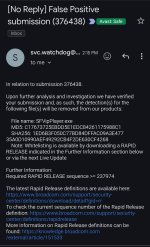
Oh nice to see you have made your first upload to Threat Insights Portal

1000223174.jpg
 
This player situation was an interesting situation. please keep posting your info and findings, in general, eset has really low amount of false positives but:

It seems that since they put more power into their cloud detection, they have a few more false positives. One of them I saw was amaztools. Some of our users used a legitimate VPN tool, and the developer was trusted. I think it was called v2rayn. There was a detection of amaztools from the files of this VPN client, but after some days, it was resolved, and the detection was from the cloud: suspicious detections.

recently, they changed their tactic of using the cloud(livegrid) and we see more cloud detections these days. something Kaspersky did some years ago with Ksn so bypassing it and testing malware on it would be harder because the app sends more telemetry to the cloud which you can not see how It works and bypass it
 
Does anyone know if their new protected folder feature automatically protects every folder inside the main one? I'd think so but couldn't find it in the help page. I've seen products that require every single folder to be added even if they are all inside a main folder.
 
so 41 detections in virus total nearly all of them are generic and AI detections which means no antimalware has a definite signature for detecting this file. Sophos has a PUP detection and it seems there is a PE file that is suspicious. 41 detection does not seem false positive but all of them being AI and generic ones is another story
 
Does anyone know if their new protected folder feature automatically protects every folder inside the main one? I'd think so but couldn't find it in the help page. I've seen products that require every single folder to be added even if they are all inside a main folder.
It protects all folders inside the protected folder. Otherwise it wouldn't swear at attempts by software (like ccleaner) to clean cookies in the browser folder, because they are in subfolders :)
 

I tried it in a VM (W11 + KPremium 21.19b + default settings), it ran for a few seconds (no window GUI appeared, but checked with Process Explorer) and auto terminated. KPrem. put it in Low Restricted group, showing its certificate status: Untrusted.

Can you please test all 3 versions of the file as I posted here?
This one has the 2 clean versions but ESET deleting the latest version - Releases · K4L4Uz/SFVIP-Player
This one is the suspicious version which ESET did not delete - Release SFVIP-Player · austintools/SFVIP-Player
 
  • Like
Reactions: Sorrento
Does anyone know if their new protected folder feature automatically protects every folder inside the main one? I'd think so but couldn't find it in the help page. I've seen products that require every single folder to be added even if they are all inside a main folder.
Don't know about Eset, but MS Controlled Folder Access requires all of them to be added.
 

I tried it in a VM (W11 + KPremium 21.19b + default settings), it ran for a few seconds (no window GUI appeared, but checked with Process Explorer) and auto terminated. KPrem. put it in Low Restricted group, showing its certificate status: Untrusted.
Final verdict from K.:

Hello,

No malicious software was found in the attached file.

Best regards, Malware Analyst, Kaspersky Lab

So, all those generic and IA detections look probably just false positives.
 
Final verdict from K.:


So, all those generic and IA detections look probably just false positives.
ESET is instantly deleting the file. Can you try all 3 versions on your VM and see if all 3 are auto terminated or only the suspicious one is auto terminated?
 
  • Like
Reactions: Sorrento
File 1:

1.png

File 2:

2.png

File 3 (more than 40 detections in VT):

3.png

I got almost the same behavior with the 3 samples, the only difference is with 3rd, that triggered UAC, but with all, the execution was for about 1 or 2 seconds and auto terminated.
 
Last edited:
File 1:

View attachment 286582

File 2:

View attachment 286583

File 3 (more than 40 detections in VT):

View attachment 286584

I got almost the same behavior with the 3 samples, the only difference is with 3rd, that triggered UAC, but with all, the execution was for about 1 or 2 seconds and auto terminated.
Media player asking for extra privileges and then self termination so yeah that is suspicious behavior doesn't mean it is malware but definitely should be marked as suspicious before human analysis
 
Last edited by a moderator:

You may also like...