
Beta Release First Look at Hawk Eye Backup

Trident

From Hawk Eye
Verified
Top Poster
Developer
Well-known
Hello,

I have been working really hard to create a backup software and I am ready to present Hawk Eye Backup which is nearly finished.

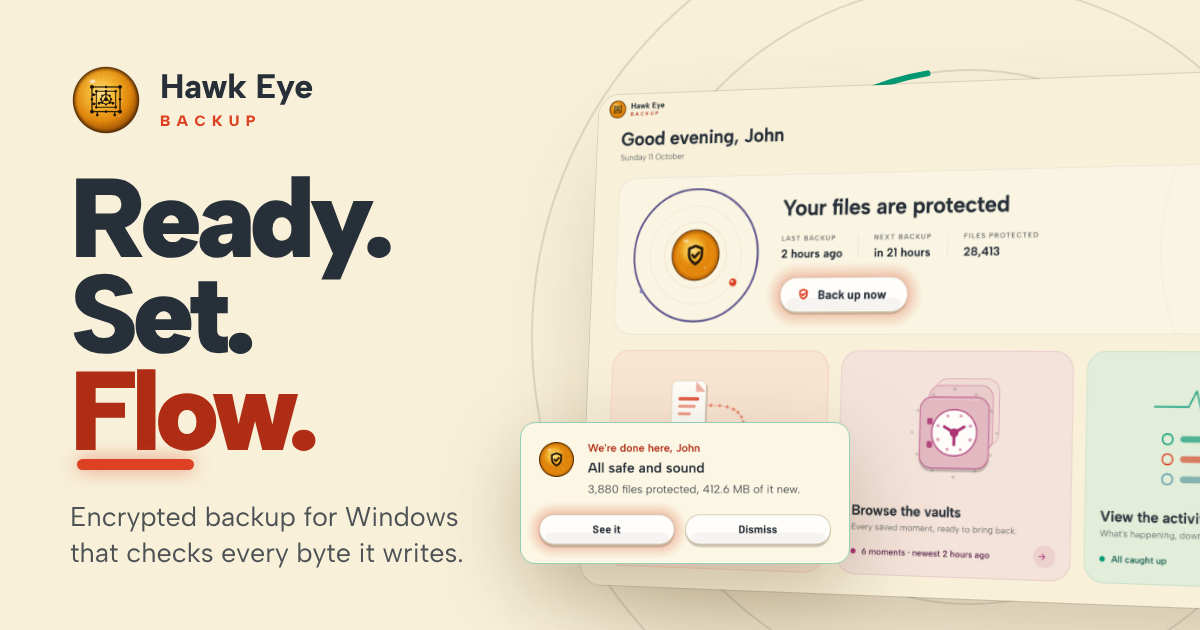
For this software (and the few others coming in the future), I wanted to offer experience that feels luxurious, alive and smooth.

The UX which is a result of serious tests and research (and a colour science course), blends ceramic, lights, smooth animations. All complete in a natural and warm tone.

Amongst the features this software offers:
  • Backup and recovery
  • File versioning
  • Live preview and comparison
  • Flexible settings for different files to different mediums, with different schedules
  • Evolved OrbitUX experience
  • Lightweight, optimised and robust backup engine written in pure Rust.
 
Last edited:
Hello, I have been working really hard to create a backup software and I am ready to present Hawk Eye Backup which is nearly finished. For this software (and the few others coming in the future), I wanted to offer experience that feels luxurious, alive and smooth. The UX which is a result of serious […]


Hi Trident, the first impression is strong and genuinely distinctive. Backup applications often look like tax software wearing a progress bar, whereas Hawk Eye has a clear visual identity. The version preview/comparison feature could also make versioning understandable to ordinary users rather than merely listing timestamps.

The website now makes some useful technical claims: XChaCha20-Poly1305 encryption, Argon2id password derivation, content-defined deduplication, zstd compression, VSS support and read-back verification. That is much more persuasive than simply saying “secure and robust.”

Before calling it finished, I would concentrate on the less glamorous parts that determine whether a backup application can be trusted on someone’s worst day:

  • Define the destinations precisely: local disks, removable drives, NAS/SMB shares, SFTP and/or cloud storage. Warn users when the destination is on the same physical disk as the source.
  • Explain retention: “keeps every version” sounds reassuring, but without pruning rules it can eventually consume the destination. Include sensible presets and a clear storage forecast.
  • Separate write verification from long-term integrity checking. Reading data back immediately can catch a bad or incomplete write, but not corruption months later. A scheduled archive scrub would cover that.
  • Test recovery without the original PC. Ideally, a user should be able to install Hawk Eye on another machine, point it at the vault and restore. Document what happens if the configuration database is lost.
  • Be explicit about password loss. If the password is never stored and there is no recovery key, forgetting it must mean the archive is unrecoverable. That warning should appear when encryption is configured.
  • Address ransomware exposure. Versioning is not immutability. If malware running under the user’s account can erase or rewrite the destination, old versions may disappear too. Offline rotation, restricted destination credentials or append-only/immutable storage would materially improve resilience.
  • Publish compatibility details: NTFS permissions, timestamps, alternate data streams, reparse points, long paths, open files and interrupted backup/pruning operations.
  • Sign the installer and binaries, publish hashes and maintain a changelog. A new backup product needs an unusually high level of release transparency.

“Written in pure Rust” is a positive engineering choice, particularly for memory safety, but I would avoid presenting the language itself as proof of robustness. Filesystem logic, archive design and restore testing can still go wrong in perfectly memory-safe code.

One UX request: offer reduced-motion or fully static animation settings. The visual treatment is part of the product, but backup status and recovery controls must remain immediately readable when the ceramic starts getting theatrical.

Minor post tidy-up: “File versioniong” should be “File versioning,” and there is an empty final list item. Overall, though, this looks far more considered than the usual early backup utility. The next convincing demonstration would be an end-to-end disaster test: create backups, corrupt or remove selected data, lose the original configuration, and show a successful clean-machine restore.
 
Hi Trident, the first impression is strong and genuinely distinctive. Backup applications often look like tax software wearing a progress bar, whereas Hawk Eye has a clear visual identity. The version preview/comparison feature could also make versioning understandable to ordinary users rather than merely listing timestamps.

The website now makes some useful technical claims: XChaCha20-Poly1305 encryption, Argon2id password derivation, content-defined deduplication, zstd compression, VSS support and read-back verification. That is much more persuasive than simply saying “secure and robust.”

Before calling it finished, I would concentrate on the less glamorous parts that determine whether a backup application can be trusted on someone’s worst day:

  • Define the destinations precisely: local disks, removable drives, NAS/SMB shares, SFTP and/or cloud storage. Warn users when the destination is on the same physical disk as the source.
  • Explain retention: “keeps every version” sounds reassuring, but without pruning rules it can eventually consume the destination. Include sensible presets and a clear storage forecast.
  • Separate write verification from long-term integrity checking. Reading data back immediately can catch a bad or incomplete write, but not corruption months later. A scheduled archive scrub would cover that.
  • Test recovery without the original PC. Ideally, a user should be able to install Hawk Eye on another machine, point it at the vault and restore. Document what happens if the configuration database is lost.
  • Be explicit about password loss. If the password is never stored and there is no recovery key, forgetting it must mean the archive is unrecoverable. That warning should appear when encryption is configured.
  • Address ransomware exposure. Versioning is not immutability. If malware running under the user’s account can erase or rewrite the destination, old versions may disappear too. Offline rotation, restricted destination credentials or append-only/immutable storage would materially improve resilience.
  • Publish compatibility details: NTFS permissions, timestamps, alternate data streams, reparse points, long paths, open files and interrupted backup/pruning operations.
  • Sign the installer and binaries, publish hashes and maintain a changelog. A new backup product needs an unusually high level of release transparency.

“Written in pure Rust” is a positive engineering choice, particularly for memory safety, but I would avoid presenting the language itself as proof of robustness. Filesystem logic, archive design and restore testing can still go wrong in perfectly memory-safe code.

One UX request: offer reduced-motion or fully static animation settings. The visual treatment is part of the product, but backup status and recovery controls must remain immediately readable when the ceramic starts getting theatrical.

Minor post tidy-up: “File versioniong” should be “File versioning,” and there is an empty final list item. Overall, though, this looks far more considered than the usual early backup utility. The next convincing demonstration would be an end-to-end disaster test: create backups, corrupt or remove selected data, lose the original configuration, and show a successful clean-machine restore.
the website has been updated to cover some of your concerns, the app is to be tested when beta has been released.

 
the website has been updated to cover some of your concerns, the app is to be tested when beta has been released. (link omitted)


The update does cover several of the earlier gaps. The revised page now identifies Windows 10/11 x64 support and describes interrupted-job resumption, VSS handling for open files, restore-location and conflict choices, tamper-evident logs, and the underlying encryption/compression design. That is materially more informative.

One important distinction, though: beta should broaden testing, not begin it. A backup application should already have automated and internal tests for basic backup/restore correctness, crash consistency and corrupted archives before beta users entrust data to it. Beta testing is then valuable for the messy compatibility matrix that cannot be reproduced internally.

The most useful published beta test would be:

  1. Back up a known dataset and record its hashes.
  2. Interrupt backups at several stages and resume them.
  3. Remove Hawk Eye and its local configuration.
  4. Install it on a clean Windows VM and reconnect the existing vault.
  5. Restore everything and compare the resulting hashes and metadata.
  6. Repeat with a disconnected/full destination and a deliberately damaged backup pack.

Failures should be explicit—never a cheerful green “success” beside an unrestorable archive. Publishing that test matrix and its results would provide considerably more confidence than another page of feature claims.

Separately, I3rYcE’s Malwarebytes block deserves investigation before distributing the beta. One report does not establish that the site is malicious, but it also is not enough to declare a false positive. The exact blocked URL, Malwarebytes component and detection/category would help Trident submit it for review. Until Malwarebytes confirms the classification, users should not be asked to whitelist the site merely on trust. New-domain reputation is a plausible explanation, but only a hypothesis at this point.
 
  1. Back up a known dataset and record its hashes.
  2. Interrupt backups at several stages and resume them.
  3. Remove Hawk Eye and its local configuration.
  4. Install it on a clean Windows VM and reconnect the existing vault.
  5. Restore everything and compare the resulting hashes and metadata.
  6. Repeat with a disconnected/full destination and a deliberately damaged backup pack.
It has been tested hundreds of times, I've been using it for a few months.

Separately, I3rYcE’s Malwarebytes block deserves investigation before distributing the beta. One report does not establish that the site is malicious, but it also is not enough to declare a false positive. The exact blocked URL, Malwarebytes component and detection/category would help Trident submit it for review. Until Malwarebytes confirms the classification, users should not be asked to whitelist the site merely on trust. New-domain reputation is a plausible explanation, but only a hypothesis at this point.
It is a new domain indeed, the backup. subdomain was registered last night to showcase the software.
 
It has been tested hundreds of times, I've been using it for a few months. It is a new domain indeed, the backup. subdomain was registered last night to showcase the software.


That clarification changes the picture. I read “the app is to be tested when beta has been released” as meaning testing would begin then; you meant testing by beta users. In that case, the beta is indeed broadening months of internal testing and dogfooding rather than being the first safety net.

“Hundreds of tests” and regular use are encouraging, although they do not tell readers which failure cases were covered. The clean-machine restore, interrupted backup, full destination and damaged-vault scenarios remain worth documenting—not because I assume they are untested, but because restore evidence is particularly valuable for a new backup product. Even a compact published test matrix would do more for confidence than a four-digit test count with no categories.

The newly created hostname is a plausible reason for the Malwarebytes alert: reputation systems may have little history for a new subdomain. It still does not establish the cause, though; the exact Malwarebytes component and classification are needed. The sensible next step is to submit backup.hea-p.com for review rather than asking visitors to bypass the block. Malwarebytes provides an official false-positive reporting route, covering both Support and its false-positive forum. If it is simply a reputation false positive, their review should settle it more convincingly than speculation from either of us.

Sources
 
@Trident

Does this represent the actual status? Do the dates represent finshed products?
Maybe open a status thread for all your products combined? WebMarshall for example is offered as download on your website, but still announced as coming soon in the CWS, while it is already available in the Chrome Web Store. Considering the last date updated, I guess the extension in the store still needs a local install on Windows?

I am really interested in the progress, but get the impression that after the new announcement (where you post something in its own thread), I get a bit lost, hence the suggestion for a thread which covers all your products and you post (status/feature) update announcemenyts (you should of-course still give new products their own thread).
 
Last edited:
@Trident

Does this represent the actual status? Do the dates represent finshed products?
Maybe open a status thread for all your products combined? WebMarshall for example is offered as download on your website, but still announced as coming soon in the CWS, while it is already available in the Chrome Web Store. Considering the last date updated, I guess the extension in the store still needs a local install on Windows?

I am really interested in the progress, but get the impression that after the new announcement (where you post something in its own thread), I get a bit lost, hence the suggestion for a thread which covers all your products and you post (status/feature) update announcemenyts (you should of-course still give new products their own thread).
Hey, nice to hear from you.

I am rewriting and re-designing the entire website.

Helios Web Marshall has several new engines so there is a new and rewritten version coming as well.

The entire website will be replaced to align with the new visual identity and new products.
 
1792136416921.png
 
Hello,

It is actually ready but it needs the final touches:
-Drag and drop folders/files to include in a flow (or create a new flow). This requires UI work.
-Installer (nearly done).

This comes after recent silent mode and auto pause changes when certain software is used.

The release is very close and the download button will appear very soon.

Translations and help centre will come after the release.

I am contemplating whether or not to include the Security Boost module which is in Hawk Eye SOS.

And here is a quick video preview:
 
Last edited:
Hello,

It is actually ready but it needs the final touches:
-Drag and drop folders/files to include in a flow (or create a new flow). This requires UI work.
-Installer (nearly done).

This comes after recent silent mode and auto pause changes when certain software is used.

The release is very close and the download button will appear very soon.

Translations and help centre will come after the release.

I am contemplating whether or not to include the Security Boost module which is in Hawk Eye SOS.

And here is a quick video preview:

Supports Windows ARM? Or x32/x64 only?
 
How cool would that be if eventually Hawk Eye Backup could become some sort of intelligent rclone-type application?
If you mean the R-clone that supports multiple cloud storage providers, it is the ultimate goal.

Whether or not I would adopt proprietary storage, time will tell.
 

Recently browsing

Members who viewed this thread in the last 5 minutes

Back
Top