Open MalwareTips in Safari and tap Share. You may need to open the Page Menu first.
Choose Add to Home Screen. If it is not listed, use Edit Actions to add it.
Keep Open as Web App enabled if shown, then tap Add.
Android
Open MalwareTips in Chrome or another browser that supports app installation.
Open the browser menu and look for Install app, Install and create shortcut, or Add to Home screen.
Choose Install and confirm. Wording varies by browser.
Desktop
Chrome: use the install icon in the address bar, or the menu under Cast, save and share.
Edge: open the menu, then More tools, Apps and Install this site as an app.
Safari on Mac: choose Share or File, then Add to Dock. Firefox on Windows: look for the web apps button in the address bar.
If you cannot find an install option, update your browser or use its bookmark option to keep MalwareTips close.
Keep up with your conversations
After installation, open the app and sign in. Enable push notifications in Preferences if you want alerts. On iPhone and iPad, push requires a Home Screen web app and iOS or iPadOS 16.4 or later.
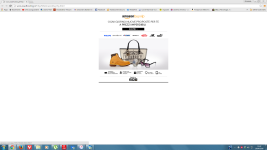
Nothing to do. Even if I reinstall google and rejoin my account, the problem keeps on turning on. Here's an example of an Ad that usually pops up randomly when I surf on the net... Very nasty thing.
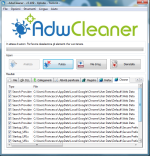
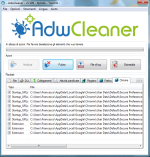
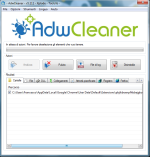
It's ok, now. I've deleted the previous account's info and resynchronized with new settings, extensions and other stuff. It seems working and AdwCleaner doesn't find me anything dangerous but the Amazon Chrome Assistan extension (that I've already deactivated) so I have no more troubles at all. Thank for your assistance and for your time. You've been very effective to me!
Ok, there is something new here: there are no more malware detected, but it stills pops up with some Ad. I don't know why, but it seems a problem connected to Chrome itself. This is the link that appears to me: Google