Hello (especially @Andy Ful ),
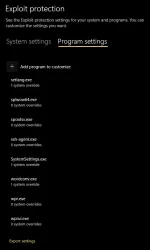
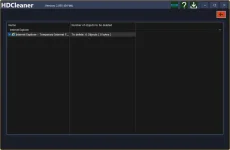
I was looking at whitelisting some .exe(s) from the SRP, and I ran into this error in the FullEventLogView while logging in:
I found this warning and error log entries at about the same second in the event log:
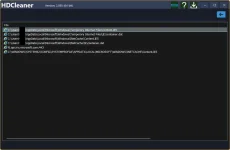
The DCOM server mentioned in the log shows in the registry as a "Wininet Cache task object", with the InProcServer32 pointing to "%systemroot%\system32\wininet.dll".
If I switch OFF the SRP in Hard Configurator, the error doesn't occur.
I don't see any symptoms because of this error (mostly because I rarely use search, although I sort of like having it). It seems to be an error from the search indexing system.
edit: fixed the event ID, level information in the original FullEventLogView.
I was looking at whitelisting some .exe(s) from the SRP, and I ran into this error in the FullEventLogView while logging in:
Record ID: 10890
Event ID: 4
Level: Warning
Channel: Microsoft-Windows-Security-Mitigations/KernelMode
Provider: Microsoft-Windows-Security-Mitigations
Description: Process '\Device\HarddiskVolume3\Windows\System32\svchost.exe' (PID 1416) was blocked from creating a child process 'C:\WINDOWS\system32\DllHost.exe' with command line 'C:\WINDOWS\system32\DllHost.exe /Processid:{3EB3C877-1F16-487C-9050-104DBCD66683}'.
Record ID: 10890
Task: 2
Keywords: 0x8000000000000000
Process ID: 1416
Thread ID: 27168
User: NT AUTHORITYSYSTEM
Event ID: 4
Level: Warning
Channel: Microsoft-Windows-Security-Mitigations/KernelMode
Provider: Microsoft-Windows-Security-Mitigations
Description: Process '\Device\HarddiskVolume3\Windows\System32\svchost.exe' (PID 1416) was blocked from creating a child process 'C:\WINDOWS\system32\DllHost.exe' with command line 'C:\WINDOWS\system32\DllHost.exe /Processid:{3EB3C877-1F16-487C-9050-104DBCD66683}'.
Record ID: 10890
Task: 2
Keywords: 0x8000000000000000
Process ID: 1416
Thread ID: 27168
User: NT AUTHORITYSYSTEM
I found this warning and error log entries at about the same second in the event log:
- <Event xmlns="
">
- <System>
<Provider Name="Microsoft-Windows-DistributedCOM" Guid="{1B562E86-B7AA-4131-BADC-B6F3A001407E}" EventSourceName="DCOM" />
<EventID Qualifiers="0">10000</EventID>
<Version>0</Version>
<Level>2</Level>
<Task>0</Task>
<Opcode>0</Opcode>
<Keywords>0x8080000000000000</Keywords>
<TimeCreated SystemTime="xxx" />
<EventRecordID>1001811</EventRecordID>
<Correlation ActivityID="{bb762119-f465-0002-c6d4-1abe65f4dc01}" />
<Execution ProcessID="1416" ThreadID="27168" />
<Channel>System</Channel>
<Computer>xxx</Computer>
<Security UserID="xxx" />
</System>
- <EventData>
<Data Name="param1">C:\WINDOWS\system32\DllHost.exe /Processid:{3EB3C877-1F16-487C-9050-104DBCD66683}</Data>
<Data Name="param2">2147942767</Data>
<Data Name="param3">{0358B920-0AC7-461F-98F4-58E32CD89148}</Data>
</EventData>
- <Event xmlns=" ">
- <System>
<Provider Name="Microsoft-Windows-Search" Guid="{CA4E628D-8567-4896-AB6B-835B221F373F}" EventSourceName="Windows Search Service" />
<EventID Qualifiers="32768">3036</EventID>
<Version>0</Version>
<Level>3</Level>
<Task>3</Task>
<Opcode>0</Opcode>
<Keywords>0x80000000000000</Keywords>
<TimeCreated SystemTime="xxx" />
<EventRecordID>157750</EventRecordID>
<Correlation />
<Execution ProcessID="19124" ThreadID="0" />
<Channel>Application</Channel>
<Computer>xxx</Computer>
<Security />
</System>
- <EventData>
<Data Name="ExtraInfo">Context: Application, SystemIndex Catalog Details: 0x%08x (0x80072ee4 - An internal error occurred in the Microsoft Windows HTTP Services (HRESULT : 0x80072ee4))</Data>
<Data Name="URL">iehistory://{xxx}/</Data>
</EventData>
</Event>
</Event>
- <System>
<Provider Name="Microsoft-Windows-DistributedCOM" Guid="{1B562E86-B7AA-4131-BADC-B6F3A001407E}" EventSourceName="DCOM" />
<EventID Qualifiers="0">10000</EventID>
<Version>0</Version>
<Level>2</Level>
<Task>0</Task>
<Opcode>0</Opcode>
<Keywords>0x8080000000000000</Keywords>
<TimeCreated SystemTime="xxx" />
<EventRecordID>1001811</EventRecordID>
<Correlation ActivityID="{bb762119-f465-0002-c6d4-1abe65f4dc01}" />
<Execution ProcessID="1416" ThreadID="27168" />
<Channel>System</Channel>
<Computer>xxx</Computer>
<Security UserID="xxx" />
</System>
- <EventData>
<Data Name="param1">C:\WINDOWS\system32\DllHost.exe /Processid:{3EB3C877-1F16-487C-9050-104DBCD66683}</Data>
<Data Name="param2">2147942767</Data>
<Data Name="param3">{0358B920-0AC7-461F-98F4-58E32CD89148}</Data>
</EventData>
- <Event xmlns=" ">
- <System>
<Provider Name="Microsoft-Windows-Search" Guid="{CA4E628D-8567-4896-AB6B-835B221F373F}" EventSourceName="Windows Search Service" />
<EventID Qualifiers="32768">3036</EventID>
<Version>0</Version>
<Level>3</Level>
<Task>3</Task>
<Opcode>0</Opcode>
<Keywords>0x80000000000000</Keywords>
<TimeCreated SystemTime="xxx" />
<EventRecordID>157750</EventRecordID>
<Correlation />
<Execution ProcessID="19124" ThreadID="0" />
<Channel>Application</Channel>
<Computer>xxx</Computer>
<Security />
</System>
- <EventData>
<Data Name="ExtraInfo">Context: Application, SystemIndex Catalog Details: 0x%08x (0x80072ee4 - An internal error occurred in the Microsoft Windows HTTP Services (HRESULT : 0x80072ee4))</Data>
<Data Name="URL">iehistory://{xxx}/</Data>
</EventData>
</Event>
</Event>
The DCOM server mentioned in the log shows in the registry as a "Wininet Cache task object", with the InProcServer32 pointing to "%systemroot%\system32\wininet.dll".
[HKEY_CLASSES_ROOT\CLSID\{0358b920-0ac7-461f-98f4-58e32cd89148}]
@="Wininet Cache task object"
"AppID"="{3eb3c877-1f16-487c-9050-104dbcd66683}"
[HKEY_CLASSES_ROOT\CLSID\{0358b920-0ac7-461f-98f4-58e32cd89148}\InProcServer32]
@="%systemroot%\system32\wininet.dll"
"ThreadingModel"="Both"
@="Wininet Cache task object"
"AppID"="{3eb3c877-1f16-487c-9050-104dbcd66683}"
[HKEY_CLASSES_ROOT\CLSID\{0358b920-0ac7-461f-98f4-58e32cd89148}\InProcServer32]
@="%systemroot%\system32\wininet.dll"
"ThreadingModel"="Both"
If I switch OFF the SRP in Hard Configurator, the error doesn't occur.
I don't see any symptoms because of this error (mostly because I rarely use search, although I sort of like having it). It seems to be an error from the search indexing system.
Question:
Should I ignore this and hope that search would still work normally? Should I just turn the SRP off? Can I do something to allow a normal child process launch for this?edit: fixed the event ID, level information in the original FullEventLogView.
Last edited: