Troubleshoot High CPU usage

JB007

Level 26
Thread author
Verified
Top Poster
Well-known
Forum Veteran
May 19, 2016
1,567
1
6,553
2,469
France
Briefly explain your current issue(s)
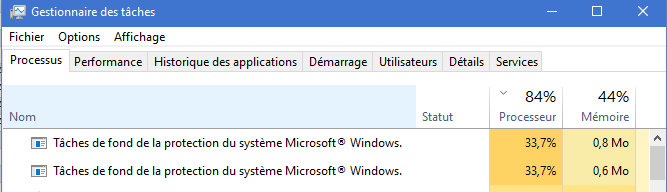
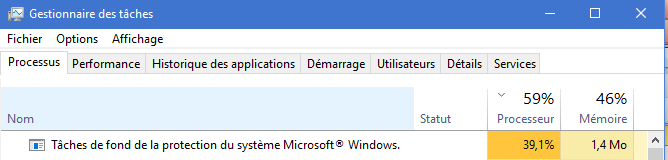
High CPU usage because of BACKGROUND TASKS OF MICROSOFT WINDOWS SYSTEM PROTECTION
Steps taken to resolve, but have been unsuccessful
Nothing because I did not know what I can do...
Hello,
Since 3 weeks I hear my PC fan running very fast, only Saturday morning. It is my work PC, so I'm doing the same tasks every day.
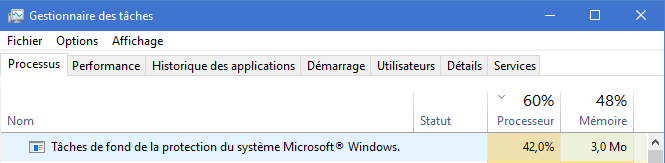
When I go to the task manager I can see that the problem is "BACKGROUND TASKS OF MICROSOFT WINDOWS SYSTEM PROTECTION".
These "Background tasks" are using the processor between 35 and 40% :unsure:
This issue persists about 4 hours and then my PC works again normally.
Can you help me to solve this issue ?
Thanks
CPU.PNG
CPU1.PNG
CPU3.PNG
 

Attachments

  • capture_06092018_175515.jpg
    capture_06092018_175515.jpg
    44.2 KB · Views: 568
  • capture_06092018_180145.jpg
    capture_06092018_180145.jpg
    42.3 KB · Views: 584
Upvote 0
Last edited:
Upvote 0
Upvote 0
Can you recall which process was causing this problem?

Hello @yitworths
"Background tasks of Microsoft Windows system protection"

Okay!Would like to see what is happening when it is running.
It will automatically trigger when it needs to check authenticity of Windows or Office.Do you have Office installed?

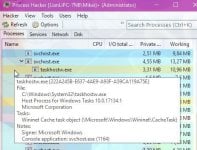
When that process is running again open up Process hacker and post a screenshot:)

Yes @venustus , I have Office 2007 installed on this PC.
Kaspersky detects "Process hacker" as malware:eek:
PROCESS HACKER.PNG


and also DrWeb, Sophos, Panda and ZoneAlarm...
PROCESS HACKER1.PNG
 
Upvote 0
Hello @yitworths
"Background tasks of Microsoft Windows system protection"

Yes @venustus , I have Office 2007 installed on this PC.
Kaspersky detects "Process hacker" as malware:eek:
and also DrWeb, Sophos, Panda and ZoneAlarm...

Process Hacker acts in "suspicious" ways, according to some AV programs. It is entirely okay and is sometimes called "goodware" for that reason :)
 
Upvote 0
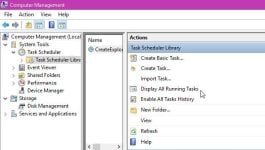
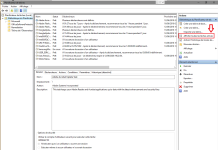
May be kaspersky was scanning every step of srtask during that time. I can't ensure it as you said this continued to happen for 4 long hours. If high cpu usage problem limited to srtask, then you may try to disable it's scheduled task (obviously if you don't need it).
More info would be helpful. Are you facing this problem every now & then or was that the first time?
 
Upvote 0
Upvote 0
Agree, but sometimes there are some scheduled tasks not shown in AutoRuns, I've found this cases many times testing malware at MWHub, and I had to use Comodo AutoRuns, and even that, sometimes also neither in Comodo AutoRuns are shown, so finally I had to use and find the malicious task with Nirsoft TaskSchedulerView tool...
 
Upvote 0