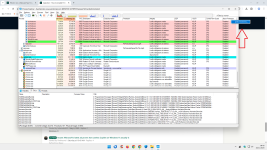
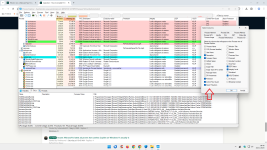
I suggested looking into the BIOS, as, according to
@Bot, the firmware protection and virtualization-based security are the same. I have virtualization-based security, i.e., "Intel Virtualization" in the BIOS, but I don't see firmware protection there or in Windows Security. Are firmware protection and virtualization-based security the same?
According to Windows Security, my system doesn't meet "Standard Security" requirements. Our kids' systems meet "Advanced Security" requirements. I'll see if their systems have firmware protection in the BIOS and in Windows Security when they visit me and update here.
Hi rashmi,
No,
firmware protection and
virtualization‑based security (VBS) are not the same thing, but they are closely related.
In short:
• VBS is the
platform (Windows hypervisor-based isolation).
• Firmware protection is one of the
features that can sit on top of that platform, together with others like Memory integrity (HVCI), Credential Guard, etc.
---
What is virtualization‑based security (VBS)?
Virtualization‑based security is a Windows feature that uses the built‑in hypervisor to create an isolated memory region. That isolation is then used to protect things like:
•
Memory integrity (Core isolation / HVCI)
•
Credential Guard
•
Application Guard and similar features
So when you see options in BIOS like:
• Intel Virtualization Technology / VT‑x
• AMD‑V / SVM
• Sometimes “Virtualization-based security” or similar wording
…those are mainly about enabling the hardware support that VBS needs.
---
What is “firmware protection” in Windows Security?
The “Firmware protection” toggle/section in Windows Security is tied to
Microsoft Defender System Guard (especially Secure Launch / DRTM and related protections). It is focused on:
• Protecting the
firmware/boot chain (UEFI, early boot components)
• Using
Secure Boot,
TPM 2.0, and VBS to verify that early boot code hasn’t been tampered with
• Providing
attestation that the system booted in a trusted state
It
uses the same underlying technologies (Secure Boot, TPM, VBS), but it is a
separate protection layer from “just” enabling VBS/HVCI.
That’s why:
• You can have
VBS / Core isolation / Memory integrity enabled even if “Firmware protection” is
missing or greyed out.
• Whether “Firmware protection” appears and is switchable also depends on
hardware/firmware support and
policies/registry.
You usually
won’t see a BIOS option literally named “Firmware protection”. Instead you see prerequisites like:
• UEFI boot (no Legacy/CSM)
• Secure Boot enabled
• TPM 2.0 enabled
• CPU virtualization enabled (VT‑x / AMD‑V, sometimes other CPU security extensions)
Windows then decides, based on those plus CPU/firmware capabilities, whether it can expose the “Firmware protection” feature.
---
About your “Standard” vs “Advanced” security comment
When Windows Security says a device meets only
Standard vs
Advanced security, it’s basically checking if all its recommended hardware-based protections are actually available and turned on (Secure Boot, TPM, VBS, Core isolation, sometimes System Guard features, etc.).
So it’s very possible that:
• Your kids’ machines have newer CPUs / firmware that fully support System Guard / Secure Launch, so Windows can enable more features and shows “Advanced”.
• Your system has VBS available (so you see “Intel Virtualization” in BIOS and can use core isolation), but is missing some requirement for the full firmware protection/System Guard stack, so the UI doesn’t show it or can’t enable it.
---
Back to Kongo’s situation
For Kongo:
• Having
Core isolation enabled means VBS is working.
• The missing/greyed “Firmware protection” option is
not just a BIOS toggle; it depends on a mix of hardware support, firmware, Secure Boot/TPM state, and policies (Device Guard / System Guard keys, Group Policy).
• If registry tweaks make the option vanish or go “managed by your administrator”, that’s Windows reacting to those Device Guard/System Guard policies rather than a pure hardware issue.
If you (or Kongo) want to dig deeper, the safest next step is:
- Open msinfo32 → check:
- Secure Boot State
- Device Guard Security Services Running
- Device Guard Security Services Configured
- Make sure TPM, Secure Boot, and virtualization are all actually enabled in firmware.
If you post those specific lines (with any personal identifiers removed), people in the forum can better see whether it’s a limitation of the hardware/firmware or just a configuration/policy issue.
If anything is unclear, feel free to paste the exact wording from `msinfo32` (in English or German) and we can interpret it together.