What is MACDefender?
MACDefender is a fake system security software that that targets Mac OS users and is considered a Rogue.
Rogues are malicious programs that hackers use to trick users by displaying false threats and problems that it claims to have detected. In reality, none of the issues are real and are only used to convince the user into buying their software and stealing their personal financial information
Am I infected?
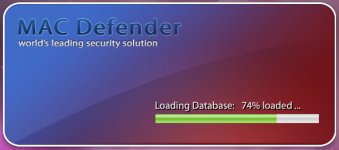
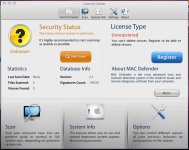
This are some screenshots of this rogue.
[attachment=194]
[attachment=195]
Removal Instructions
Tehnical details :
MACDefender is a fake system security software that that targets Mac OS users and is considered a Rogue.
Rogues are malicious programs that hackers use to trick users by displaying false threats and problems that it claims to have detected. In reality, none of the issues are real and are only used to convince the user into buying their software and stealing their personal financial information
Am I infected?
This are some screenshots of this rogue.
[attachment=194]
[attachment=195]
Removal Instructions
- Open Applications > Utilities > Activity Monitor and terminate processes linked to MACDefender.
- Delete MACDefender from the Applications folder
- Check System Preferences > Accounts > Login Items for MACDefender items.
- Run a Spotlight search for "MACDefender" to check for any associated files and if any remove them.
- Download Sophos Anti-Virus for Mac and run a full system scan.
Tehnical details :
Code:
Associated files :
/Application/MacDefender.app/
/Application/MacDefender.app/Contents
/Application/MacDefender.app/Contents/Info.plist
/Application/MacDefender.app/Contents/MacOS
/Application/MacDefender.app/Contents/Resources
/Application/MacDefender.app/Contents/MacOS/MacDefender
/Application/MacDefender.app/Contents/PkgInfo