Solved How to remove Safesearch toolbar

FRST.gif
Scan with Farbar Recovery Scan Tool

Please re-run Farbar Recovery Scan Tool to give me a fresh look at your system.
  • Right-click on
    FRST.gif
    icon and select
    RunAsAdmin.jpg
    Run as Administrator to start the tool.
    (XP users click run after receipt of Windows Security Warning - Open File).
  • Make sure that Addition option is checked.
  • Press Scan button and wait.
  • The tool will produce two logfiles on your desktop: FRST.txt and Addition.txt.
Please include their content into your next reply.
 
FRST.gif
Fix with Farbar Recovery Scan Tool

icon_exclaim.gif
This fix was created for this user for use on that particular machine.
icon_exclaim.gif

icon_exclaim.gif
Running it on another one may cause damage and render the system unstable.
icon_exclaim.gif
Download attached fixlist.txt file and save it to the Desktop:

Both files, FRST and fixlist.txt have to be in the same location or the fix will not work!

  • Right-click on
    FRST.gif
    icon and select
    RunAsAdmin.jpg
    Run as Administrator to start the tool.
    (XP users click run after receipt of Windows Security Warning - Open File).
  • Press the Fix button just once and wait.
  • If for some reason the tool needs a restart, please make sure you let the system restart normally. After that let the tool complete its run.
  • When finished FRST will generate a log on the Desktop, called Fixlog.txt.

Please attach it to your reply.
 

Attachments

Re-run zoek and run this script:

Code:
createsrpoint;
autoclean;
skipfix-iedefaults;
uninstall-list;


Attach here zoek report.
 
Here it is. Same Windows Script Host error message (Permission denied, line 39, char 1 , code 800A0046) came up and safesearch still on after restart.
 

Attachments

Re-run zoek and run this script:


Code:
createsrpoint;
autoclean;
[HKEY_LOCAL_MACHINE\Software\Microsoft\Internet Explorer\Main];r
"Start Page"=-;r
[HKEY_LOCAL_MACHINE\Software\Wow6432Node\Microsoft\Internet Explorer\Main];r
"Start Page"=-;r
emptyclsid;


Attach here zoek report.
 
adwcleaner_new.png
Fix with AdwCleaner

Please download AdwCleaner by Xplode and save the file to your desktop.

  • Right-click on
    adwcleaner_new.png
    icon and select
    RunAsAdmin.jpg
    Run as Administrator to start the tool.
  • Follow the prompts and click Scan.
  • When finished, please click Clean.
  • Upon completion, click Report. A log (AdwCleaner[S*].txt) will open.

Please include the contents of that file in your reply.
 
Right c
adwcleaner_new.png
Fix with AdwCleaner

Please download AdwCleaner by Xplode and save the file to your desktop.

  • Right-click on
    adwcleaner_new.png
    icon and select
    RunAsAdmin.jpg
    Run as Administrator to start the tool.
  • Follow the prompts and click Scan.
  • When finished, please click Clean.
  • Upon completion, click Report. A log (AdwCleaner[S*].txt) will open.

Please include the contents of that file in your reply.[/QUOTE
 
Hi just to say I ran scan on Adw cleaner and two elements come up in Internet explorer subfolder to do with safesearch...I hit Cleaning and it restarted and no report comes up after it restarts.
 
Hi I have to check out now plus I am so stressed (not used to this) I would like to begin again tomorrow if possible. What tme is best to get you tomorrow? (I need to get my head around the screenshot process as well.
 
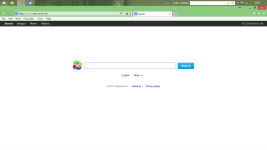
Hi. I am going to send you the AdWare Clean log you asked for hours ago and then a bit later a screen shot of Safesearch as you requested - I presume of the main homepage that comes up?
Also my windows defender is disabled now after yesterday and I wonder if you can tell me how to enable again. I can't seem to.
 

Attachments