


RoboMan
Level 38
Thread author
Verified
Honorary Member
Top Poster
Content Creator
Well-known
High Reputation
Forum Veteran
I have been playing with BitDefender Total Security for the past days and I found its modules to be a very interesting piece of work.
If you head to "Safe Files" module you will see there are two options: Protected Folders and Application Access.
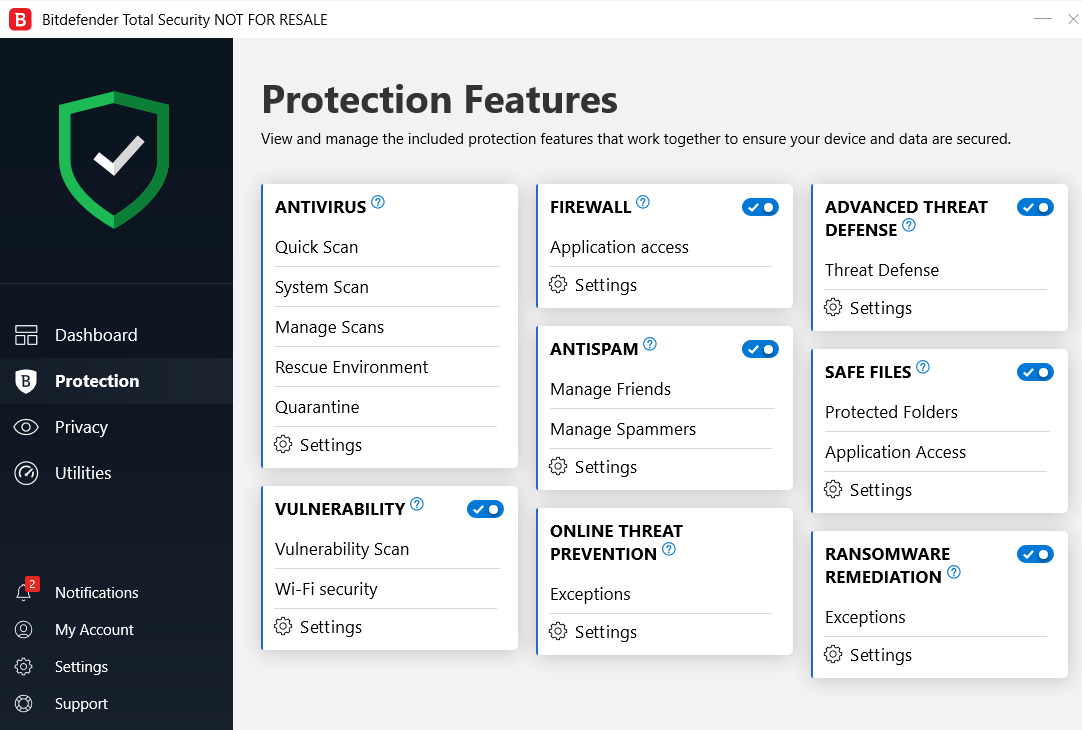
Protected Folders works as an anti-ransomware protection component, denying modification on the specified folders.
Application Access allows whitelistening programs that will be able to perform such modifications.
Testing such components went great, no visible issues. So I took it a step further and added AppData and ProgramData folders to Protected Folders component, in order to deny any modification, payload drops, etc.
And it worked great! Everything on such folders was getting denied permissions. Of course, this is a double shape tool, so many regular programs I used were stuck without being able to open. But it's possible to default deny everything.
Now anybody has any idea or tip on how to make this work better? What to include and what to exclude? Trying to make it work so I can also use it as an anti-executable
If you head to "Safe Files" module you will see there are two options: Protected Folders and Application Access.
Protected Folders works as an anti-ransomware protection component, denying modification on the specified folders.
Application Access allows whitelistening programs that will be able to perform such modifications.
Testing such components went great, no visible issues. So I took it a step further and added AppData and ProgramData folders to Protected Folders component, in order to deny any modification, payload drops, etc.
And it worked great! Everything on such folders was getting denied permissions. Of course, this is a double shape tool, so many regular programs I used were stuck without being able to open. But it's possible to default deny everything.
Now anybody has any idea or tip on how to make this work better? What to include and what to exclude? Trying to make it work so I can also use it as an anti-executable


