
Looks like a regional issueIt loads here, have no problems.


Open MalwareTips from your Home Screen or desktop. Follow discussions, find answers and pick up where you left off.
If you cannot find an install option, update your browser or use its bookmark option to keep MalwareTips close.
After installation, open the app and sign in. Enable push notifications in Preferences if you want alerts. On iPhone and iPad, push requires a Home Screen web app and iOS or iPadOS 16.4 or later.
Sign in to manage notificationsInstallation is optional. Your notification settings stay under your control.
Looks like a regional issueIt loads here, have no problems.

Did you try on other browser? Sometimes websites open with me on Chromium browser while not on Firefox and vise versa while I have the same extensions on both.Yes; tried everything I could imagine
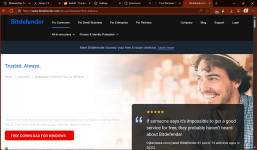

Yes; tried everything I could imagine


Not on my end when I couldn't access the page as I don't use any type of DNS except the default in Brave and Chrome. So I'm not sure if disabling that would have helped, as it was never an issue loading that webpage in the past?It was some issue with controld dns; changing to dns0 zero solved the problem.View attachment 288708
It was loading as usual, then stopped.Not on my end when I couldn't access the page as I don't use any type of DNS except the default in Brave and Chrome. So I'm not sure if disabling that would have helped, as it was never an issue loading that webpage in the past?
That is interesting, as I just tried it again disabling Chrome and Brave's "Use OD Default DNS" option (just in case), and the page was still blank. What just worked on my end, was disabling Brave Shield, and in Chrome, uBlock Lite. I would have to play around with those settings in the future if I ever have that issue again. Your post was very helpful in getting me to think outside the boxIt was loading as usual, then stopped.
After changing dns to dns0, it resumed loading.
Reverted back to controld, stopped again.

Tried several other dns providers for personal interest, they included cleanbrowsing, quad9, and adguard; page displayed with all.That is interesting, as I just tried it again disabling Chrome and Brave's "Use OD Default DNS" option (just in case), and the page was still blank. What just worked on my end, was disabling Brave Shield, and in Chrome, uBlock Lite. I would have to play around with those settings in the future if I ever have that issue again. Your post was very helpful in getting me to think outside the box

Currently using Kaspersky free, but I have tried all free solutions before: Bitdefender free, Avast free, AVG free, Avira free, Symantec endpoint protection (self-managed), Malwarebytes free, Emsisoft emergency kit, Norton power eraser, and more.@Parkinsond Are you using Bitdefender free?
The same situation here; anyway, I had a very bad experience with B free and I do not think I am going to reinstall in the near future.still unreachable here .... nothing from BD . i thought the site is down
I would not blame uBO; still not loading even after disabling.it may be ublock origin related thing because it works on OPERA
edit " after disabeling it now it is fine //// very wierd though
The issue is caused by both uBO and DNS filtering. Must disable both for webpages to load.I would not blame uBO; still not loading even after disabling.

It must be some CDN that they use being blocked… looks like Bitdefender is reducing operational costs and switching to less than trustworthy CDNs.The issue is caused by both uBO and DNS filtering. Must disable both for webpages to load.
Members who viewed this thread in the last 5 minutes


