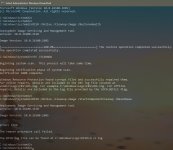
Question Is this a bug?

Please provide comments and solutions that are helpful to the author of this topic.

nickstar1

Level 16
Thread author
Verified
Top Poster
Well-known
Dec 10, 2022
757
3,619
1,468
Anyone having issues cleaning data from disk clean up? im stuck at always at 190MB attempting to clean it up but it's always showing? no matter how many times i try and clean windows updates it's always stuck at 190MB?? even after a fresh install of windows?

Screenshot 2024-12-18 220807.png
 
No matter how many times i try and clean my previous windows updates they will not clear even after a fresh install of windows it wont go away?? I'm stuck at 190MB no matter what i do! it's been like this for months has Microsoft really gotten this bad? anyone else with this issue of not being able to clean this?

Screenshot 2024-12-18 220807.png
 
  • Like
Reactions: Sorrento
This might be a bug. However, it could also be due to system files that Windows needs to operate correctly. If it's not affecting your system's performance, it might not be a critical issue. If you're still concerned, consider contacting Microsoft Support for further assistance.
 
Anyone having issues cleaning data from disk clean up? im stuck at always at 190MB attempting to clean it up but it's always showing? no matter how many times i try and clean windows updates it's always stuck at 190MB?? even after a fresh install of windows?

View attachment 286676
Nope. But I don't use disk cleanup tool. I do this from the settings app, it's working fine there.
1734582663967.png
 
Last edited:
Anyone having issues cleaning data from disk clean up? im stuck at always at 190MB attempting to clean it up but it's always showing? no matter how many times i try and clean windows updates it's always stuck at 190MB?? even after a fresh install of windows?

View attachment 286676
It's a known bug for many users who updated from 23H2 to 24H2. I also had this issue and then later I reinstalled 24H2 from scratch and don't have it anymore.
1734607660509.png

Try this and see if it finishes without any error,
"Dism /online /Cleanup-Image /StartComponentCleanup /ResetBase"
(Note for other people: When you do this you can't revert an update anymore till the next windows update).
For me even this was failing after going from 23H2 to 24H2.
 
I clean installed 24H2 a and still the cleanup bug and broken StartComponentCleanup. :(
I had this kind of an error in Windows 24H2 after a windows update not so long ago. But in that case, to an unrelated incident my whole PC was frozen/hanged, so I had to forcefully restart the PC using the power button before I could normally restart the PC to complete the update. After restarting, the update was completed but DISM cleanup was broken. Then a few days ago received another windows update and after that everything is back to normal now.
 
Microsoft needs to hurry up and make a fix to it 3 updates have passed by and no fix what a joke.
Of course, they're continually adding new features, most of which are crap and sooner or later discarded , and fail to fix the elementary things. And all of the bugs are well known, which is why I'm staying on 23H2.
 

You may also like...