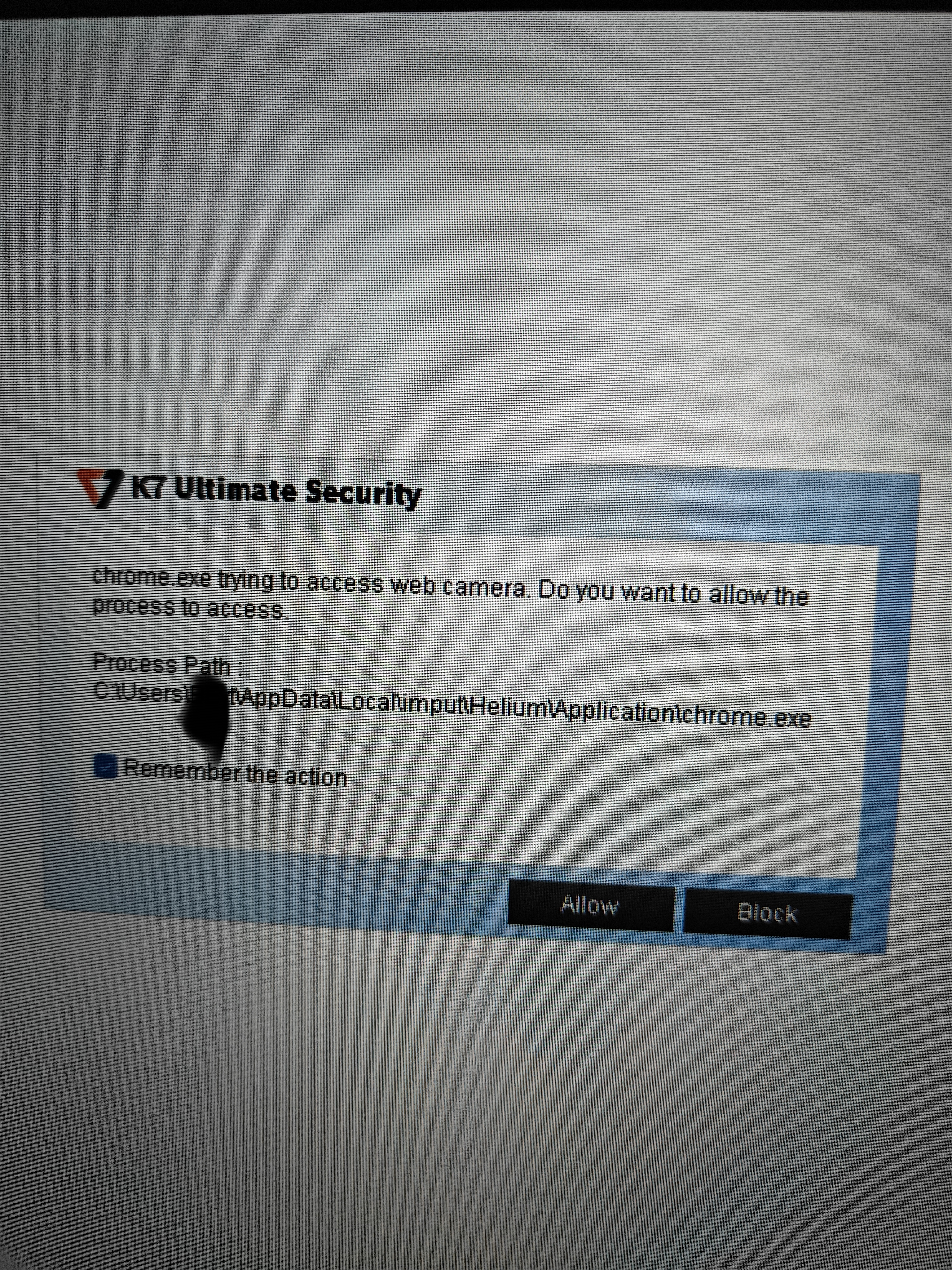
I have installed k7 ultimate security today and the firewall component popped with a prompt that helium / Chrome wanted acces to the webcam , the same goes for brave

i have never had this type of message with each security product i installed. Is this a false positive that i can discard or is it some serious to look into further?
View attachment 298635
This behavior is very likely expected and not a sign of infection.
Why This Happens
Many modern security suites, including K7 Ultimate Security, include a webcam/microphone protection module. This feature monitors and alerts whenever any application attempts to access these devices, regardless of whether that access is legitimate or not. Since you have likely never had a security product with this specific feature installed before, this is probably the first time you are seeing these prompts, even though the underlying browser behavior has always been happening.
Chrome, Helium (which is Chromium-based), and Brave are all Chromium-based browsers. They request webcam access whenever:
- A website you visit uses WebRTC for video calls (Zoom web client, Google Meet, Discord, etc.)
- A site checks camera permissions in the background, even if you did not actively start a call
- A browser tab or extension is testing device availability
- You have a site open with a pending or previously granted camera permission
This is standard browser functionality, not something unique to Helium or Brave specifically.
Is This a False Positive?
Technically, it is not a false positive in the traditional malware detection sense. K7 is not flagging the browser as malicious. It is simply reporting an actual hardware access event, which is exactly what a webcam protection feature is designed to do. Whether this is something to be concerned about depends on context:
- If you had a tab open to a video calling or camera testing site, this is expected behavior
- If no such site was open and the prompt appeared unexpectedly, it is worth checking which specific tabs or extensions were active at that moment
- If you do not recognize any reason for camera access, checking your browser's site permissions list for webcam access grants can help clarify what triggered it
Next Steps
To rule out anything unusual, you can check each browser's camera permission settings to see which sites currently have access granted. In Chromium-based browsers this is typically found under Settings then Privacy and Security then Site Settings then Camera. If you find a site listed there that you do not recognize or trust, removing that permission is a reasonable precaution.
If after checking this you still see camera access prompts with no browser tabs open at all, that would be more unusual and worth investigating further, potentially by running a full scan with K7 and cross-checking with a secondary on-demand scanner such as Malwarebytes.
In most cases, this is simply K7's webcam protection feature doing its job by making previously invisible browser activity visible to you for the first time.