New Update Kaspersky for Linux (Home)

Kaspersky
14 Replies 2,506 Views

harlan4096

Super Moderator
Verified
Staff Member
Malware Hunter
Well-known
Forum Veteran

About Kaspersky for Linux​


Kaspersky for Linux ("the Kaspersky application" or "the application") is designed to protect devices running Linux operating systems against various types of threats, network attacks, and scams.


What's New: Kaspersky for Linux Help
 

What's New: Kaspersky for Linux Help
Nice job on that and the modes incorporated.

"The Kaspersky application can operate in Notify-only mode. Notify-only mode is an operation mode for the application in which, if a threat is detected, application components and tasks do not attempt to disinfect or delete malicious objects, deny access or block the activity of applications. Instead, the application only informs the user about the detected threat."
 
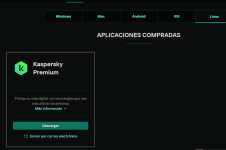
The installer for now only can be found via Your account of My Kaspersky:

1757059772315.png

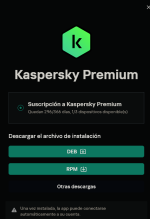
In my case I've installed in Linux Minx, so I downloaded Debian based:

1757059813887.png

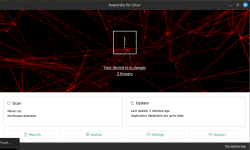
Just installed, the script installation auto-executed, and You will have to answer some questions via Linux Terminal, to end the steps of configuration, and finally a K. desktop icon will appear in taskbar, if You did not provide the activation code, during these steps, You will get this:


1757059841669.png

Going to Support, You can type manually the activation code:

1757060048144.png

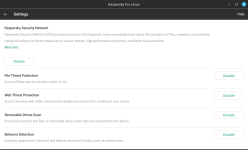
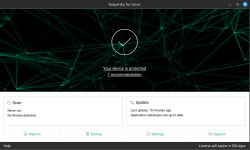
Very simple GUI, and very few minimal settings, without option of custom, just Enable / Disable, additional custom settings can be applied via command line in Terminal (see Online Help in my 1st post to access specific custom commands):

1757060150242.png

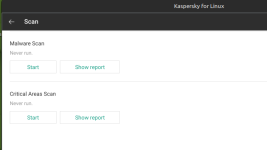
Scan options:

1757060178644.png

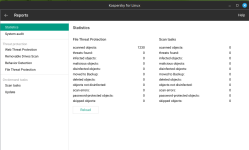
Reports:

1757060202665.png
 
Last edited:
There are different installers... I can't share the links, since I downloaded from my account of My Kaspersky service.

I can share links, once downloaded, from my personal cloud in Mega.
 
There are different installers... I can't share the links, since I downloaded from my account of My Kaspersky service.

I can share links, once downloaded, from my personal cloud in Mega.
But can private users use it on their PC like a regular AV?
 
Why not? This is a home product, You need a Kaspersky activation code. If You have a subscription, You should access to Your My Kaspersky account and get the link there.
 
Why not? This is a home product, You need a Kaspersky activation code. If You have a subscription, You should access to Your My Kaspersky account and get the link there.
I searched online and couldn't find any details on the Kaspersky website.
Do you know where I can find some information on their website?
I looked at the Italian Kaspersky website.
 
Still no info in official sites, for now I only found info in Kaspersky OnLine Help, see my 1st post.

So, probably still not officially released.


Steps to different installation procedures here:

 
Very interesting.

Thanks for sharing.

I think cybersecurity companies will slowly start developing AV for Linux as it's becoming increasingly popular among home users.
 
I tried in Linux Mint.


Recently browsing

Members who viewed this thread in the last 5 minutes

Back
Top