


The MalwareTips app
Your community, one tap away.
Open MalwareTips from your Home Screen or desktop. Follow discussions, find answers and pick up where you left off.
- Home Screen access
- Optional push alerts
- Your community
You're ready to explore.Explore what's new
Installation instructions
iPhone & iPad
- Open MalwareTips in Safari and tap Share. You may need to open the Page Menu first.
- Choose Add to Home Screen. If it is not listed, use Edit Actions to add it.
- Keep Open as Web App enabled if shown, then tap Add.
Android
- Open MalwareTips in Chrome or another browser that supports app installation.
- Open the browser menu and look for Install app, Install and create shortcut, or Add to Home screen.
- Choose Install and confirm. Wording varies by browser.
Desktop
- Chrome: use the install icon in the address bar, or the menu under Cast, save and share.
- Edge: open the menu, then More tools, Apps and Install this site as an app.
- Safari on Mac: choose Share or File, then Add to Dock. Firefox on Windows: look for the web apps button in the address bar.
If you cannot find an install option, update your browser or use its bookmark option to keep MalwareTips close.
Keep up with your conversations
After installation, open the app and sign in. Enable push notifications in Preferences if you want alerts. On iPhone and iPad, push requires a Home Screen web app and iOS or iPadOS 16.4 or later.
Sign in to manage notificationsInstallation is optional. Your notification settings stay under your control.
You are using an out of date browser. It may not display this or other websites correctly.
You should upgrade or use an alternative browser.
You should upgrade or use an alternative browser.
Software Review McAfee Protection (Plus Plans, Total Protection, LiveSafe)
-
 Thread starter
Trident
Thread starter
Trident
- Start date
- 413 Replies
- 75,169 Views
- Featured
Reviews reflect the reviewer's setup and methods. Check the evidence and limitations.
Thread details
- Product name
- McAfee Total Protection/Plus Plans
- Installation (rating)
- 5.00 star(s)
- User interface (rating)
- 5.00 star(s)
- Performance (rating)
- 5.00 star(s)
- Core protection (rating)
- 5.00 star(s)
- Proactive protection (rating)
- 5.00 star(s)
- Protection notes
- See tests
- Browser protection (rating)
- 5.00 star(s)
- Positives
- Many features
- Low impact on system resources
- Fast scans
- Easy to use
- Simple and non-intrusive
- Ransomware protection
- Strong and reliable protection
- Detects or blocks in-the-wild malware
- Consistently high test scores
- Accurate results and reliable antivirus engine
- Effective malicious URL blocking
- Virus signatures are updated daily
- Excellent scores in independent tests
- Great value for money
- Effective malware removal
- Clear, easy-to-use interface
- Multiple layers of protection
- Negatives
- Advanced users may want more control
- Short on configuration options
- Includes paid-for components (paywall)
- Time spent using product
- Reviewed between 1 to 7 days
- Computer specs
- 11th Gen Core i5
16GB RAM
- Recommended for
- All types of users
- All types of users
- Overall rating
- 5.00 star(s)
F
ForgottenSeer 116559
I greatly appreciate the impartial and in-depth review. It should spark curiosity about a company that could be easily dismissed by anyone knowledgeable.
Even though McAfee's offerings are tailored to serve the broadest possible public without recourse for power users to fine-tune things, they've clearly reinvented themselves as one of the most innovative companies in the consumer cybersecurity space.
Even though McAfee's offerings are tailored to serve the broadest possible public without recourse for power users to fine-tune things, they've clearly reinvented themselves as one of the most innovative companies in the consumer cybersecurity space.
Last edited by a moderator:

Yeah, McAfee offers 0 configuration, without a doubt. Configuration is mainly a couple of on/off switches. Notifications can be switched off.
But users should know that configuration is always a 2-edge sword, it’s not once or twice that security companies (not gonna name which but some that had 16K employees) have “washed their hands” stating that the reason for security incidents is “misconfigurations”.
With this home product, everything is pre-managed, downloads are aggressively monitored, the setup is balanced and does the job.
I didn’t really miss having configuration though I am normally someone who appreciates a lot of settings and 500-page guides.
Now for users that need transparency adjustment for the UI, HIPS and so on, McAfee is not for them.
But users should know that configuration is always a 2-edge sword, it’s not once or twice that security companies (not gonna name which but some that had 16K employees) have “washed their hands” stating that the reason for security incidents is “misconfigurations”.
With this home product, everything is pre-managed, downloads are aggressively monitored, the setup is balanced and does the job.
I didn’t really miss having configuration though I am normally someone who appreciates a lot of settings and 500-page guides.
Now for users that need transparency adjustment for the UI, HIPS and so on, McAfee is not for them.
Last edited:

so far in firefox McAfee's web advisor is installed, I tried a few test url, has not reacted to anything and seems grayed out although the app says firefox is protected. is this normal behavior?
There is something in Firefox that prevents the extension from working. The app detects that it is added to firefox but can’t really get more details.so far in firefox McAfee's web advisor is installed, I tried a few test url, has not reacted to anything and seems grayed out although the app says firefox is protected. is this normal behavior?
Did you enable all permissions?

Shadowra
Level 42
Verified
Top Poster
Content Creator
Malware Tester
Well-known
High Reputation
Forum Veteran
I appreciate reading this kind of review from a fellow tester 
As for McAfee, it's made good progress and is taking the same path as Norton (before meeting Avast! to make Gen Digital).
=> For the haters who want to make dramas in the mode “Ouin Ouin Ouin he's copying Shadowra” or “Ouin Ouin Shadowra is better”, know that I prefer to have that honestly, it makes a nice complement to my videos, and we're not targeting the same thing.
I test aggressively, @Trident clearly goes to the study
As for McAfee, it's made good progress and is taking the same path as Norton (before meeting Avast! to make Gen Digital).
=> For the haters who want to make dramas in the mode “Ouin Ouin Ouin he's copying Shadowra” or “Ouin Ouin Shadowra is better”, know that I prefer to have that honestly, it makes a nice complement to my videos, and we're not targeting the same thing.
I test aggressively, @Trident clearly goes to the study
Exactly, and this creates a strong duo, first of all, the product is double verified. Secondly, all features and corners are scrutinised in great detail. The theory and the practice (how well it all works) are all put to the test and explained.I appreciate reading this kind of review from a fellow tester
As for McAfee, it's made good progress and is taking the same path as Norton (before meeting Avast! to make Gen Digital).
=> For the haters who want to make dramas in the mode “Ouin Ouin Ouin he's copying Shadowra” or “Ouin Ouin Shadowra is better”, know that I prefer to have that honestly, it makes a nice complement to my videos, and we're not targeting the same thing.
I test aggressively, @Trident clearly goes to the study
And yeah, there is no really duplication of tasks.

yes, I did hit the button "enable all permissions" and McAfee app says firefox is protected. PS when I installed the ext into firefox I also got McAfee popup to run their vpn, I did not. But I am currently running another vpn. I've been wondering if the non-McAfee vpn affects its webadvisor ext...??There is something in Firefox that prevents the extension from working. The app detects that it is added to firefox but can’t really get more details.
Did you enable all permissions?
I don’t think VPN would affect it.yes, I did hit the button "enable all permissions" and McAfee app says firefox is protected. PS when I installed the ext into firefox I also got McAfee popup to run their vpn, I did not. But I am currently running another vpn. I've been wondering if the non-McAfee vpn affects its webadvisor ext...??
Do you see search results indicators?
Here in my firefox it works.

@simmerskool BTW, the extra prompt of giving McAfee permission on Firefox is a mandatory requirement forced by Firefox. It's not McAfee related. Firefox enforced this a couple of years ago. Similar thing is shown for every other extension of that nature.
BTW, this is a link that can be used to install McAfee site advisor on any Firefox even without installing McAfee AV.
BTW, this is a link that can be used to install McAfee site advisor on any Firefox even without installing McAfee AV.
it seems totally dead despite McAfee app saying firefox is protected. I tested a few things and turned it off and then removed it. I can try putting it back at midnight. Things just work better for me then. Normally Cyberlock does not interfere with browser extensions, but maybe it blocked something without telling me when I installed the ext. just wondering.I don’t think VPN would affect it.
Do you see search results indicators?
Here in my firefox it works.
good to know, I have never gotten an enable all permissions before. And on the add-on page there was also a button I had not seen before giving permission to work on firefox / mozilla restricted pages, which was set to "Don't" so I allowed that one too and still WebAdvisor was dead. I'll try again later tonight. thanks!@simmerskool BTW, the extra prompt of giving McAfee permission on Firefox is a mandatory requirement forced by Firefox. It's not McAfee related. Firefox enforced this a couple of years ago. Similar thing is shown for every other extension of that nature.
BTW, this is a link that can be used to install McAfee site advisor on any Firefox even without installing McAfee AV.

Setup PCPC setup
For curiosity's sake McAfee has won two remarkable awards from AV-TEST (depends on how highly you think of this lab) in two areas that I personally consider critical and it is "performance" and "Advanced Threat Protection".

"Consumer users expect to be able to fully rely on their protection packages, both for protection against malware and identification of harmless programs. Above all, however, it is essential that a package does not impede or slow down the consumer’s computer. The AV-TEST experts compared the product results from the laboratory and, based on their findings, are presenting the AV-TEST Best Performance 2024 Award for Consumer Users to McAfee Total Protection."

"Can a protection package help to fend off an attacker even if it fails to detect it instantly? The Advanced Threat Protection tests, or ATP tests for short, answer this question by precisely testing the defense mechanisms of a package against ransomware and infostealers in real-life scenarios. The tests show how successfully further protection modules within a security package work hand in hand to be able to stop attackers even further down the line. One product for consumer users came out on top in all tests in this area in 2024: McAfee Total Protection. For its particularly strong results, the AV-TEST team is presenting the Best Advanced Protection 2024 Award for Consumer Users to McAfee Total Protection."
Source: AV-TEST Awards 2024: the gala for award-winning IT security
"Consumer users expect to be able to fully rely on their protection packages, both for protection against malware and identification of harmless programs. Above all, however, it is essential that a package does not impede or slow down the consumer’s computer. The AV-TEST experts compared the product results from the laboratory and, based on their findings, are presenting the AV-TEST Best Performance 2024 Award for Consumer Users to McAfee Total Protection."
"Can a protection package help to fend off an attacker even if it fails to detect it instantly? The Advanced Threat Protection tests, or ATP tests for short, answer this question by precisely testing the defense mechanisms of a package against ransomware and infostealers in real-life scenarios. The tests show how successfully further protection modules within a security package work hand in hand to be able to stop attackers even further down the line. One product for consumer users came out on top in all tests in this area in 2024: McAfee Total Protection. For its particularly strong results, the AV-TEST team is presenting the Best Advanced Protection 2024 Award for Consumer Users to McAfee Total Protection."
Source: AV-TEST Awards 2024: the gala for award-winning IT security
After "playing" some more with WebAdvisor ext in firefox, my best guess is that the first time I was presented with the extension on firefox, I decided not to share my personal data, and uninstalled the extension. I think it left some deep setting in registry or somewhere because when I reinstalled ext, it continues to stay / or play "dead" -- I had disabled a few things that I thought might have blocked a successful install, but no effect. I saw that some folks uninstall firefox and reinstall it, but it's just not that critical to me.@simmerskool BTW, the extra prompt of giving McAfee permission on Firefox is a mandatory requirement forced by Firefox. It's not McAfee related. Firefox enforced this a couple of years ago. Similar thing is shown for every other extension of that nature.
BTW, this is a link that can be used to install McAfee site advisor on any Firefox even without installing McAfee AV.
 I did see ext operate aok in Edge.
In line with the McAfee UI discussions, the UI was created by Artrem Osetrov.
More details:
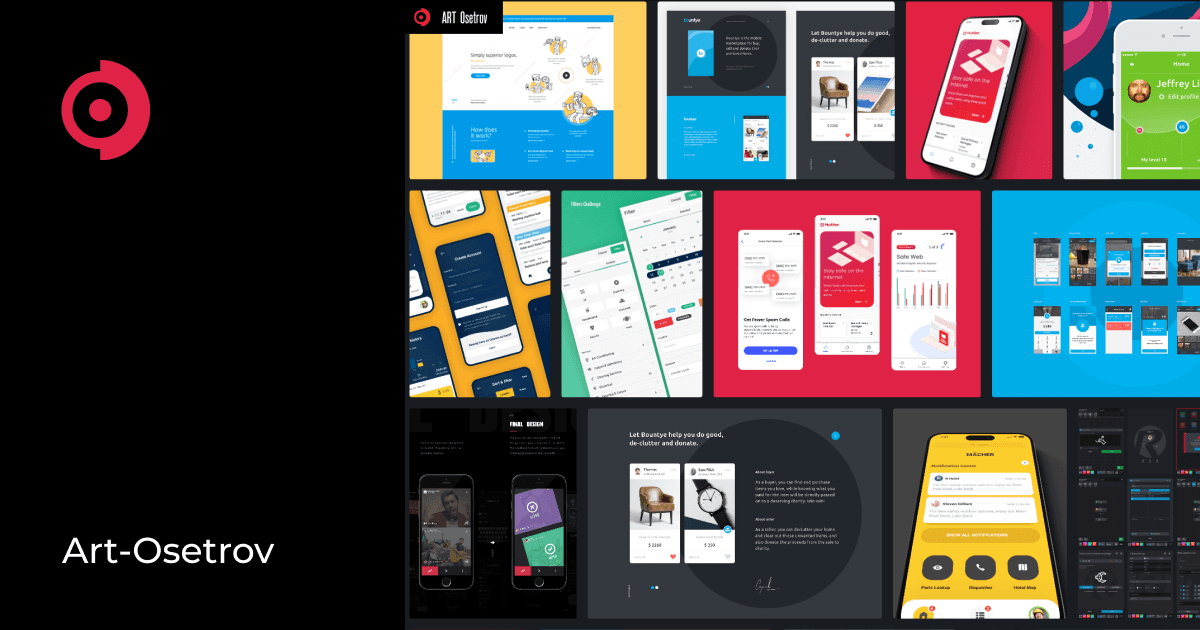
 artosetrov.com
More details:
McAfee - Maison
Experienced Product UI UX Designer with 15 years in the digital industry. Transitioned from front-end development to product design, leveraging deep technological understanding to drive business growth through thoughtful design.
artosetrov.com
Setup PCPC setup
It seems that McAfee’s Scam Detector still only works for customers in the U.S., UK, and Australia, what a shame, it was the most fascinating feature for me.
I hope that they make a global rollout soon.
Source: https://www.mcafee.com/blogs/mcafee...rotection is,no need for additional purchases.
I hope that they make a global rollout soon.
Source: https://www.mcafee.com/blogs/mcafee...rotection is,no need for additional purchases.
@Nightwalker & @Trident can y'all clarify scam feature for me. IIRC when I install McAfee Essential scam protection was a feature I initially skipped as it seemed like McAfee wanted my inbox login credentials (I may have misunderstood?) -- I am not running an email client. I use browser interface for email. I Just skimmed McAfee's scam info pages & still not entirely clear to me.It seems that McAfee’s Scam Detector still only works for customers in the U.S., UK, and Australia, what a shame, it was the most fascinating feature for me.
I hope that they make a global rollout soon.
Source: https://www.mcafee.com/blogs/mcafee-news/introducing-mcafees-scam-detector-now-included-in-all-core-plans/#:~:text=And because scam protection is,no need for additional purchases.
"AI-based scam analysis for email flags phishing and other suspicious emails across Gmail, Outlook, and Yahoo. Adds a “McAfee Alert” label and explains why an email was flagged"
If I'm reading email in a browser (not one of those 3 mentioned) does / can McAfee scam scan it and flag the email (or inbox) &/or can I manually tell it to scan a particular email? ((Bitdefender has scamio website you can paste email into and get a verdict)) McAfee specifically mentioned Gmail,
McAfee automatically scans all emails that pass the spam filter and moves “scam” to another folder called McAfee Alert. The details why the email was flagged are available online, on protection.mcafee.com@Nightwalker & @Trident can y'all clarify scam feature for me. IIRC when I install McAfee Essential scam protection was a feature I initially skipped as it seemed like McAfee wanted my inbox login credentials (I may have misunderstood?) -- I am not running an email client. I use browser interface for email. I Just skimmed McAfee's scam info pages & still not entirely clear to me.
"AI-based scam analysis for email flags phishing and other suspicious emails across Gmail, Outlook, and Yahoo. Adds a “McAfee Alert” label and explains why an email was flagged"
If I'm reading email in a browser (not one of those 3 mentioned) does / can McAfee scam scan it and flag the email (or inbox) &/or can I manually tell it to scan a particular email? ((Bitdefender has scamio website you can paste email into and get a verdict)) McAfee specifically mentioned Gmail,
It doesn’t matter how you use your emails (through browser, on a phone/tablet, through Outlook for Windows and so on).
The Scam protection features also include SMS scanning, every message content and links are checked when mobile security is installed.
And last but not least, in mobile security there is the same type of chatbot to paste the content and check it.
DeepFake detection is also part of the Anti Scam.
This requires data too.
The service needs data.
There is the option to not allow access to the data and not use the service.
McAfee needs to access emails and messages to scan them.
one last question (McAfee automatically scans all emails that pass the spam filter and moves “scam” to another folder called McAfee Alert. The details why the email was flagged are available online, on protection.mcafee.com
It doesn’t matter how you use your emails (through browser, on a phone/tablet, through Outlook for Windows and so on).
The Scam protection features also include SMS scanning, every message content and links are checked when mobile security is installed.
And last but not least, in mobile security there is the same type of chatbot to paste the content and check it.
DeepFake detection is also part of the Anti Scam.
This requires data too.
The service needs data.
There is the option to not allow access to the data and not use the service.
McAfee needs to access emails and messages to scan them.
) is allow "access to data" giving them email address, login, pw (2fa) carte blanche, or can I tell it to read this email -- raw email...) sorry if this Q is totally obvious to you -- I mean it as a serious question. (& why their reference to only Gmail, Outlook & Yahoo).
Because only GMail, Yahoo and Outlook provide the necessary applicable program interface that McAfee can step on, to provide the scanning.one last question (
They don’t really take your log-in details, you log-in to the service and the service prompts you to allow McAfee to access whatever it needs (plug-in).
The business security solutions are the same, you’ll give them access and they will inject banners in every email (they usually do that through cloud processing). McAfee does not inject banners, it just moves to another folder.
It’s not the sort of POP3/Imap scanning that can cover other clients. McAfee in the past offered anti-spam which included POP3 and iMap filtering but the anti-spam is now gone. POP3 that takes the credentials can only download a copy of the email, they won’t be able to move the email to another folder and stop you from opening if they relied on this method. At most, they would’ve been able to raise an alert and ask you to manually delete this email.
Last edited:
Recently browsing
Members who viewed this thread in the last 5 minutes
You may also like...
-
Serious Discussion Quick Play with McAfee
- P
-

-
-
 Software Review QuickHeal Total Security 2026