Shadowra
Level 42
Verified
Top Poster
Content Creator
Malware Tester
Well-known
High Reputation
Forum Veteran
Microsoft Defender Antivirus is Microsoft’s built-in security solution for Windows, providing real-time protection against malware, ransomware, viruses, and other threats.
It integrates directly into Windows Security and offers multiple layers of protection, including real-time scanning, cloud-based protection, behavioral detection, web protection, and attack-surface reduction features.
For this test, we go a step further by adding Hawk Eye from @Trident , a dedicated hardening solution designed to strengthen Microsoft Defender and improve its security configuration.
The goal is to see how far Defender can be pushed when properly hardened, while keeping its native protection features.
Let’s take a closer look at all of this.
Interface :
The MS Defender interface is as intuitive as ever and well integrated into the Windows ecosystem.
By default, it runs before Hardening.
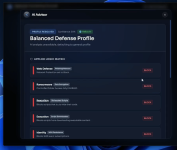
Hawk Eye greets us with a very high-tech interface. For this test, I’m letting its little AI fine-tune the settings it deems important.
Malware URL : 9/9
All malware download has been blocked by MS Defender.
Malware Pack : 26 (27 - 1) out of 168 threats remain
When I access the folder, MS Defender detects a new Trojan, bringing the total to 26.
Overall, the solution performed well by blocking several payloads and quite a few attacks.
But it isn’t foolproof—in the end, two pieces of malware remained, one of which patched the CasPol.exe process and another that tinkers with aspnet (which is part of the .NET Framework) and file attributes...
Final scan :
MS Defender : 0
Helios (Hawk Eye) : 6
KVRT : 3 (Memory Infected - RemcosRAT)
Symantec : 1 (XMRing)
Final opinion:
Microsoft Defender offers excellent protection overall.
Hawk Eye allows you to set strict protection rules and also includes a good scanner called Helios to scan your computer.
However, even though it blocked several script-based attacks, it is still vulnerable to them. RemcosRAT is present at the end along with another Trojan.
Despite this setback, it is recommended.
It integrates directly into Windows Security and offers multiple layers of protection, including real-time scanning, cloud-based protection, behavioral detection, web protection, and attack-surface reduction features.
For this test, we go a step further by adding Hawk Eye from @Trident , a dedicated hardening solution designed to strengthen Microsoft Defender and improve its security configuration.
The goal is to see how far Defender can be pushed when properly hardened, while keeping its native protection features.
Let’s take a closer look at all of this.
Interface :
The MS Defender interface is as intuitive as ever and well integrated into the Windows ecosystem.
By default, it runs before Hardening.
Hawk Eye greets us with a very high-tech interface. For this test, I’m letting its little AI fine-tune the settings it deems important.
Malware URL : 9/9
All malware download has been blocked by MS Defender.
Malware Pack : 26 (27 - 1) out of 168 threats remain
When I access the folder, MS Defender detects a new Trojan, bringing the total to 26.
Overall, the solution performed well by blocking several payloads and quite a few attacks.
But it isn’t foolproof—in the end, two pieces of malware remained, one of which patched the CasPol.exe process and another that tinkers with aspnet (which is part of the .NET Framework) and file attributes...
Final scan :
MS Defender : 0
Helios (Hawk Eye) : 6
KVRT : 3 (Memory Infected - RemcosRAT)
Symantec : 1 (XMRing)
Final opinion:
Microsoft Defender offers excellent protection overall.
Hawk Eye allows you to set strict protection rules and also includes a good scanner called Helios to scan your computer.
However, even though it blocked several script-based attacks, it is still vulnerable to them. RemcosRAT is present at the end along with another Trojan.
Despite this setback, it is recommended.




 Sneaky bugger!