Serious Discussion Microsoft Edge Stable (Chromium) Now Available for Download

Has anyone else noticed that after the last two updates of Microsoft Edge, the homepage keeps getting reset back to the default? The quality of these updates has been really disappointing. It’s surprising that something as basic as browser settings especially in Microsoft’s own browser can get messed up like this. I’ve also noticed that this issue seems to occur after using Sandboxie. Is anyone else experiencing the same thing?
 
Has anyone else noticed that after the last two updates of Microsoft Edge, the homepage keeps getting reset back to the default? The quality of these updates has been really disappointing. It’s surprising that something as basic as browser settings especially in Microsoft’s own browser can get messed up like this. I’ve also noticed that this issue seems to occur after using Sandboxie. Is anyone else experiencing the same thing?
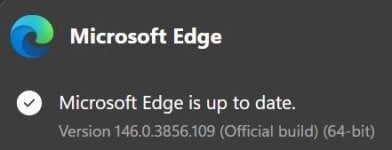
In version 146.0.3856.109?
 
  • Like
Reactions: Sorrento
the homepage keeps getting reset back to the default?
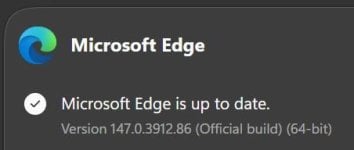
It is fine here, even on the latest update.
Screenshot_6-4-2026_23542_settings.jpeg
 
Has anyone else noticed that after the last two updates of Microsoft Edge, the homepage keeps getting reset back to the default? The quality of these updates has been really disappointing. It’s surprising that something as basic as browser settings especially in Microsoft’s own browser can get messed up like this. I’ve also noticed that this issue seems to occur after using Sandboxie. Is anyone else experiencing the same thing?
Did you try to change the settings before using Sandboxie? Although I didn't use it, I've heard that anything you do inside it gets erased when you close it.
 
Version 147.0.3912.60: April 10, 2026 (Stable)
AnnouncementsAnnouncements about changes to Microsoft Edge.
Feature UpdatesUpdates to new and existing features in Microsoft Edge.
Policy UpdatesNew and updated policies in Microsoft Edge.
SecurityStable channel security updates are listed here.
Microsoft released the latest Microsoft Edge Stable Channel (Version 147.0.3912.60). This release includes the most recent security updates from the Chromium project. Security Update Guide.

This update contains the following Microsoft Edge specific security fixes:
Microsoft Edge VersionDate ReleasedBased on Chromium Version
147.0.3912.6004/10/2026147.0.7727.55/.56
(EDIT: release notes published)
 
Last edited:
I am dumb, not much of a surprise to anyone, still. I was blaming MS for my own mistake, for not removing cookies on exit, except:
Code:
reg add "HKLM\Software\Policies\Microsoft\Edge\SaveCookiesOnExit" /v "25" /t REG_SZ /d "" /f
When I removed a cookie exception, I kept the line for the future, but it basically says: Remove all cookies except all cookies! 🤦‍♂️😳
 
Last edited by a moderator:
I keep getting logged out of all my Google accounts for the past 4-5 days on Edge. Whenever I turn on the PC, I am logged out. I keep a few browser cache-related folders in a RamDisk. So I thought maybe Google changed something and something is stored in one of these RamDisk folders now. So I kept deleting one folder at a time every day from the RamDisk but nothing solved the issue.
Then just now I decided to search the issue on Google and turns out it's a Microsoft Edge bug 😑
 
11 and Edge refuse to use RAMdisk. Even when I tried to use UserDataDir Policy in Edge, it gave up eventually. One could call it a bug or an intention, it worked for years. :unsure:
I store a total 11 folders in the RamDisk using the Symlink method and it works for me. I never tried the UserDataDir policy, as I want to store the data except for some cache-related folders to minimize SSD writes.
I tried more folders, but other folders, except these 11, cause issues one way or another. Sometimes one is responsible for logging out of a particular site, some causes an extension to stops working. A few other folders write so little data that it doesn't matter.
:: Default Profile Caches
mklink /D "%LocalAppData%\Microsoft\Edge\User Data\Default\Cache" "Z:\Edge-Cache\Default\Cache"
mklink /D "%LocalAppData%\Microsoft\Edge\User Data\Default\Code Cache" "Z:\Edge-Cache\Default\Code Cache"
mklink /D "%LocalAppData%\Microsoft\Edge\User Data\Default\DawnGraphiteCache" "Z:\Edge-Cache\Default\DawnGraphiteCache"
mklink /D "%LocalAppData%\Microsoft\Edge\User Data\Default\DawnWebGPUCache" "Z:\Edge-Cache\Default\DawnWebGPUCache"
mklink /D "%LocalAppData%\Microsoft\Edge\User Data\Default\GPUCache" "Z:\Edge-Cache\Default\GPUCache"
mklink /D "%LocalAppData%\Microsoft\Edge\User Data\Default\Service Worker" "Z:\Edge-Cache\Default\Service Worker"

:: User Data folder Caches
mklink /D "%LocalAppData%\Microsoft\Edge\User Data\component_crx_cache" "Z:\Edge-Cache\User Data\component_crx_cache"
mklink /D "%LocalAppData%\Microsoft\Edge\User Data\extensions_crx_cache" "Z:\Edge-Cache\User Data\extensions_crx_cache"
mklink /D "%LocalAppData%\Microsoft\Edge\User Data\GraphiteDawnCache" "Z:\Edge-Cache\User Data\GraphiteDawnCache"
mklink /D "%LocalAppData%\Microsoft\Edge\User Data\GrShaderCache" "Z:\Edge-Cache\User Data\GrShaderCache"
mklink /D "%LocalAppData%\Microsoft\Edge\User Data\ShaderCache" "Z:\Edge-Cache\User Data\ShaderCache"
If PowerShell is preferred, then
:: Default Profile Caches
New-Item -ItemType SymbolicLink -Path "$env:LocalAppData\Microsoft\Edge\User Data\Default\Cache" -Target "Z:\Edge-Cache\Default\Cache"

New-Item -ItemType SymbolicLink -Path "$env:LocalAppData\Microsoft\Edge\User Data\Default\Code Cache" -Target "Z:\Edge-Cache\Default\Code Cache"

New-Item -ItemType SymbolicLink -Path "$env:LocalAppData\Microsoft\Edge\User Data\Default\DawnGraphiteCache" -Target "Z:\Edge-Cache\Default\DawnGraphiteCache"

New-Item -ItemType SymbolicLink -Path "$env:LocalAppData\Microsoft\Edge\User Data\Default\DawnWebGPUCache" -Target "Z:\Edge-Cache\Default\DawnWebGPUCache"

New-Item -ItemType SymbolicLink -Path "$env:LocalAppData\Microsoft\Edge\User Data\Default\GPUCache" -Target "Z:\Edge-Cache\Default\GPUCache"

New-Item -ItemType SymbolicLink -Path "$env:LocalAppData\Microsoft\Edge\User Data\Default\Service Worker" -Target "Z:\Edge-Cache\Default\Service Worker"

:: User Data folder Caches
New-Item -ItemType SymbolicLink -Path "$env:LocalAppData\Microsoft\Edge\User Data\component_crx_cache" -Target "Z:\Edge-Cache\User Data\component_crx_cache"

New-Item -ItemType SymbolicLink -Path "$env:LocalAppData\Microsoft\Edge\User Data\extensions_crx_cache" -Target "Z:\Edge-Cache\User Data\extensions_crx_cache"

New-Item -ItemType SymbolicLink -Path "$env:LocalAppData\Microsoft\Edge\User Data\GraphiteDawnCache" -Target "Z:\Edge-Cache\User Data\GraphiteDawnCache"

New-Item -ItemType SymbolicLink -Path "$env:LocalAppData\Microsoft\Edge\User Data\GrShaderCache" -Target "Z:\Edge-Cache\User Data\GrShaderCache"

New-Item -ItemType SymbolicLink -Path "$env:LocalAppData\Microsoft\Edge\User Data\ShaderCache" -Target "Z:\Edge-Cache\User Data\ShaderCache"
Some folders, if linked to the root directory of the RamDisk like "Z:\", it doesn't work/write any data. So I created folders inside the RamDisk, the empty folders configured to load automatically when the RamDisk starts.
Cache, Code Cache, Service Worker, and GrShaderCache folders write the largest amount of data.
 
After reboot I was able to update. Strange I've never seen that message before AFAIK.
It has happened to me a few times, but not recently. I think it mainly happens when you go to the about page to trigger an update while a background update process was already triggered by the scheduled task. So two triggers at the same time cause this issue.
 
Here's an interesting discussion by researchers about vulnerabilities in Edge Enhanced Security Mode. Bottom line is the feature itself is an enlarged attack surface. Picked up this piece via the GrapheneOS forum.
Microsoft Edge's Enhanced Security Mode was designed as the ultimate defense when browsing unfamiliar websites. By disabling JIT compilation and forcing all WebAssembly code through an interpreter called DrumBrake, Microsoft promised protection against the most common classes of browser exploitation. The irony? This security feature became a massive attack surface itself.

Over the past year of continuous research, we discovered and reported 23 remote code execution vulnerabilities in DrumBrake, completely defeating every security guarantee that Enhanced Security Mode promises. Our findings span multiple vulnerability classes: type confusion bugs arising from incorrect WebAssembly GC reference handling, out-of-bounds memory access due to flawed reference stack index calculations, use-after-free conditions caused by missing garbage collection write barriers, and critical control flow errors where the interpreter simply forgot to stop executing.

This talk provides a comprehensive technical deep-dive into DrumBrake's architecture, our systematic vulnerability hunting methodology, and complete exploitation chains that transform subtle interpreter bugs into arbitrary code execution. We will demonstrate how a single overlooked function call, how a duplicated index calculation, and how an incorrect calling sequence each independently led to full browser compromise. All 23 vulnerabilities have been patched by Microsoft, and this research earned recognition in Microsoft's security researcher acknowledgements for nearly a year straight.
 
Last edited: