
I have only text scams option available though I did not set it up.Thank you very much for your reply. That was very detailed.
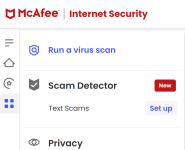
Could you show me a screenshot of what is available to you under the Scam Protection menu?


Open MalwareTips from your Home Screen or desktop. Follow discussions, find answers and pick up where you left off.
If you cannot find an install option, update your browser or use its bookmark option to keep MalwareTips close.
After installation, open the app and sign in. Enable push notifications in Preferences if you want alerts. On iPhone and iPad, push requires a Home Screen web app and iOS or iPadOS 16.4 or later.
Sign in to manage notificationsInstallation is optional. Your notification settings stay under your control.
 Thread starter
Minimalist
Thread starter
Minimalist
I have only text scams option available though I did not set it up.Thank you very much for your reply. That was very detailed.
Could you show me a screenshot of what is available to you under the Scam Protection menu?

Thank you very much.

I removed eset online scanner just because of that. It detects some program thinking it's malware and quarantines it without even asking, and it always the same file. I absolutely hate that in a security software.- scan without cleaning. Full scan will automatically clean any infection it finds. For me it found something suspicious in my 80 GB VHD file and moved the whole file to quarantine. Luckily, I had enough free space on C partition otherwise I don't know how that would end. Restore from quarantine solved the problem and VHD file was still usable.
- option to configure how to react on malware detection and let user choose what to do.
- option to add folders to exclusion list.

Even if you disabled PUA detection?I removed eset online scanner just because of that. It detects some program thinking it's malware and quarantines it without even asking, and it always the same file. I absolutely hate that in a security software.
Yes.Even if you disabled PUA detection?

Eset is one of my all time favourite products, but it is not reasonably priced in comparison to other competitors.Nice and clean setup. I really like it! NOD32 is a great low resource AV/AM. Just wish ESET had cheaper licenses.
Do you restore a clean system backup before installing a new security product or you just uninstall and install one the same system?It seems that occasional BSODs are not McAfee related so I reinstalled it.
I just uninstall the old one and reinstall new one. Except with Bitdefender after which I had to restore an image since it quarantined some files and registry keys (false positives) which it couldn't restore to original location. With McAfee and Eset I've had no problems so far.Do you restore a clean system backup before installing a new security product or you just uninstall and install one the same system?
You did the right thing. Since I installed ESET, my computer has been working differently. Everything is much faster and smoother. And I've been a Kaspersky fan since 2004.I have reinstalled my system and went to my standard security configuration.
I've noticed that ESET's context menu app started to cause problems with dllhost.exe, which made it hang and be closed by Windows. It's a known problem with no solution ATM.What happened with ESET NOD32 that made you switch to McAfee Antivirus?
That's great! It's weird that there are known bugs like this and they're still working on fixing them. These are the kinds of things that should be fixed quickly.I've noticed that ESET's context menu app started to cause problems with dllhost.exe, which made it hang and be closed by Windows. It's a known problem with no solution ATM.
I will wait for version 19.1 to be released. New version is supposedly going to bring some improvements to that app.
*Darth Vader Voice* Nooooooooooooooooo! I actually had a dream last night and I was using HMP, didn't work sadly to clean my machine in the dream., I replaced them with HitmanPro
How is Uckeck in comparison to Patch My PC Home Update? The latter does not detect most of my installed appsIn last few months I:
- started using UCheck to check for applications updates,
- replaced HitmanPro with Sophos Scan & Clean,
- started using SiriusLLM as additional on demand scanner.
UCheck is the better choice for me because it detects all applications, including portable ones, once you specify their location.How is Uckeck in comparison to Patch My PC Home Update? The latter does not detect most of my installed apps
Members who viewed this thread in the last 5 minutes


