
From the setup owner
View current setup
Just found out the ESETS extension does not work in Vivaldi, so I removed it and replaced it with SafeToOpen Online Security.


Open MalwareTips from your Home Screen or desktop. Follow discussions, find answers and pick up where you left off.
If you cannot find an install option, update your browser or use its bookmark option to keep MalwareTips close.
After installation, open the app and sign in. Enable push notifications in Preferences if you want alerts. On iPhone and iPad, push requires a Home Screen web app and iOS or iPadOS 16.4 or later.
Sign in to manage notificationsInstallation is optional. Your notification settings stay under your control.
 Thread starter
Morro
Thread starter
Morro
Imported from an earlier discussion · awaiting owner confirmation
Earlier staff assessment. The reviewer, date and configuration version were not recorded. It has not been verified against the current Hub setup.

 malwaretips.com
How members rate the shared configuration. This is community feedback, not a security test.
Shared by the member. This is a configuration record, not a device scan.
malwaretips.com
Why use Dark Reader over Vivaldi's dark mode setting?

I don't think it has that option, but it is lighter and faster to load pages than Dark Reader.Because usually when a browser has that option, then I can not set it per website, Dark Reader does let me do that. Unless Vivaldii has the option to set it per website?

Have you tried "selective inversion of non-image, elements" in the dark mode flag? This option works better than the default mode.Perhaps, but I guess the load difference will be minimal? I will try it out and see.
EDIT: No, not for me. The first site I went to already showed several pictures completely weird, and no option that I could see to deactivate it for that website. Myabe it would have been the only website where it happened, but I am sticking to Dark Reader.
Have you tried "selective inversion of non-image, elements" in the dark mode flag? This option works better than the default mode.

Does this option work any better for you?EDIT: Stupid me woke up and found the setting.
Does this option work any better for you?
 ) than Vivaldi dark mode in my opinion, MajorGeeks was not the only site where I saw the weird colour change.
Your Vivaldi dark mode image of majorgeeks.com looks different. Here is mine.No, I went back to Dark Reader. Pictures showed normally, but it causes well ... less natural colour effects.
I prefer Dark Reader over Vivaldi's Dark Mode. Dark Reader has better "Natural Colours" (If that is possible with Dark mode.
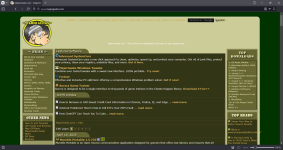
Your Vivaldi dark mode image of majorgeeks.com looks different. Here is mine.
View attachment 288066
Mine looks similar to @rashmi but this is on Edge, I don't have Vivaldi installedOK, that is odd? Do you use the flag SeriousHoax mentioned, or a different one?
Just enable the "force a dark theme..." option in appearance settings. It enables the flag he mentioned.OK, that is odd? Do you use the flag SeriousHoax mentioned, or a different one?
Just enable the "force a dark theme..." option in appearance settings. It enables the flag he mentioned.
Did you restart Vivaldi and disable Dark Reader? The flag @SeriousHoax mentioned is better overall than others.I did that, but I still got those weird colours that I showed with the MajorGeeks pictures. I will play around with all the different Flag settings tomorrow to see if one of those does things better.
Mine looks similar to @rashmi too, I'm on Vivaldi, no flags used.OK, that is odd? Do you use the flag SeriousHoax mentioned, or a different one?
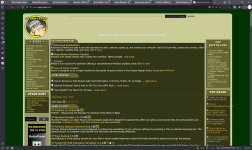
Did you restart Vivaldi and disable Dark Reader? The flag @SeriousHoax mentioned is better overall than others.
With Vivaldi, you can access Chrome/Chromium settings.
chrome://settings
chrome://flags
Members who viewed this thread in the last 5 minutes


