
Need assistance with removal Ukash virus or malware

Stage -1
  • Download Norton Bootable Recovery Tool from this link.
  • Save the Norton Bootable Recovery Tool on your computer Desktop.
  • After completing the Download Open the File that you saved on the Desktop. It will start the Norton Download Manager as shown below.

    http://123pcworld.com/MalwareTips/DownloadManager.PNG
  • When the download finishes, the Norton Bootable Recovery Tool Wizard starts automatically.
  • In the Norton Bootable Recovery Tool Wizard, click Agree & Install to accept the User License Agreement.

    If you want to change the default install location, click Install Options, and then click Browse to locate the new install location.
  • Follow the on-screen instructions to create the Norton Bootable Recovery Tool on a CD/DVD media or USB key.

    http://123pcworld.com/MalwareTips/NBRT.PNG
  • It will by Default Select your CD/DVD Writer , if it is not select your CD/DVD Writer and click on Next...

    http://123pcworld.com/MalwareTips/NBRT-2.PNG
  • Now you have to Insert a Blank CD/DVD into your CD/DVD Writer and press on Ok. It will take some time to complete the Bootable Recovery Drive Creation.

    http://123pcworld.com/MalwareTips/NBRT-3.PNG


Stage -2
  • Insert the recovery media in the infected computer and start your computer from the recovery media. The recovery media can be a Norton Bootable Recovery Tool CD, DVD, USB key.
    Note : If you do not know how to set your computer to boot from CD follow the steps here
  • Read the License Agreement, type your product key, and then click I Agree. (I will send you product key in PM )
  • In the Norton Bootable Recovery Tool window, click Norton Advanced Recovery Scan.
  • Click Start Scan.
  • When the scan finishes, remove the recovery media from the drive or USB port, and restart your computer.

<hr />
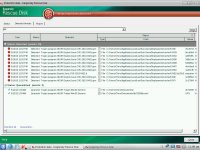
 
hi Kuttus,
When I ran the Norton recovery Boot disk, I get a 0 Total items scanned and 0 Total risks detected. I rescan again and I get an error box ¨NBRT.EXE - Application Error - The instruction at 0x73f5f5d9 referenced memory at 0x00000000. The memory could not be read.¨
 
Chris, this BSOD issue may be something related with your computer hardware also... Lets see what we can do on this case...
 
The BSOD was what I got after I ran the Kaspersky recovery boot disk and after it had quarantined some virus. I rebooted my computer a couple of times because it would not bring up my login screen. And that is when I got the bsod.
 
  1. Turn on or restart the computer.
  2. Press and tap the F8 key about every second until you see the Advanced Boot Options.
  3. Select Repair your computer and press Enter.
  4. Select your keyboard language preferences and click on Next.
  5. Select your user name and type in the password, and then click on OK.
  6. Select the option “Command promt and press enter.
  7. You will get a command prompt window. Type the following command the command prompt
1)      X:\Sources> Bcdedit /export C:\BCD_Backup 
2)      X:\Sources> C:                            { Change the drive to c: } 
3)      C:\ cd boot                                  { Access boot directory } 
4)      C:\ boot\ attrib bcd -s -h –r         
5)      C:\ boot\ ren bcd  bcd.old   
6)      C:\boot\Bootrec /rebuildbcd       { You will get a prompt  “  To add the entry to the BCD store ”, type  Yes.   Just type “ Y “ and press ENTER } 
7)      Restart the computer. 
 
No luck. After the restart, it seems promising because it load the ¨Starting Windows logo¨ but then it goes back to the bsod.
 
Now please download this file and save it to your Flash Drive.

[attachment=4581]

Then, boot to system recovery, plug in your flash drive, open FRST and click fix. Post the generated log. Then attempt to boot to normal mode.


If you are still not able to boot the computer send me a Fresh FRST log file also.....
 

Attachments

Now please download this file and save it to your Flash Drive.


[attachment=4603]

Then, boot to system recovery, plug in your flash drive, open FRST and click fix. Post the generated log. Then attempt to boot to normal mode.
 

Attachments

Hi Kuttus,
Here is the new fixlist log and FRST log. When I run FRST tool, I noticed that there are 3 unchecked options at the bottom of the tool window. There are List.BCD, Drivers MD5 and Addition.txt. Is that normal?
 

Attachments

hi Kuttus,

do we have anymore options? if not, then I´ll just go ahead reformat if possible.
thank you for all the help. wish it was a better outcome.
Thank you again.
 

Recently browsing

Members who viewed this thread in the last 5 minutes

Back
Top