hi guys 
I was infected a month ago with CRYPTO WALL 3.0 , however, I managed my self to restore all my files...
my problem is I have those file left in my COMPUTER .. and I just could not delete them.
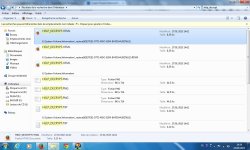
They are located in E:\system volume information.
They were only 4 files, when last time I checked after I reSetup windows 7. New they are 16 files !! and all located in E:\system volume information
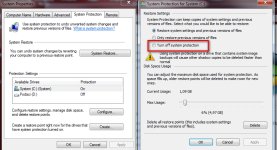
What can I do to delete them ? and to check if my computer had CryptoWall Virus AGain.
PS; I run Kespersky 2015 in my computer.
I was infected a month ago with CRYPTO WALL 3.0 , however, I managed my self to restore all my files...
my problem is I have those file left in my COMPUTER .. and I just could not delete them.
They are located in E:\system volume information.
They were only 4 files, when last time I checked after I reSetup windows 7. New they are 16 files !! and all located in E:\system volume information
What can I do to delete them ? and to check if my computer had CryptoWall Virus AGain.
PS; I run Kespersky 2015 in my computer.