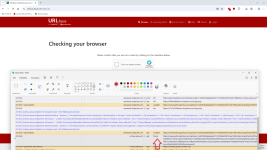
The attack chain is a multi-stage process designed for maximum stealth and evasion of automated sandboxes.
Initial Access (Social Engineering)
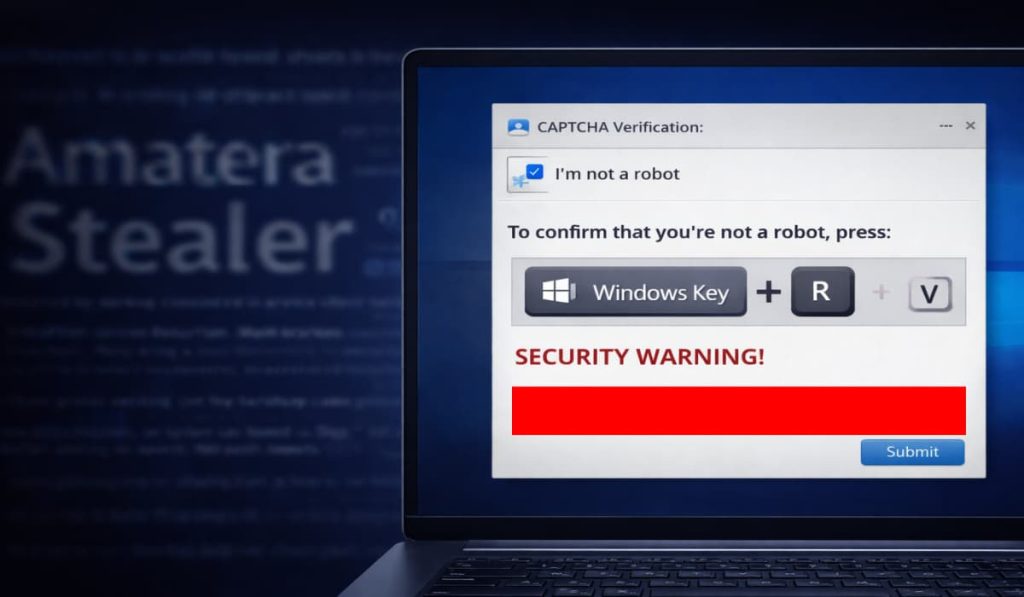
Users encounter a fake "I am not a robot" check on a compromised or malicious website. Instead of a standard click, they are instructed to press <span>Windows Key + R</span>, paste a malicious command from their clipboard, and hit Enter.
Living off the Land (LOLBins)
The pasted command executes a legitimate, signed Windows script:
SyncAppvPublishingServer.vbs. This tool is part of the Microsoft Application Virtualization (App-V) suite. Because the script is a trusted part of the OS, it often bypasses standard antivirus and EDR solutions.
Stealth & Persistence
Public Infrastructure Abuse
The malware retrieves its next-stage instructions from a public
Google Calendar (.ics) file, making the C2 traffic appear as normal encrypted web traffic.
Steganography
Malicious code is hidden within the pixel data of seemingly harmless
PNG images hosted on public sites like Imgur.
Anti-Analysis
The script checks the clipboard for a specific human-generated marker and verifies if it is being run in a sandbox. If it detects analysis or incorrect input, it enters an infinite wait state. It uses the decryption key AMSI_RESULT_NOT_DETECTED to further deceive security software.
Payload (Amatera Stealer)
The final goal is the installation of Amatera Stealer, designed to exfiltrate saved browser passwords, credit card information, and other sensitive data.
Recommendation / Remediation
User Awareness (Critical)
Educate users that no legitimate CAPTCHA or website will ever ask them to use the <span>Windows + R</span> shortcut or paste commands into the Windows Run box.
Hardening LOLBins
If App-V is not required in your environment, consider restricting or disabling the execution of SyncAppvPublishingServer.vbs via AppLocker, Windows Defender Application Control (WDAC), or GPO.
Network Monitoring
Monitor for anomalous outbound connections to public cloud providers (Google, Imgur) from administrative processes like WScript.exe or CScript.exe.
Credential Management
Implement Multi-Factor Authentication (MFA) across all services to mitigate the impact of stolen passwords if an infection occurs.
References
MITRE ATT&CK:
T1218.011
(System Binary Proxy Execution: Mshta/VBScript)
MITRE ATT&CK:
T1027.003
(Steganography)
NIST SP 800-53:
SI-4
(Information System Monitoring)



 hackread.com