
NextDNS is blocking its own child: DNS0!



Open MalwareTips from your Home Screen or desktop. Follow discussions, find answers and pick up where you left off.
If you cannot find an install option, update your browser or use its bookmark option to keep MalwareTips close.
After installation, open the app and sign in. Enable push notifications in Preferences if you want alerts. On iPhone and iPad, push requires a Home Screen web app and iOS or iPadOS 16.4 or later.
Sign in to manage notificationsInstallation is optional. Your notification settings stay under your control.
Indeed I can add dns0 to allowlist, but why to to be blocked at the first instance?That's unusual. You might want to check your blocklists or manually whitelist DNS0 in your NextDNS settings.

It could be a false positive in the filtering system. Ensure your settings are correct and report this issue to NextDNS support for further assistance.Indeed I can add dns0 to allowlist, but why to to be blocked at the first instance?

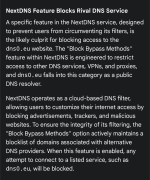
It worked; thank you.It seems you haven't explored NextDNS thoroughly. With the parental control "block bypass methods" disabled, dns0.eu remains accessible.
I had access to dns0 after unselecting "Block Bypass Methods" which I cannot find related by all means!I'm using NextDNS in my Windows (with the app) and in my FF (DoH), and I can access to that site normally, no blocking...
What is the relation between "Parental control" and dns0 website; I can understand if related to porn website, for example.I don't have anything enabled in Parental Control.
It is accessible currently; looks this feature is blocking several websites.Now try visiting Proton VPN website. This was the reason it was inaccessible to you.
This feature is helpful, similar to Google's Safe Search.It is accessible currently; looks this feature is blocking several websites.
That it is why is selected it during setup, but it is blocking several websites and I have had to unselect.This feature is helpful, similar to Google's Safe Search.
It is for children's devices; you shouldn't enable it for yours.That it is why is selected it during setup, but it is blocking several websites and I have had to unselect.
Nothing was blockedIn the NextDNS log you see exactly which blocking element is responsable.
The problem solved thanks to @rashmi ; it turned out to be "block bypass methods" was blocking some websites.No idea what kind of screenshot you showed. I've normal access to DNS0.eu and this is the NextDNS log:
View attachment 289008

Members who viewed this thread in the last 5 minutes


