
Where to get it "completely"?Partially


Open MalwareTips from your Home Screen or desktop. Follow discussions, find answers and pick up where you left off.
If you cannot find an install option, update your browser or use its bookmark option to keep MalwareTips close.
After installation, open the app and sign in. Enable push notifications in Preferences if you want alerts. On iPhone and iPad, push requires a Home Screen web app and iOS or iPadOS 16.4 or later.
Sign in to manage notificationsInstallation is optional. Your notification settings stay under your control.
Where to get it "completely"?Partially

In my experience the setting "DNS rebinding Protection" doesn't cause any real issues with browsing. But I advise you to enable the logs, use the settings one by one, give enough time with each setting, check the logs for any fase positive blocks and unblock if necessary. I would suggest to switch off any other filtering apps / add-ons till you are comfortable with what nextdns provides, once you have created your own "allowlist" which removes all false positives, you can re-enable all add-ons and other filtering apps. Always remember "less is more better"

 community.avast.com
"Block Newly Registered Domains" only caused issue for me when I watch pirated sports streams and "DNS Rebinding Protection" sometimes blocks seeders/peers when I download things from torrents. So, for these two reasons alone I keep them off. Anyone who doesn't do what I do probably should have these on.
For adblocking filters, I recommend, AdGuard DNS filter, OISD (big) and Hagezi Multi Pro++.
NextDNS have their own threat intelligence option but it doesn't have Hagezi Threat Intelligence filter (TIF). So Hagezi himself said that anyone who cannot use his TIF filter should use OISD along with their preferred Hagezi filter as OISD apparently can block a few more malicious/phishing sites.
AdGuard DNS is already part of Hagezi Pro filters, but I still use it in NextDNS because AdGuard and OISD updates many times throughout the day while Hagezi filters update twice or sometimes once a day.
So, using AdGuard + OISD means you stay more up to date.
Do not use NextDNS's own Ads & Trackers Blocklist. It's not good to begin with and they usually don't fix false positives.
I appreciate your insightful post. It's, NextDNS a new adventure for me, in a good way
The usage ping does not contain personal data or personally identifying information. Users can disable this feature by going to Brave Settings > Privacy and security and disabling "Automatically send daily usage ping to Brave".

Where to get it "completely"?
 github.com
Many thanks; did not notice before on the website.
GitHub - hagezi/dns-blocklists: DNS-Blocklists: For a better internet - keep the internet clean!
DNS-Blocklists: For a better internet - keep the internet clean! - hagezi/dns-blocklists
NextDNS and similar services work fine with security extensions.This has been a very insightful and helpful thread
I just signed up with a free nextdns account, should I disable TrafficLight and let nextdns work alone, or won't it matter in that they may work in different ways? Or what about Osprey's ad blocker/web protection being used with nextdns, or could that cause overlaps, FP's and surfing slow downs?
In the Security settings I enabled "Block Newly Registered Domains", should "DNS Rebinding Protection" be enabled also, or could that cause webpage issues?

You're right to ask for a direct link, as information can get nuanced and change over time. My
previous statement was based on the general understanding within the NextDNS community
and HaGeZi's own descriptions of his lists and their relationship to OISD.
However, after reviewing the recent search results, it seems the recommendation regarding
OISD and HaGeZi's lists on NextDNS has evolved, and there's a more current consensus.
The most recent information, including statements attributed to HaGeZi himself,
suggests that if you are using HaGeZi Pro, Pro++, or Ultimate lists on NextDNS, adding
OISD separately is generally considered redundant.
Here's why, based on recent Reddit discussions:
● HaGeZi's higher-tier lists (Pro, Pro++, Ultimate) already incorporate many TIF
(Threat Intelligence Feed) sources, including those that OISD also uses for its
malicious/phishing blocking.
● HaGeZi himself (as quoted by "doesitrungoogle" in one of the Reddit threads) has
clarified that the only reason to keep OISD alongside his Pro/Pro++/Ultimate lists
would be for redundancy/backup in case one list goes down, but given his active
maintenance, this is unlikely to be necessary.
● The older recommendation to use OISD for TIF coverage in NextDNS specifically
stemmed from a time when NextDNS's own TIF or HaGeZi's higher-tier lists might
not have covered as many sources, or when HaGeZi's dedicated TIF was not
available as a separate list in NextDNS. It appears this situation has changed, and
HaGeZi's comprehensive lists now provide excellent TIF coverage on their own within
NextDNS.
Here are some relevant Reddit threads/comments that reflect this updated
understanding:
● "Blocklist recommendations for NextDNS" thread:
dns/
○ Look for comments by doesitrungoogle (around 5 months ago from current date,
and then another one 3 months ago). This user explicitly states: "I asked Hagezi
himself the other day, and he clarified in this comment thread that even when
referencing Yokoffing's NextDNS Guide, if you're using Hagezi Pro/Pro++/Ultimate
on NextDNS, you do not need to add OISD (AKA redundant) separately; and the
only reason he recommends why one would keep OISD alongside Hagezi Pro Also,
regarding the OISD recommendation for NextDNS users, Yokoffing clarified that it
was old leftover text, and he removed that old recommendation from his guide!"
○ This is the most direct and recent clarification I could find, quoting HaGeZi himself.
● "Hi! I'm a new NextDNS user. I care a lot about adblock, so I want to ask, is this
excessive? I heard that only Hagexi + OISD is enough, but that said, what do you
think?" thread:
a_lot_about/
○ Again, the user doesitrungoogle provides the same clarification regarding HaGeZi's
current stance.
Therefore, to directly answer your question with the most up-to-date information:
While there was a period where HaGeZi or community members recommended OISD as a
complement for TIF coverage with HaGeZi lists on NextDNS, the current stance, as clarified
by HaGeZi himself, is that OISD is generally redundant if you are using HaGeZi Pro++ (or
Pro/Ultimate) in NextDNS, because those lists already incorporate the necessary TIF
sources that OISD would provide.
You should rely on HaGeZi Pro++ alone for a strong balance of ad/tracker blocking and threat
intelligence. If you still feel a need for an additional layer for specific threats, NextDNS's built-in
"Security" features (Google Safe Browse, Threat Intelligence Feeds, AI-Driven Threat Detection,
etc.) are what you should enable, rather than a redundant third-party list like OISD.

Good find. I didn't know that the situation has changed.
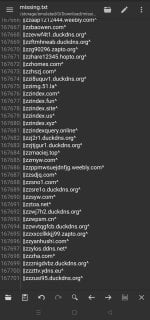
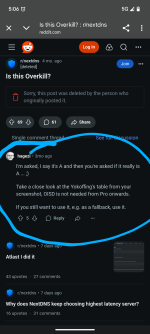
That is correct.Possibly the difference between Hagezi and OISD isn't only caused by TIF sources.
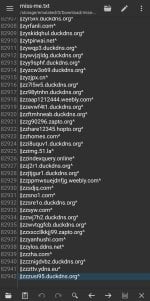
Here is Hagezi's DNS list analysis if you follow yokoffing's work.
So, there is no need to add TIF if using Hagezi ultimate, as I was instructed before.Ultimate blocks significantly more than Pro++ and includes the full list of Threat Intelligence Feeds
ultimate includes only "partial" list of TIF as is sated by hagezi himself.So, there is no need to add TIF if using Hagezi ultimate, as I was instructed before.
Yes, I know after being informed by @SeriousHoax and reading their info on github, but the Reddit post shared by @rashmi contained some different data; that why I have asked this question.ultimate includes only "partial" list of TIF as is sated by hagezi himself.
View attachment 289354
The Reddit post is 2 years old so it's a bit outdated by now. OISD is not part of any Hagezi filter list anymore and full TIF is not part of any other list as mentioned by @Brahman above.Yes, I know after being informed by @SeriousHoax and reading their info on github, but the Reddit post shared by @rashmi contained some different data; that why I have asked this question.
Hagezi states he does not use any source or list in a one-to-one manner. Perhaps he fully includes some smaller lists.So, there is no need to add TIF if using Hagezi ultimate, as I was instructed before.
Although two years old, the test shows the effectiveness of Hagezi's lists. The test remains relevant as it analyzes Hagezi's lists, which he still maintains with the same viewpoint; hence, their effectiveness would likely be comparable.Yes, I know after being informed by @SeriousHoax and reading their info on github, but the Reddit post shared by @rashmi contained some different data; that why I have asked this question.
DNS-based content filters like AdGuard DNS and NextDNS's Hagezi Light filters don't directly interfere with Google Family Link. However, they could indirectly impact it if they block domains that Family Link needs to work.@SeriousHoax, I have AdGuard DNS and Hagezi Light filters set up in NextDNS for our kids' phones. I wonder if ad filters can affect Google Family Link functions. I don't think so. Can they?
Right now I'm using the desktop app, if I enable NextDNS on the router side, will that affect the wireless devices I have connected, Amazon Echo & Dot, my Samsung phone and a Roku Stick? Will I have to reset those devices somehow?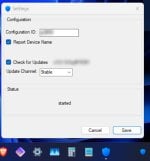
Members who viewed this thread in the last 5 minutes


