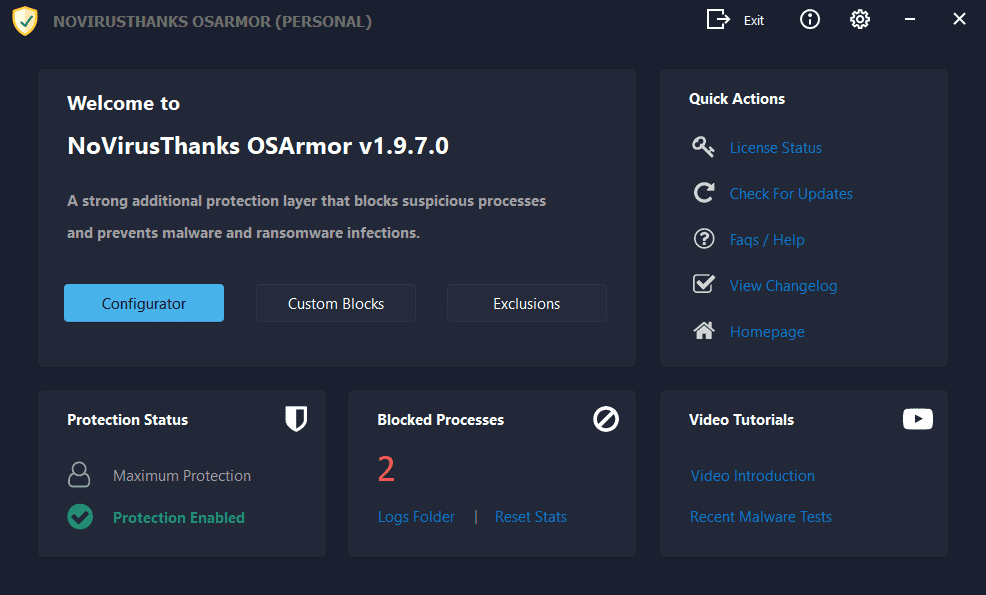
NoVirusThanks OSArmor

Thank you, but I was more interested in the ability to prevent the termination of other processes.
You're welcome. I hope the moderator/s don't delete this post because is off-topic. I don't know if a software that prevent processes' termination in a different way than taskkill\tskill.exe block, does exist. OSArmor, other than having a lot of different rules to protect the system, offers a strong protection preventing the execution of taskkill\tskill.exe and if a malware should use a different technique in terminating processes (I'm not a software technician so I don't know how malware works, of course ;)), just for added protection I've installed this free and portable utility "Restart on Crash" Automatically Restart Crashed Or Hanged Applications | W-Shadow.com and I've added to its settings the filepath of some processes (3rd party firewall, keyboard's encryption software, screenshot protection software, OSArmor executables too, even if it already has self-protection) so if they crash or they are terminated for whatever reason, Restart on Crash will restart them. It isn't the same thing as preventing process termination but in my opinion it's a useful tool, unless RestartOnCrash.exe isn't running because it has crashed or it's terminated too :) . If someone has questions about "Restart on Crash" they can send me a private message so we can keep this thread reserved to OSArmor.
 
Last edited:
It's funny that you mention Restart on Crash. I just made a post about it, here. That is the reason I asked about process termination protection. Since it seems OSA doesn't offer anything of the sort, I don't think it's too off topic. But if anyone is interested, please look at the thread I just linked to.
 
I've used this for a long time as well, and I like it. I admit it can be tedious. But that's not a bad thing; granual control can be very powerful. I think of this kind of like the old HIPS-types of yesteryear (OMG, I sound 100) like System Safety Monitor. They, and this, won't try to prevent malware via signature. Antimalware scanners do that, and they're fighting an inevitable losing battle. HIPS, and this, use more of a whitelist only approach; a pain to set up but very powerful.
:rolleyes: I fondly recall running SSM and I'm not THAT old :ROFLMAO:
 
Any updates? License renewal in next month and I'm thinking twice about another year. Sad but I think OSArmor is nearly abandonware, no news or updates on Wilders either.
Not worth the $$$ IMO. There are better alternatives if you want OS hardening.
 
I gave up with the program several months ago, it was far it much trouble than it was worth, jumping in during an uninstallation for example should I forget to close it then the uninstaller was damaged before I had chance to do anything, IMHO not worth the hassle & not one time did anything useful, I regret not dumping it earlier.
 
Any updates? License renewal in next month and I'm thinking twice about another year. Sad but I think OSArmor is nearly abandonware, no news or updates on Wilders either.
The last program update was on July 08, 2025, and the last Wilders post was on August 10, 2025.
This developer is known for his infrequent updates, but he will probably update his programmes again when he has the time and feels like it.
The questions are: Are frequent updates necessary for a programme like this? Does this programme make sense as an addition to your current configuration? Has the programme ever done anything for you? See the logs. Are you willing and able to pay the price for this program?
 
I'm thinking twice about another year
Hello,
I'm thinking exactly the same thing. I wonder if it's worth paying for a subscription when the last and moreover infrequent updates are mainly for fixing reported false positives and for improving internal rules to detect suspicious behaviors. The latter is not explained in detail, however.
 
This developer is known for his infrequent updates, but he will probably update his programmes again when he has the time and feels like it.
The questions are: Are frequent updates necessary for a programme like this? Does this programme make sense as an addition to your current configuration? Has the programme ever done anything for you? See the logs. Are you willing and able to pay the price for this program?
Hello, your observations are right but in my opinion, with so infrequent updates, they could add a option for a lifetime license, hoping that OSArmor won't become abandonware like it happened to EXE Radar Pro, developed by the same software company, NoVirusThanks.
 
Last edited:
Alternatives can be found in the tools of @Andy Ful : Simple Windows Hardening, Windows Hybrid Hardening Light or Hard_Configurator.
Or when using Windows Defender as antivirus: Defender Hardening Console by @Trident .
Thank you for the infos. For enhancing Windows Defender I'm using DefenderUI. I'll take a look at the alternatives for hardening Windows.
 
The price if it does a decent job for me is irrelevant
FP's which for me were the major issues is why there does need to be updates
The program as far as I can ascertain did little for me but did cause a couple of imaging back due to causing damage when installing/uninstalling which I don't need
I don't really need a program such as this anymore, (& probably neve did) as in many things my mantra is, backup, backup & backup + Backup
It did give a sense of security which was maybe a false one?
We are all different & one size does not fit all so we do as we feel we should... (Does Windows really need hardening?)
 
Does Windows really need hardening?
I don't know how to answer the question but for the moment I'll stick with DefenderUI only. I still have to decide whether or not to renew the subscription for OSArmor because in my opinion it is different from Windows hardening software like Simple Windows Hardening, Windows Hybrid Hardening Light or Hard_Configurator. OSArmor has its own internal rules while the others, as far as I know, are enhanced interfaces to configure Windows already built-in security to harden the system, same as DefenderUI does with Microsoft Defender anti-virus. They can be compared to another NoVirusThanks software, SysHardener Harden Windows 10/11 to Improve Security & Privacy | SysHardener SysHardener once it was free of charge, now it is subscription-based software.
 
Last edited:
Last edited:
@Victor M Hello, I already knew about SysHardener but I would prefer not to subscribe for it when other similar alternatives are free like the softwares suggested by Gandalf the Grey (Simple Windows Hardening, Windows Hybrid Hardening Light and Hard_Configurator) and the other two softwares suggested by you, that I didn't know about and I will take a look at. At the moment I don't think to install Windows hardening software but thanks to you and Gandalf the Grey for suggesting some softwares of this kind, however.
 
I don't know how to answer the question but for the moment I'll stick with DefenderUI only. I still have to decide whether or not to renew the subscription for OSArmor because in my opinion it is different from Windows hardening software like Simple Windows Hardening, Windows Hybrid Hardening Light or Hard_Configurator. OSArmor has its own internal rules while the others, as far as I know, are enhanced interfaces to configure Windows already built-in security to harden the system, same as DefenderUI does with Microsoft Defender anti-virus. They can be compared to another NoVirusThanks software, SysHardener Harden Windows 10/11 to Improve Security & Privacy | SysHardener SysHardener once it was free of charge, now it is subscription-based software.
I would call it an interactive form of hardening because its internal rules guard against the same type of abuse protected by built-in hardening measures, no matter how applied.
 
I've just found this interesting post from Andy Ful. It's a old thread but it could still be useful nowadays.