
Right, your spot on here, if their history paints the picture, and I believe it doesAnother tool from NVT which will be abandoned after a short period of active development.



Open MalwareTips from your Home Screen or desktop. Follow discussions, find answers and pick up where you left off.
If you cannot find an install option, update your browser or use its bookmark option to keep MalwareTips close.
After installation, open the app and sign in. Enable push notifications in Preferences if you want alerts. On iPhone and iPad, push requires a Home Screen web app and iOS or iPadOS 16.4 or later.
Sign in to manage notificationsInstallation is optional. Your notification settings stay under your control.
Right, your spot on here, if their history paints the picture, and I believe it doesAnother tool from NVT which will be abandoned after a short period of active development.
Set OSA service to delayed start, and that will stop happening.There are no popups nothing blocked in log.
I still get slow boot with latest test16 version, I have noticed that Privatefirewall service pfsvc.exe doesn't startup automatically on boot if OSArmorDevSvc.exe is set to startup automatically, if I disable or set to manual OSArmorDevSvc.exe then Privatefirewall service pfsvc.exe is starting automatically on boot like it should. So OSArmor prevents Privatefirewall service to startup that's why I get slow boot.

How to set OSA service to delayed start on XP?Set OSA service to delayed start, and that will stop happening.

Looks like i need to create a batch file in Startup folder.

Does dlls can be blocked? (especially system.management.automation.dll)?
Feature suggestion: let the user choose between 3 pre-set configurations:
1 medium security
2 high security
3 paranoid security
Or whatever you want to call them...
OSA has so many options that it is hard for the average user to know what is good for him. So that's where pre-set configs are very helpful.
However, is there a way to have a choice in configuration between home single system user, where user can make choices, or networked (either single user or network administrator), where choices are only available to the administrator?
[%PROCESS%: C:\*]I already try this before I put Privatefirewall folder to exclusions and it didn't help.@Stas
Interesting, can you try this:
1) Add this line to the exclusions:
2) Save the exclusions and reboot the PCCode:[%PROCESS%: C:\*]
3) If the boot time is fast, try to reboot like 5 times to see if it is always fast.
Probably what you need is to exclude Privatefirewall folder in OSA exclusions.
Just guessing of course, but may be worth a try.
Then remove that line from exclusions.
[%PROCESS%: C:\Program Files\Privacyware\Privatefirewall 7.0\*]
We can add these two options:
- Disable important actions (Configurator, Exclusions Helper, Open Custom Block-Rules, Show of Main Window, etc) if user is not an Administrator
- Disable important actions (Configurator, Exclusions Helper, Open Custom Block-Rules, Show of Main Window, etc) if user is not in the Administrators group
So SUA users can't do anything on OSA.
What do you think?
. Maybe a third option for somehow disabling even Administrators on an instance by instance basis idk? Seems one person (job description) could handle this (managing settings/exclusions/deployment/updates etc.) for 2000 PCs with no more than an hour of his time a day on the average....just a small part of someone's daily routine. Maybe it would be less than that...
Would be nice because some malware only needs dlls to run.@Umbra
Not for now, but we can add support for blocking loading of DLLs.
Here is a new v1.4 (pre-release) (test17):
http://downloads.novirusthanks.org/files/osarmor_setup_1.4_test17.exe
*** Please do not share the download link, we will delete it when we'll release the official v1.4 ***
So far this is what's new compared to the previous pre-release:
+ Block execution of .wsh scripts
+ Block execution of .reg scripts (unchecked by default)
+ Enabled by default "Block execution of .vbs scripts"
+ Improved internal rules
+ Fixed false positives
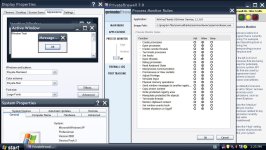
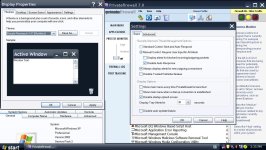
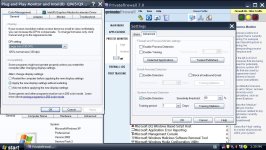
I use Royale Remixed Theme 1.47 Large size (120 dpi) setting because this PC connected to TV. I already try to allow all rules for all OSArmor .exe files, try rebooting with enable training doesn't help, I try to disable process monitor & detection system anomaly disable doesn't help. Here I make a few screenshots. When you tested did you check to see if Privatefirewall service started on boot because after slow boot Privatefirewall GUI is started but Privatefirewall service not started.
I have some free time now, do you mind if I jump on board and help test ?Here is a new v1.4 (pre-release) (test17):
http://downloads.novirusthanks.org/files/osarmor_setup_1.4_test17.exe
*** Please do not share the download link, we will delete it when we'll release the official v1.4 ***
So far this is what's new compared to the previous pre-release:
+ Block execution of .wsh scripts
+ Block execution of .reg scripts (unchecked by default)
+ Enabled by default "Block execution of .vbs scripts"
+ Improved internal rules
+ Fixed false positives
To install this pre-release, first uninstall the old one.
@Stas
Have you tried also to exclude OSArmor on Privatefirewall?
You should enable all "Allow" options for OSArmorDevSvc.exe, OSArmorDevUI.exe, OSArmorDevCfg.exe.
View attachment 177789
@Stas
Questions:
1) What theme do you use on XP?
2) Do you have XP SP2?


There are many posts on this topic, see for example:What would the difference security wise be between using an standard user account vs an administrator account with UAC password required for elevation set in the registry, with OSArmor set to block regedit and gpedit from being accessed?
Members who viewed this thread in the last 5 minutes


