New Update O&O ShutUp10++

2.0.1009 – released on October 14, 2025​


Added:
  • Removal of Copilot for Windows 10 and 11 with additional functionality from O&O AppBuster (uninstallation) and O&O SafeErase (secure deletion of Recall data)
  • Display of the available or filtered number of settings in the tabs

Changed:
  • The application is now based on .NET 8 (previously .NET Framework 4.8)
  • Distributed as a single executable so that all .NET 8 libraries are available at runtime without installation and the application can be run portably.
  • Faster loading of settings at startup
  • Modernized user interface

Fixed:
  • Resolved issues with the setting “Prohibit apps from running in the background” (P024)
  • System restore points work again on Windows 11
  • Launching Control Panel for restore points works again
  • If creating a system restore point fails, previously requested settings are not applied

Info:
  • Compatible with Windows 11 and Windows 10; x86, x64, and ARM architectures
  • Available in German, English, French, Italian, Spanish, Russian, and Simplified Chinese

 
Why did every application start integrating the required .NET version within the application itself instead of making it a requirement to install separately? This is redundant and makes the program bigger, for example ShareX is now 200MB bigger because of .NET 9 and now O&O ShutUp10++ is doing the same thing, I already installed every required .NET version on my device.
 
  • Like
Reactions: Sorrento and EASTER
Why did every application start integrating the required .NET version within the application itself instead of making it a requirement to install separately? This is redundant and makes the program bigger, for example ShareX is now 200MB bigger because of .NET 9 and now O&O ShutUp10++ is doing the same thing, I already installed every required .NET version on my device.
It's necessary for portability. Also, users may not want to install another .NET version just to use one program. Most programs are not backward compatible, from what I have seen. Like, apps that need .NET 8 won't work if you install .NET 9. You would need .NET 8 for that app even if you have 9 installed. Dependencies after dependencies. So sometimes it's better to just pack it all in, even if it increases the size. One file for all, like Linux AppImages.
Though it's better to give users choice but that depends on the developers willingness to support both versions.
 
It's necessary for portability. Also, users may not want to install another .NET version just to use one program. Most programs are not backward compatible, from what I have seen. Like, apps that need .NET 8 won't work if you install .NET 9. You would need .NET 8 for that app even if you have 9 installed. Dependencies after dependencies. So sometimes it's better to just pack it all in, even if it increases the size. One file for all, like Linux AppImages.
I'm glad you mentioned Linux and AppImage, which is one of the reasons why flatpak is more popular than other packaging technologies on Linux. It installs and shares the libraries required for applications instead of installing the same library again for other applications.
Though it's better to give users choice but that depends on the developers willingness to support both versions.
BCUninstaller has done it, the portable version includes the required .NET 6, and the installer will install it on the device, I think this is the best implementation.
 
I'm glad you mentioned Linux and AppImage, which is one of the reasons why flatpak is more popular than other packaging technologies on Linux. It installs and shares the libraries required for applications instead of installing the same library again for other applications.
Yeah, but I think one of main reasons for AppImages to be not popular is due to not having a centralized system like Flathub and Snap for easy installation. Flatpaks share common libraries among apps while Snaps do not. All snaps are self-contained, so usually bigger in size. Snap vs Flatpak is a fair comparison.
In case you don't know about this, there is this AppImage manager which makes installing and updating AppImages super easy. He even adds other non-AppImage apps if they can be used portably. The maintainer is great and usually accepts user requests and fixes bugs within an hour or two every time I reported something.
BCUninstaller has done it, the portable version includes the required .NET 6, and the installer will install it on the device, I think this is the best implementation.
Yeah, that's the best way to do it. Sometimes devs probably don't provide both options to make life easy for themselves.
This new version of O&O ShutUp10++ now takes longer to load, at least with Microsoft Defender due to the size 😒 Thankfully I open it only after a windows update to check whether the update has changed any settings or not. Last time something changed was maybe about 2 years ago.


 
Version 2.1.1015

2.1.1015 – released on October 28, 2025​

Added:
  • Removal of Copilot for Windows 10 and 11 with additional functionality from O&O AppBuster (uninstallation) and O&O SafeErase (secure deletion of Recall data)
  • Display of the available or filtered number of settings in the tabs
Changed:
  • The application is now based on .NET 8 (previously .NET Framework 4.8)
  • Distributed as a single executable so that all .NET 8 libraries are available at runtime without installation and the application can be run portably.
  • Faster loading of settings at startup
  • Modernized user interface
Fixed:
  • Resolved issues with the setting “Prohibit apps from running in the background” (P024)
  • System restore points work again on Windows 11
  • Launching Control Panel for restore points works again
  • If creating a system restore point fails, previously requested settings are not applied
Removed:
  • Display of required administrative permissions on the local computer removed
  • Restart button with administrative privileges removed from the title bar
Info:
  • Compatible with Windows 11 and Windows 10; x86, x64, and ARM architectures
  • Available in German, English, French, Italian, Spanish, Russian, and Simplified Chinese

 
Version 2.2.1024

2.2.1024 – released on 04/02/2026​

Added:
  • Show O&O product overview when exiting the application
  • Disable Bing Chat permission in Windows Copilot (C104)
  • Hide welcome screen and startup animation (E132)
  • Disable Spotlight experiences and recommendations (E133)
  • Disable automatic sign-in from the web to the browser (E134)
  • Disable Bing Chat on the new tab page (E135)
  • Disable content on the new tab page (E136)
  • Disable AI-generated designs (E137)
  • Disable integrated AI APIs for websites (E138)
  • Disable inline compose feature (E139)
  • Disable Copilot access to page context (E140)
  • Disable prompts to set Edge as the default browser (E141)
  • Disable default browser campaigns (E142)
  • Disable diagnostic data collection (E143)
  • Disable shopping assistant (E144)
  • Hide Microsoft 365 Copilot chat icon (E145)
  • Hide Microsoft Rewards (E146)
  • Disable recommendations in Settings (E147)
  • Disable cloud-based tab services (E148)
  • Disable text prediction in forms (E149)
  • Disable visual search (E150)
  • Disable AI-powered history search (E151)
  • Allow user control over local AI features (E152)
  • Disable quick startup (E153)
  • Hide default top sites on the new tab page (E154)
  • Hide Adobe Acrobat subscription button (E155)
  • Hide welcome screen and startup animation (E232)
  • Disable Spotlight experiences and recommendations (E233)
  • Disable automatic sign-in from the web to the browser (E234)
  • Disable Bing Chat on the new tab page (E235)
  • Disable content on the new tab page (E236)
  • Disable AI-generated designs (E237)
  • Disable integrated AI APIs for websites (E238)
  • Disable inline compose feature (E239)
  • Disable Copilot access to page context (E240)
  • Disable prompts to set Edge as the default browser (E241)
  • Disable default browser campaigns (E242)
  • Disable diagnostic data collection (E243)
  • Disable shopping assistant (E244)
  • Hide Microsoft 365 Copilot chat icon (E245)
  • Hide Microsoft Rewards (E246)
  • Disable recommendations in Settings (E247)
  • Disable cloud-based tab services (E248)
  • Disable text prediction in forms (E249)
  • Disable visual search (E250)
  • Disable AI-powered history search (E251)
  • Allow user control over local AI features (E252)
  • Disable quick startup (E253)
  • Hide default top sites on the new tab page (E254)
  • Hide Adobe Acrobat subscription button (E255)
  • Set diagnostic data level to minimum (None) (F018)
  • Hide privacy settings notification on first launch (F019)
Changed:
  • Disable display of LinkedIn information (F016)
  • Disable news and interests display on the taskbar on this device (M019)
  • Disable app access to calendar for the current user (P011)
  • Disable app access to account information on this device (P107)
  • Disable app access to calendar on this device (P111)
  • Disable app access to camera on this device (P112)
  • Disable app access to microphone on this device (P113)
  • Disable app access to messages on this device (P114)
  • Disable app access to call history on this device (P118)
  • Disable app access to contacts on this device (P120)
Removed:
  • Removed note and link to the O&O newsletter from the Current User view
  • Removed note and link to O&O Syspectr from the Local Machine view
  • Removed setting F017 (Disable Microsoft feedback tracking) as duplicate of F009
Info:
  • Compatible with Windows 11 and Windows 10; x86, x64 and ARM architecture
  • Available in German, English, French, Italian, Spanish, Russian and Chinese (Simplified)
 
Version 3.0.1076

3.0.1076 – released on 20/05/2026​

Added
  • Secure Boot certificate status display
  • Online help integration (F1 support)
  • Settings dialog
  • Accessibility and UI automation support
  • Status bar display for filtered view
  • Edit mode for advanced users
  • Explanation dialog for edit mode
  • Disable Edge Secure Network (integrated VPN) (E156)
  • Disable Edge Secure Network (integrated VPN) (E256)
  • Disable Xbox Game Bar and Game DVR (G001)
  • Disable NFC (Near Field Communication) (S116)
  • Disable wireless display (Miracast/WiDi) (S117)
  • Disable mobile broadband (WWAN) (S118)
  • Disable WiFi Direct (S119)
  • Restrict Bluetooth pairing (S120)
  • Disable optional updates (including preview updates) (W012)
  • PREM: Premium Edition with profiles, background service, and automatic protection
  • PREM: Privacy profiles (Office, Gaming, Family, Total Privacy) with export/import (.pcfg)
  • PREM: Onboarding screen for privacy setup on first launch
  • PREM: Statistics and usage overview
  • PREM: Undo button in the profile management dialog
  • PREM: Automatic protection with settings enforcement
  • PREM: Activity log

Improved
  • Disable Cocreator in Microsoft Paint (C206)
  • Disable AI-powered image fill in Microsoft Paint (C207)
  • Disable the Microsoft Account Sign-In Button (E129)
  • Disable automatic redirection from Internet Explorer to Microsoft Edge (E131)
  • Allow user control of local AI features (E152)
  • Disable the Microsoft Account Sign-In Button (E229)
  • Allow user control of local AI features (E252)
  • Disable extension of Windows search with Bing (M003)
  • Disable search box in task bar (M016)
  • Disable news and interests in the task bar (M019)
  • Reorganized menu structure (Settings → Tools, View → Tools)
  • Search and filter moved from the main window into the title bar
  • Replaced "Quick Guide" with "Online Help" on the web
  • Revised status bar layout and font sizes

Fixed
  • Factory reset left policy registry keys behind that blocked Windows Updates
  • Unicode and symbol rendering issues in localized resources

Info
  • Compatible with Windows 11 and Windows 10; x86, x64, and ARM architecture
  • Available in German, English, French, Italian, Spanish, Russian, and Simplified Chinese

 
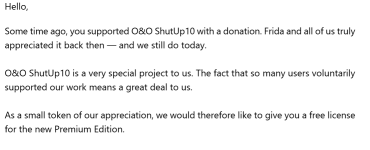
I've got an email from them sending me free premium license. That's really nice from them.

1779297292178.png
 
Version 3.1.1104

3.1.1104 – released on 17/06/2026​


Added
  • “Show Differences” button in the overview panel
  • “Don’t show again” option for the restore point prompt
  • Ctrl+F keyboard shortcut for search/filter functionality
  • Detection and linking of system-wide and user-specific setting associations
  • Automatic search while typing
  • PREM: Option to preserve notification counters and timestamps across application restarts
  • PREM: Reset blocked settings button in the Settings dialog
  • PREM: Informational message when no settings are blocked
  • PREM: Update check can also be triggered from the menu
  • PREM: Notification deduplication and activity log summary feature

Improved
  • L005 “Disable Windows Location Service”: Version-specific split (up to Windows 11 23H2) and new variant for Windows 11 24H2+
  • L001 (Disable Location): Added Night Light warning to the description in all languages
  • Search now detects setting IDs even when ID display is disabled and offers to enable it
  • Detection and removal of Copilot/AI desktop apps in RecallTerminator
  • Optimized High DPI support
  • PREM: Reset button is now only enabled when blocked items exist – setting IDs are shown in the confirmation dialog
  • PREM: Updated tray icons with higher-resolution versions
  • PREM: Activity Log timestamps now use localized date and time formats
  • PREM: Tray icon status now uses OK/Warning indicators and localized tooltips
  • PREM: Recall folder detection switched to service-based detection
  • PREM: Copilot uninstallation now provides UI feedback and improved verification

Fixed
  • Description text was not displayed correctly for the last item and disappeared when clicking the scrollbar
  • Crash when clicking a search result heading or the […] button
  • PREM: Installation path is now correctly preserved during upgrades
  • PREM: Tray icon was not reliably removed when exiting the application
  • PREM: Main window was not displayed correctly in single-instance mode
  • PREM: Incorrect display of the & symbol in tray icon tooltips on Windows 10
  • PREM: Fixed notification flooding after sleep/standby
  • PREM: Dashboard was not refreshed after applying recommended settings during onboarding
  • PREM: Progress bar was not reset after deleting Recall folders
  • PREM: Fixed service startup failures
  • PREM: Fixed incorrect drift detection when Automatic Protection was disabled
  • PREM: Notifications now correctly count all deviating settings when protection is enabled
  • PREM: Registration Wizard was shown after sleep/standby despite a valid license
 
Version 3.2.1111

3.2.1111 – released on 15/07/2026​


Added
  • Disable Click to Do (C208)
  • Disable the Settings agent (C209)
  • Disable AI features in Notepad (C210)
  • Disable AI actions in File Explorer (C211)
  • Disable Find My Device (L008)
  • Disable Microsoft account cloud content search (M029)
  • Disable work or school cloud content search (M030)
  • Disable device search history (M031)
  • Disable Start menu recommendations for tips, shortcuts and new apps (M032)
  • Disable Start menu account notifications (M033)
  • Disable Settings app account notifications (M034)
  • Disable extension of Windows search with Bing (M103)
  • Deny app access to generative AI (P082)
  • Deny app access to generative AI (P083)
  • Deny app access to presence sensing (P084)
  • Deny app access to presence sensing (P085)
  • Do not send device name in diagnostic data (U008)
  • Windows Insider Program conflict detection: when the PC is enrolled in the Windows Insider Program, a notice explains that certain diagnostic-data settings prevent participation, and a dialog offers to disable those settings

Improved
  • Settings that do not apply to the installed Windows edition (e.g. certain Cortana settings) are no longer applied

Fixed
  • Fixed an issue where displaying the Secure Boot certificate status could briefly freeze the user interface
  • PREM: The main window could no longer be displayed after being maximized and then minimized or closed to the tray
  • PREM: With autostart enabled, an empty black window could appear in the Alt-Tab switcher after Windows sign-in that could not be clicked or opened (the application kept running correctly in the system tray). The cause was restoring the saved window position at startup, which pulled the hidden, minimized startup window back out of its minimized state so it was not hidden cleanly

Info
  • Compatible with Windows 11 and Windows 10; x86, x64, and ARM architectures
  • Available in German, English, French, Italian, Spanish, Russian, and Simplified Chinese

 
Version 3.3.1119

3.3.1119 – released on 04/08/2026​


Added
  • Disable app access to passkeys for all users (P086)
  • Disable app access to Bluetooth devices for all users (P087)
  • Disable app access to human interface devices for all users (P088)
  • Disable app access to the list of stored passkeys for all users (P089)
  • Disable app access to custom sensors for all users (P090)
  • Disable app access to serial ports for all users (P091)
  • Disable app access to USB devices for all users (P092)
  • Disable app access to Wi-Fi information for all users (P093)
  • Disable app access to Wi-Fi Direct for all users (P094)
  • Disable app access to passkeys for current user (P186)
  • Disable app access to Bluetooth devices for current user (P187)
  • Disable app access to human interface devices for current user (P188)
  • Disable app access to the list of stored passkeys for current user (P189)
  • Disable app access to custom sensors for current user (P190)
  • Disable app access to serial ports for current user (P191)
  • Disable app access to USB devices for current user (P192)
  • Disable app access to Wi-Fi information for current user (P193)
  • Disable app access to Wi-Fi Direct for current user (P194)
  • A notice banner on the “Local Machine” tab explains why machine-wide settings are unavailable and provides the appropriate remedy
  • A padlock icon identifies settings enforced by a global configuration file
  • The new change history records the last 10 sessions and allows one or more sessions to be undone
  • “Actions ▸ Undo ▸ Restore initial settings” restores the state recorded when the application was first run
  • PREM: The last applied profile and the number of currently matching settings are shown on the overview page and under “Manage Profiles…”

Improved
  • Changes are now verified after writing and reported if Windows blocks them
  • Commands for reverting changes are grouped with individual icons under the new “Actions ▸ Undo” submenu
  • PREM: The redesigned “Manage Profiles…” dialog explains profiles, highlights the applied profile, and reorganizes its buttons
  • PREM: “Apply” is now available only when the selected profile would change the current state

Fixed
  • “Disable Windows Geolocation Service” (L005) did not remain enabled on Windows 10 through Windows 11 23H2 and now permanently disables the service through its start value (reboot required)
  • “Disable application telemetry” (U001) could incorrectly appear disabled despite the applied policy because an edition-dependent mirror value was evaluated
  • Settings that did not reach the background service were incorrectly reported as “blocked by Windows” on the AI settings page
  • Settings that could not be applied are now logged with their ID and cause
  • Open menus could appear behind other windows and now close when they lose focus
  • Numerous buttons, including the title bar buttons, had no screen-reader-accessible name
  • PREM: Changes to the availability of the O&O ShutUp10 service were not reflected in the status bar or “Automatic protection” while the application was running
  • PREM: A single timeout while applying many settings could also cause all subsequent changes to fail

Removed
  • PREM: The “Revert” button was removed from “Manage Profiles…” because changes are now reverted centrally through “Actions ▸ Undo”

Info
  • Compatible with Windows 11 and Windows 10; x86, x64, and ARM architectures
  • Available in German, English, French, Italian, Spanish, Russian, and Simplified Chinese