Paranoid banking on the new computer (Windows + Linux in VirtualBox).
As it was mentioned in the OP, instead of using Windows OS, it is possible to use Linux, etc.
One of the available solutions is as follows:
- Install VirtualBox.
- Create a VM with any small reputable Linux distro.
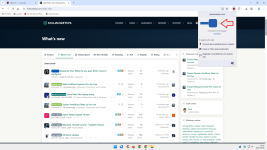
- Install the AdGuard AdBlocker extension in the browser.
- Deactivate blocking ADs and Trackers in AdGuard.
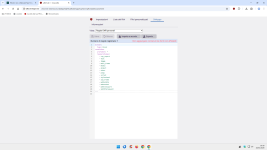
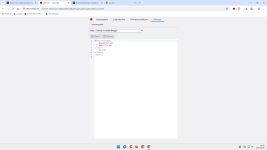
- Use the user rule: ||*^$all
- Add to the AdGuard Allowlist the banking website and some other necessary websites.
- Set a free DOH in the browser.
Point 4 is necessary because AdGuard uses blocking lists with a combination of block/allow rules. For example, the "abc" TLD can be generally blocked except for some trusted websites. Those rules will bypass the global blocking rule from point 5. After applying point 4, those trusted websites will be blocked (trusted websites might be compromised).
To whitelist any concrete website, just copy the blocked domain from the AdGuard block page and paste into AdGuard Whitelist.
In the above example, I skipped the banking domain, but added MalwareTips and domains needed to run Office Apps online.
REMARKS.
The "Proceed anyway button", can sometimes temporarily allow the blocked website.
The default-deny rules work only in the browser and not system-wide, like in paranoid banking with Windows OS. However, the Linux VM is well isolated from the real system, so this should not impact the security.