Polar Anti-Malware FREE (Updates)

TY for the response. Allow me to ask this another way. Concerning Kaspersky and the USA. Kaspersky is not allowed to run in the USA, their servers are kaput. NO other antivirus who uses the Kaspersky engine is allow either. So that was why I asked about Kaspersky working via Polar. Even the Kaspersky offline scanner is not functional, unless you sidestep the ban with a VPN.
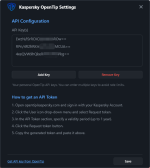
I still run KART For Business 4.0. The last Kaspersky version that doesn't require email validation because their servers have been blacklisted in the US.
 
  • Like
Reactions: Brownie2019
Last edited by a moderator:
Hi @tiktoshi

After the uninstall and install the new Version is the Kaspersky token gone

And can you check that your program in the Windows Security Center and under the Windows software to uninstall that

Mops21
 
Last edited:
  • Like
Reactions: Brownie2019
Hi @tiktoshi

I have some more questions for you

1. After the uninstall is the complete folder of Polar Antivirus not gone

2. I have logged into the opentip Kaspersky and make a new token and add it to the software


Mops21
 
Hi @tiktoshi

Any infos about this see my post above yours

1. After the uninstall is the complete folder of Polar Antivirus not gone

Mops21
 
You can manually delete the Polar Antivirus folder for the old version.
Hi @tiktoshi

Thank you very much for your infos

Here is screenshot of the files that not gone with the uninstalling the Polar Antivirus

Mops21
 

Attachments

  • Polar Antivirus bug vom 21.06.2026.jpg
    Polar Antivirus bug vom 21.06.2026.jpg
    112 KB · Views: 65
  • Like
Reactions: tiktoshi
Hi @tiktoshi

Thank you very much for your infos

On the screenshot can you add a space between Version and 1 please


Mops21
 

Attachments

  • Polar Anti Malware bug vom 21.06.2026.jpg
    Polar Anti Malware bug vom 21.06.2026.jpg
    119.6 KB · Views: 43
Last edited:
  • Hundred Points
Reactions: tiktoshi
Hi @tiktoshi

Thank you very much for your infos

1. Where is the right click scan menü

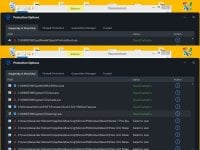
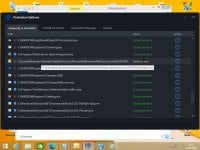
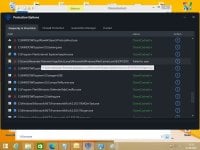
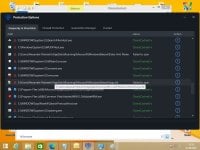
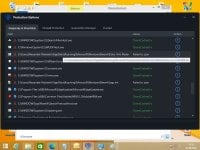
2. And some items are failed to scan see the screenshots

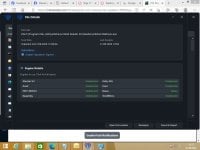
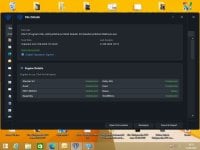
3. And some Scan Engines did not work see as example this screenshot Polar Anti Malware 06


Mops21
 

Attachments

  • Polar Anti Malware 06.jpg
    Polar Anti Malware 06.jpg
    78 KB · Views: 36
  • Polar Anti Malware 05.jpg
    Polar Anti Malware 05.jpg
    111 KB · Views: 29
  • Polar Anti Malware 04.jpg
    Polar Anti Malware 04.jpg
    107.8 KB · Views: 31
  • Polar Anti Malware 03.jpg
    Polar Anti Malware 03.jpg
    107.8 KB · Views: 30
  • Polar Anti Malware 02.jpg
    Polar Anti Malware 02.jpg
    109.7 KB · Views: 32
  • Polar Anti Malware 01.jpg
    Polar Anti Malware 01.jpg
    110.9 KB · Views: 42
  • Like
Reactions: tiktoshi
Last edited:
  • Like
Reactions: Jonny Quest
Hi @tiktoshi

Thank you very much for your infos

1. Can you add an option / feature to disable the automatic updates please

2. And see the screenshot is failed it is not fixed


Mops21
 

Attachments

  • Polar Anti Malware 1.0.2.0 Bug vom 21.06.2026.jpg
    Polar Anti Malware 1.0.2.0 Bug vom 21.06.2026.jpg
    90.6 KB · Views: 39
  • Like
Reactions: tiktoshi
Hi @tiktoshi

Thank you very much for your infos

1. Can you add an option / feature to disable the automatic updates please

2. And see the screenshot is failed it is not fixed


Mops21
These are results from engines unrelated to the Polar app.
 
Hi the latest version 1.02 does not want to install on my win10.It installs with an icon on desktop ,no service entry and when clicking the icon nothing starts up. Any ideas ? Thks
 
Hi @tiktoshi

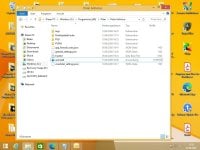
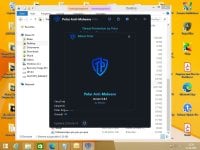
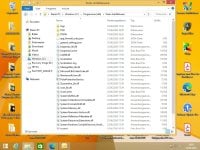
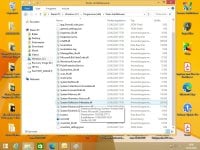
I think that some files are not in the folder or that misses and gone a way alone see my screenshot. I have installed Polar Anti Malware 1.0.2


Mops21
 

Attachments

  • Polar Anti Malware 1.0.2 Bug 01 vom 23.06.2026.jpg
    Polar Anti Malware 1.0.2 Bug 01 vom 23.06.2026.jpg
    169.8 KB · Views: 8
  • Polar Anti Malware 1.0.2 Bug 02 vom 23.06.2026.jpg
    Polar Anti Malware 1.0.2 Bug 02 vom 23.06.2026.jpg
    177 KB · Views: 8

You may also like...