help me please


Open MalwareTips from your Home Screen or desktop. Follow discussions, find answers and pick up where you left off.
If you cannot find an install option, update your browser or use its bookmark option to keep MalwareTips close.
After installation, open the app and sign in. Enable push notifications in Preferences if you want alerts. On iPhone and iPad, push requires a Home Screen web app and iOS or iPadOS 16.4 or later.
Sign in to manage notificationsInstallation is optional. Your notification settings stay under your control.
 Thread starter
MalwareFire
Thread starter
MalwareFire
no man i reistall and install the windows no problem with driverslol What exactly is the problem? First of all you need to tell us which device you use as a microphone, OS, motherboard and so on...
Probably you need correct drivers to fix your issue.

no man i reistall and install the windows no problem with drivers
So Like Razor asked"What is your problem"?no man i reistall and install the windows no problem with drivers

So Like Razor asked"What is your problem"?
ok the problem is when i put my microphone on computer i cant speak. isnt problem of microphone because i tested on my fathers computer. The problem begin when i put my pc to repair and when i back i cant speak. It works on windows 8 before put my pc to repair then doesnt work on 7 and 8.The information is extremely insufficient. Please respond to the questions below in order to proceed with the troubleshooting..
Cheers!
- Would you describe exactly the problem you're having?
- When did the problem begin?
- What have you done to correct the problem?
- Is the Microphone connected properly in the appropriate jack?
- Have you checked if it's not muted?
- Have you tried to update the drivers?
- Have you tried with another microphone?
ok the problem is when i put my microphone on computer i cant speak. isnt problem of microphone because i tested on my fathers computer. The problem begin when i put my pc to repair and when i back i cant speak. It works on windows 8 before put my pc to repair then doesnt work on 7 and 8.


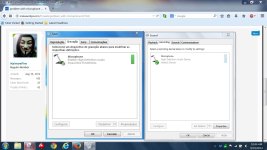
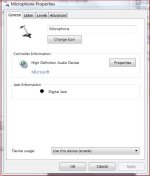
where is it like - "control panel/sound/..." whereHave you ever checked as the settings are ?
example

Control panel can be found in the start menu, find Device Manager once in there, you should find something there to do with your microphone. As we don't know the exact problem you are having or what you are doing, it's a shot in the dark.
Members who viewed this thread in the last 5 minutes