


The MalwareTips app
Your community, one tap away.
Open MalwareTips from your Home Screen or desktop. Follow discussions, find answers and pick up where you left off.
- Home Screen access
- Optional push alerts
- Your community
You're ready to explore.Explore what's new
Installation instructions
iPhone & iPad
- Open MalwareTips in Safari and tap Share. You may need to open the Page Menu first.
- Choose Add to Home Screen. If it is not listed, use Edit Actions to add it.
- Keep Open as Web App enabled if shown, then tap Add.
Android
- Open MalwareTips in Chrome or another browser that supports app installation.
- Open the browser menu and look for Install app, Install and create shortcut, or Add to Home screen.
- Choose Install and confirm. Wording varies by browser.
Desktop
- Chrome: use the install icon in the address bar, or the menu under Cast, save and share.
- Edge: open the menu, then More tools, Apps and Install this site as an app.
- Safari on Mac: choose Share or File, then Add to Dock. Firefox on Windows: look for the web apps button in the address bar.
If you cannot find an install option, update your browser or use its bookmark option to keep MalwareTips close.
Keep up with your conversations
After installation, open the app and sign in. Enable push notifications in Preferences if you want alerts. On iPhone and iPad, push requires a Home Screen web app and iOS or iPadOS 16.4 or later.
Sign in to manage notificationsInstallation is optional. Your notification settings stay under your control.
You are using an out of date browser. It may not display this or other websites correctly.
You should upgrade or use an alternative browser.
You should upgrade or use an alternative browser.
New Update Quick Heal V23
-
 Thread starter
anirbandutta01
Thread starter
anirbandutta01
- Start date
- 8 Replies
- 1,822 Views
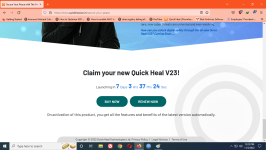
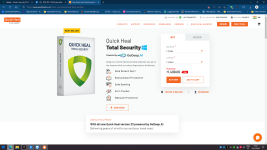
Yes I've just complete the upgrade process, for that I downloaded latest installer from their site as per their instruction ( Support Chat ) then upgraded..
No new interface or option change. Only AI added.
#SecureYourPeace
No new interface or option change. Only AI added.
#SecureYourPeace
With all new Quick Heal version 23 powered by GoDeep.AI Delivering peace of mind for you and your loved ones!
Attachments

Last edited:

Shadowra
Level 42
Verified
Top Poster
Content Creator
Malware Tester
Well-known
High Reputation
Forum Veteran
@Shadowra what about giving it a spin? I liked the BB, but the very weak signatures and the missing option to upgrade to new builds of the same version without the need of a complete reinstall made me switch to K7…
My little finger tells me that it is already in the list


dont forget to test the built in anti-malware toolMy little finger tells me that it is already in the list

Yes...I just upgraded. I don't like that UI is unchanged, but the detection rate has improved slightly.
Built in Anti-Malware tool detects only few Adware / PUP. Adware detection option is already present theredont forget to test the built in anti-malware tool
Yes it's very annoying. I've already shared this feedback to Quick Heal 2 times & got system generated reply "Thank you for this suggestion"but the very weak signatures and the missing option to upgrade to new builds of the same version without the need of a complete reinstall made me switch to K7…
Recently browsing
Members who viewed this thread in the last 5 minutes


