

The MalwareTips app
Your community, one tap away.
Open MalwareTips from your Home Screen or desktop. Follow discussions, find answers and pick up where you left off.
- Home Screen access
- Optional push alerts
- Your community
You're ready to explore.Explore what's new
Installation instructions
iPhone & iPad
- Open MalwareTips in Safari and tap Share. You may need to open the Page Menu first.
- Choose Add to Home Screen. If it is not listed, use Edit Actions to add it.
- Keep Open as Web App enabled if shown, then tap Add.
Android
- Open MalwareTips in Chrome or another browser that supports app installation.
- Open the browser menu and look for Install app, Install and create shortcut, or Add to Home screen.
- Choose Install and confirm. Wording varies by browser.
Desktop
- Chrome: use the install icon in the address bar, or the menu under Cast, save and share.
- Edge: open the menu, then More tools, Apps and Install this site as an app.
- Safari on Mac: choose Share or File, then Add to Dock. Firefox on Windows: look for the web apps button in the address bar.
If you cannot find an install option, update your browser or use its bookmark option to keep MalwareTips close.
Keep up with your conversations
After installation, open the app and sign in. Enable push notifications in Preferences if you want alerts. On iPhone and iPad, push requires a Home Screen web app and iOS or iPadOS 16.4 or later.
Sign in to manage notificationsInstallation is optional. Your notification settings stay under your control.
You are using an out of date browser. It may not display this or other websites correctly.
You should upgrade or use an alternative browser.
You should upgrade or use an alternative browser.
Advanced Plus Security RoboMan's Mobile Security Config
- Thread starter RoboMan
- Start date
Mobile Setup Configuration Help & Showcase
26 Replies
6,404 Views
Original forum configuration · expand details
Thread details
- Last updated
- Jun 1, 2026
- Mobile brand
- Samsung
- Mobile model
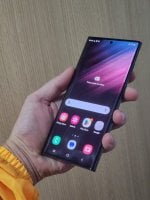
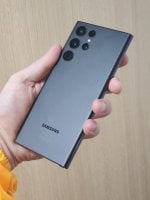
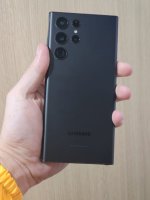
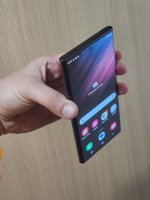
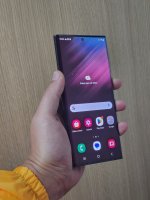
- Galaxy S22 Ultra
- Mobile operating system
- Android
- Mobile OS version
- Android 16 - OneUI 8
- Mobile security update support
- Supported - still receiving security updates
- Mobile system updates
- Only security updates
- Google Play Protect settings
- Scan apps with Play Protect
- Improve harmful app detection
- Permissions for unused apps to be removed
- Google Play system update
- Jun 1, 2025
- App store(s)
- Google Play Store
- App updates
- Auto-update on Wi-Fi only
- Screen lock method
- PIN
- Biometric security
- Fingerprint(s)
- Other biometrics
- SIM and mobile number protection
- Lock SIM card with a PIN
- Stolen Device Protection
- Off
- Unknown tracker alerts
- Unknown Tracker Alerts (Android)
- Find a lost device
- Google Find Hub (formerly Find My Device)
- SmartThings Find (Samsung)
- Security and privacy apps
- AdGuard Premium
Samsung Security powered by McAfee
Samsung AutoBlocker
- Firewall and VPN apps
- Windscribe
AdGuard DNS
AdGuard VPN
- Mobile browsers
- Chrome
- Password and passkey manager
- Bitwarden
- Phone & Caller ID
- Google Phone
- Messaging
- Samsung SMS
- Music & Podcasts
- Spotify Premium
- Photo & Video
- Samsung Gallery
- Entertainment
- Youtube Premium
- Note-taking
- Google Keep
- Cloud storage
- OneDrive
- Two-factor authentication
- Authy
- File and photo backups
- OneDrive
- Subscriptions
- Google One Standard 200GB
- Microsoft OneDrive 100GB
- Notable changes
- Enabled AutoBlocker (Maximum Settings)
- Blocking USB connections when the device is blocked
- Enabled Android Safe Surfing
- Feedback preference
Detailed suggestions and alternatives welcome


Interesting, You using KPremium... still Android 13? Did not get One UI 6.0 yet?

Congratulations, great phone and security installed 
 I'm running Kaspersky Plus on my S22+ One UI 5.1 Android 13, no problems
I'm running Kaspersky Plus on my S22+ One UI 5.1 Android 13, no problems 
RoboMan
Level 39
Verified
Honorary Member
Top Poster
Content Creator
Well-known
High Reputation
Forum Veteran
Thanks, it's really smooth!Congratulations, great phone and security installed
Indeed, I am using Kaspersky for Android. Mainly for its web protection since I constantly get fraudulent SMS and social network messages with phishing and malware.Interesting, You using KPremium... still Android 13? Did not get One UI 6.0 yet?
Regarding the OS, I am still waiting for the Android 14/OneUI 6.0 update. I've seen people with older models get it, but I am still here, waiting...

F
ForgottenSeer 100397
The only flaw is in the greetings... Hey there, humans! would transport us to a sci-fi film set!

Regarding the OS, I am still waiting for the Android 14/OneUI 6.0 update. I've seen people with older models get it, but I am still here, waiting...
I have an A52s 5G, and I also do not have Android 14 / OneUI 6.0. (So far.) So you are not the only one, but great config.
Congrats man, Authy is at risky according to some security experts. hope you are aware of that.
Are you talking about them being hacked (sort of) last year? But even then, if they had my keys, they would still need to know my logins and passwords to hack a site. I'm not trying to hijack or sidetrack RoboMan's thread, but I use Authy too, especially for its desktop app which also acts as a backup, and am wondering if I'm missing something else?
From this link: https://www.androidpolice.com/authy-hacked-what-to-know/rom this link:
Keep in mind that even if you were caught in the midst of this Authy hack, your online accounts should still remain secured as long as your password and the email address associated with your account isn’t in the hands of the hackers. After all, this is exactly what two-factor authentication is meant for: Even when one of your login factors is compromised, a bad actor would still need the other factor to gain access. If you’re not a high-profile politician or an otherwise obvious target for hackers, it’s very unlikely that both of your factors will be hacked at the same time.
RoboMan
Level 39
Verified
Honorary Member
Top Poster
Content Creator
Well-known
High Reputation
Forum Veteran
Updated as for July 2024:
Do you use an antivirus on Android? Recommend any with real time protection and/or phishing protection that's free and effective?
- Removed Kaspersky as Android antivirus (suscription expired, free version doesn't offer real time protection, useless)
- Using AdGuard DNS
- Updated software to OneUI 6.1 (Android 14)
- Disabled all app installation sources besides Google Play
- Tweaked AdGuard for maximum privacy and tracking protection, using phishing and malware protection
Do you use an antivirus on Android? Recommend any with real time protection and/or phishing protection that's free and effective?

Only the McAfee that came with my Samsung J3 (Android 10). No real time protection. I use NextDNS for some amount of protection.Do you use an antivirus on Android?

- Sophos is free and has realtime protection, phishing protection isnt that good thoughtDo you use an antivirus on Android? Recommend any with real time protection and/or phishing protection that's free and effective?
- Avast/avg is free and has realtime protection, i find the current version of them useless since it wont block access to malicious site its blocking, you can manually disable warning and enter site, wich is not good when used for older people
i personally use either trend micro or f-secure on my android
RoboMan
Level 39
Verified
Honorary Member
Top Poster
Content Creator
Well-known
High Reputation
Forum Veteran
Updated as for January 2025:
- Bought Kaspersky for Android again. License for one year.
- Kaspersky tweaked for maximum security (will scan not only apps, but actions and communication between apps)
- Updated software up to January 2025 (January 1st security update)

Do you use Adguard adblock + Windscribe at the same time?
I'd be interested in knowing how you got this to work without Adguard disconnecting.
I'd be interested in knowing how you got this to work without Adguard disconnecting.
RoboMan
Level 39
Verified
Honorary Member
Top Poster
Content Creator
Well-known
High Reputation
Forum Veteran
I don't. I can't. When using Windscribe, VPN is managed by this app, disabling AdGuard. If I want to keep AdGuard's functions ON, I use AdGuard VPN (separate app) that's designed to work without disabling AdGuardDo you use Adguard adblock + Windscribe at the same time?
I'd be interested in knowing how you got this to work without Adguard disconnecting.
Ah okay thanks for clarifying. I thought you'd discovered a way to get then to work togetherI don't. I can't. When using Windscribe, VPN is managed by this app, disabling AdGuard. If I want to keep AdGuard's functions ON, I use AdGuard VPN (separate app) that's designed to work without disabling AdGuard

RoboMan
Level 39
Verified
Honorary Member
Top Poster
Content Creator
Well-known
High Reputation
Forum Veteran
Updated: July 2025
- Upgraded to Android 15 (OneUI 7)
- Removed Kaspersky Premium for Android (license expired, and with Android 15's security features I feel no need to extend my Kaspersky's subscription.)
- Using AdGuard DNS on AdGuard Premium app (for better ad-blocking and malware protection)
- Enabled AutoBlocker (Maximum Settings)
- Blocking USB connections when the device is blocked
- Enabled Android Safe Surfing
Updating to OneUI 7 via OTA killed my superfast and fast charging.
It's fixed now, but it completely ruined the charging experience. The phone would charge in 3 hours, would only charge with one side of the cable (even though is USB type C, both sides are equal!) and wouldn't get fixed with two later updates. I even factory resetted, installed a fresh copy of the OS with Odin. Luckily, after like a month and a half, the charging capabilities restored themselves. This is a widely reported issue with OneUI 7 update, with several threads all over the internet reporting the same problem. Samsung looked to the other side and recommended people CHANGING THE WHOLE CHARGING PORT.
Stunning.
It's fixed now, but it completely ruined the charging experience. The phone would charge in 3 hours, would only charge with one side of the cable (even though is USB type C, both sides are equal!) and wouldn't get fixed with two later updates. I even factory resetted, installed a fresh copy of the OS with Odin. Luckily, after like a month and a half, the charging capabilities restored themselves. This is a widely reported issue with OneUI 7 update, with several threads all over the internet reporting the same problem. Samsung looked to the other side and recommended people CHANGING THE WHOLE CHARGING PORT.
Stunning.
Last edited:
You should explore the Security & Privacy => Auto Blocker => Maximum restrictions settings. Also, look into the More security settings
More security features in those 4 areas
More security features in those 4 areas
Last edited:
RoboMan
Level 39
Verified
Honorary Member
Top Poster
Content Creator
Well-known
High Reputation
Forum Veteran
Thanks. Updated my last comment and the thread.You should explore the Security & Privacy => Auto Blocker => Maximum restrictions settings
More security features in those 3 areas
Thanks. Updated my last comment and the thread.
Did you enable Maximum restrictions after enabling Auto Blocker? Both need to be enabled if you need them
FI, if you enable Auto Blocker you would be unable to download apps from non-Approved stores. You need to disable Auto-Blocker to download apps from non-Approved stores. Approved stores are mainly Google Play Store, Samsung Store and Amazon Appstore.
Recently browsing
Members who viewed this thread in the last 5 minutes
You may also like...
-
 Advanced Plus Security RoxasDev's Mobile Security Config
 -
 Advanced Security Minimalist's Mobile Security Config
 -
Advanced Plus Security pytroman86's Mobile Security Config
-
 Advanced Plus Security TairikuOkami's Mobile Security Config
 -

