Advanced Plus Security Sampei Nihira Security Config 2026

Last updated
Feb 19, 2026
How it's used?
For home and private use
Operating system
Windows 11
On-device encryption
BitLocker Device Encryption for Windows
Log-in security
    • Biometrics (Windows Hello PIN, TouchID, Face, Iris, Fingerprint)
Security updates
Allow security updates
Update channels
Allow stable updates only
User Access Control
Always notify
Smart App Control
On
Network firewall
Enabled
About WiFi router
TP-Link with IPv6 disabled and all security features enabled - Wi-Fi is disabled for security reasons.
Real-time security
Standard Microsoft Account
Secure Boot enabled
Disabled some services
Virtualization enabled
O&O ShutUp10
O&O AppBuster
Show hidden files enabled
Hide extensions for known file types disabled
SMB1 - off
Hard_Configurator - Recommedend Settings
Validate Admin Code Signatures registry key enabled set via H_C
Block Remote Access set via H_C
Windows Script Host - Added Trust Policy = 0x00000002
PowerShell 7 - Constrained Language Mode - RemoteSigned
Windows PowerShell - Constrained Language Mode - RemoteSigned

Microsoft Defender hardened with Configure Defender [Hard_Configurator] (Customized level) - Cloud Block Level
Core Isolation: Memory integrity - enabled
Local Security Authority Protection - enabled
Microsoft Vulnerable Driver Blocklist - enabled
Reputation Based Protections all modules - enabled
Ransomware protection - enabled
Exploit Protection - All System Override enabled + 13/14 Override applied to the most vulnerable softwares
Firewall security
Microsoft Defender Firewall with Advanced Security
About custom security
Firewall Hardening [Hard_Configurator] LOLBins + Recommended H_C + some custom blocking rules
Periodic malware scanners
  • MD
  • VT
  • PE
  • Sirius LLM
Malware sample testing
I do not participate in malware testing
Environment for malware testing
N/A
Browser(s) and extensions
(Main browser) Chrome --disable-webgl --no-pings --enable-features=NetworkServiceSandbox,EnableCsrssLockdown,WinSboxDisableExtensionPoint,RendererAppContainer --cipher-suite-blacklist=0x002F,0x009D,0x009C,0x0035,0xC013,0xC014 --disable-features=ExtensionManifestV2Unsupported,ExtensionManifestV2Disabled
  • Home page Start.DDG
  • Search engine = DDG
  • DNT disabled
  • HTTPS enabled
  • Delete data on exit
  • JavaScript block = http://*
  • Block third-party cookies
  • Safe browsing - Standard Protection
Policies:
  • ClearBrowsingDataOnExitList = [ "browsing_history", "download_history", "cookies_and_other_site_data", "cached_images_and_files", "autofill" ,"hosted_app_data" ]
  • DnsOverHttpsMode = secure
  • DnsOverHttpsTemplates = Private Next DNS
  • SavingBrowserHistoryDisabled = true
Flags:

  • Block scripts loaded via document.write
  • TLS 1.3 Early Data
  • Parallel downloading
  • Save PDF to Drive - disabled
  • Strict-Origin-Isolation
  • Bind cookies to their setting origin's port
  • Bind cookies to their setting origin's scheme
  • Origin-keyed Processes by default
  • Safe Browsing Local Lists use v5 API
  • Enable RenderDocument - Enabled Swap RendererFrameHosts on same-site navigatios from any frame (experimental)
  • Device Bound Session Credentials (Standard)
  • Device Bound Session Credentials (Standard) - Federated Registrations
  • Device Bound Session Credentials (Standard) on Google
  • Local Network Access Checks - Enabled (Blocking)
  • Local Network Access Checks for WebRTC
  • Local Network Access Checks for WebSockets
  • Local Network Access Checks for WebTransport
  • Local Network Access Checks with Split Permissions
  • Always show confirmation dialog for new search engine overrides
Extensions:
  • uBlock Origin - Super Hard Mode (1p scripts + 3p + 3p frames + 3p scripts) outside the 9 TLDs.
  • uBlock Origin Lite - Basic filtering Mode - Enhanced Easy Mode - DNR Rules Only - within the 9 TLDs
  • Bonjourr
  • AG Browser Extension - Super Hard Mode - (off by default)
  • Video DownloadHelper - (off by default)
  • FetchV (off by default)

(Secondary) Firefox:
  • Home page Start.DDG
  • Search engine = DDG
  • GPC enabled
  • Tracking protection: Custom Protection - All cross-site cookies
  • DNS over HTTPS : Max Protection
  • HTTPS-only-mode enabled
  • Pocket disabled
  • Clearing browsing data on exit
  • Firefox telemetry disabled
  • Protection against fraudulent content and dangerous software enabled - all enabled
  • Some FastFox.js settings
  • Some Arkenfox.js settings
Policies:
  • OverridePostUpdatePage set to ""
  • DontCheckDefaultBrowser = true
  • OverrideFirstRunPage set to ""
Extensions:
  • uBlock Origin - Super Hard Mode (1p scripts + 3p + 3p frames + 3p scripts) outside the 9 TLDs.
  • uBlock Origin Lite - Basic filtering Mode - Enhanced Easy Mode - DNR Rules Only - within the 9 TLDs
  • Video DownloadHelper - (off by default)
  • HLS Downloader (off by default)
Secure DNS
System = Cloudflare DNS encrypted
Browsers = Next DNS DOH (Account) - All Security settings enabled - Blocking of all domains with non-European characters + dangerous TLDs - HaGeZi - Multi ULTIMATE
Desktop VPN
none
Password manager
built-in
Maintenance tools
Process Explorer
CCleaner - Block updates with firewall rule + some Hosts file rules
Thunderbird - hardened
Pop-Peeper Email Notifier
File and Photo backup
External SSD + Pen-drive USB
Subscriptions
    • None
System recovery
External SSD
Risk factors
    • Browsing to popular websites
    • Opening email attachments
    • Buying from online stores, entering banks card details
    • Logging into my bank account
    • Downloading software and files from reputable sites
    • Streaming audio/video content from trusted sites or paid subscriptions
Computer specs
Lenovo IdeaCentre AIO 3
AMD Athlon Silver
8 GB RAM
SSD 238 GB
Notable changes
  • Enabled RendererAppContainer (Chrome) via Chromium Command Line Switch
  • Added Sirius LLM as on-demand scan
  • Added these flags to Chrome (Save PDF to Drive -disabled + Bind cookies to their setting origin's port + Bind cookies to their setting origin's scheme)
  • Added Automatic JS Optimizer Control -enabled flag
  • Some custom rules have been added to uBo/AG to prevent new search engines from being automatically added to Chrome.
  • AMD Software Adrenalin Edition - AMD Crash Defender Service - (manual) + AMD External Events Utility Service (disabled)
  • Uninstalled the default media player and replaced it with VLC, which was added to the WD Anti-Exploit list with only 7 overrides
  • Added Safe Browsing Local Lists use v5 API flag in Chrome
What I'm looking for?

Looking for minimum feedback.

Added this flag:

  • Automatic JS Optimizer Control
Adds an option to the V8 optimizer content setting that disables the JavaScript optimizer on sites that are unfamiliar to the user.

I don't quite understand how the browser distinguishes between familiar and unfamiliar websites.
But it certainly isn't because of browsing history, which I've disabled.
I ran a Speedometer 3.1 test, and the result is the same as always.
 
I don't quite understand how the browser distinguishes between familiar and unfamiliar websites.
Agree; it is not accurate; I found it enabled on X which is familiar and used by me everyday, while disabled on websites I have visited once.

I prefer to enable to all websites, and manually add those I visit daily (especially intensive ones such as X and IMDB) to exclusions.
 
Agree; it is not accurate; I found it enabled on X which is familiar and used by me everyday, while disabled on websites I have visited once.

I prefer to enable to all websites, and manually add those I visit daily (especially intensive ones such as X and IMDB) to exclusions.

You almost convinced me to try this:

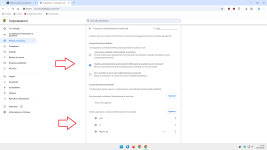
1.png

But it doesn't work, even though the exception has valid syntax and can be added.
Manually entering all the websites I visit is impossible.

Be careful to enter the websites correctly in the exceptions.;)
 
I've set up some less strict rules:

Code:
||*/opensearch.xml$xmlhttprequest,other
||*/searchplugins/$other
||*/searchplugin/$other
||wikipedia.org^$other
||altadefinizione-01.bar^$other
||youtube.com^$other
||x.com^$other


They work, but not 100%.
It's impossible—at least I haven't been able to do it—to block new search engines from being added to:

  • eBay (usually not used)
  • GitHub
  • Stack Overflow (usually not used)
  • Amazon
  • Booking.com
 
Last edited:
Taking a cue from @LinuxFan58 , I had ChatGPT 5.3 analyze my PC Setup Configuration.
I asked for an analysis of each notable component and a result expressed as a percentage.
Here are the results:
1.png

2.png

I hope my colleagues find this interesting.:)
If they want to make the same comparison, I recommend asking the AI to perform a detailed line-by-line analysis (This way, you can correct any parts that were overlooked) and provide a final result as a percentage rather than a decimal.(y);)
 
Last edited:
Great idea (y) Maybe you should post your prompt and start a thread "Post your security evaluation by AI" (new version of the long running WS thread post your security setup"

I don't think it would work well the way you suggest.;)
We'd end up with a series of security configurations with fairly similar percentage scores.

Instead, the real power lies in comparing multiple security configurations.

It may happen that a single security configuration scores lower than yours, but has a stronger point.
The AI analyzes this aspect and tells you the difference, compared to yours, in terms of where potential malware can be blocked.
Or it may happen that you compare similar configurations but with different strengths.

I have to admit that the perspective the AI presents to you one you may not have considered properly really opens your mind.(y):)
 
My search for how to block search engines in Chrome is over.:)
Traditional search engines achieve a block rate that approaches 100%.
Although some search engines,which I will never use,are not included in this percentage.
Just one example:

Seznam – najdu tam, co neznám

In addition to the rules above, specialized search engines such as Google Scholar also have their own rules:

Google Scholar

or Baidu.com, which I have never used either.

Code:
||scholar.google.com^$other
||baidu.com^$other

Every now and then, I like to venture into unusual research projects that don't have an immediate practical purpose.

P.S.

Every major version update

146.x ----> 147.x

involves a reset of the search engines that Chrome forces you to choose.
Plus, my blocker for new version updates stops working.

1.png
 
Last edited:
2 new flags enabled:

  • Device Bound Session Credentials (Standard) - Federated Registrations
  • Device Bound Session Credentials (Standard) on Google
Google Chrome adds infostealer protection against session cookie theft
Some infostealer pieces have the ability to bypass.

 
Some infostealer pieces have the ability to bypass.


As is often the case, the article is rather general.
I enabled 3 DBSC flags after conducting a preliminary security analysis using ChatGPT.

Until yesterday, I had 1 DBSC flag enabled.

I assume that probably 99% of users had 0 DBSC flags enabled until yesterday.
So I’d like to know of any cases where a bypass occurs with three active flags.
 
As is often the case, the article is rather general.
I enabled 3 DBSC flags after conducting a preliminary security analysis using ChatGPT.

Until yesterday, I had 1 DBSC flag enabled.

I assume that probably 99% of users had 0 DBSC flags enabled until yesterday.
So I’d like to know of any cases where a bypass occurs with three active flags.
I think occasions of bypass are rare; there is some decline of browser credentials exfiltration since the release of such a feature in Chrome according to several sources.
 
2 new flags in Chrome:

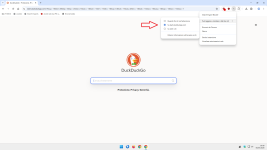
  1. Use explicit-choice dialog confirming new search engine overrides
  2. Always show confirmation dialog for new search engine overrides
I enabled the second flag, which is stricter than the first.
Any extension that attempts to change the search engine must be approved.
 
  • Like
Reactions: LinuxFan58
I installed AMD Software Adrenalin Edition to update the graphics drivers on my PC.
I'm having some issues with the old graphics driver, especially with Chrome.

P.S.

The new version of Chrome 147.0.7727.117 and the new graphics drivers have fixed the glitch.(y)
 
Last edited:
Why (as a security consious member) do you use Firefox?
View attachment 297405

There are several reasons.

One of them is that the Android version of uBo I use on my smartphone doesn’t have a log feature and is less efficient than the desktop version of uBo for Firefox, so I have to make up for those shortcomings myself.
I’d be happy to give two examples, but unfortunately I don’t think that’s possible because the most problematic sites you can search are either pirated or adult websites.

Another reason is that I like to verify certain features—some of which seem to be exclusive to Chrome (see LNA)—in Firefox as well:

https://www.wilderssecurity.com/thr...ntrusion-into-lan-filter.458225/#post-3252429

I was the one who discovered that Firefox had LNA just like Chrome, and without using Firefox, I would never have written the Sec-GPC rule for uBoL.

Without Firefox, I would never have suspected a problem with hardware acceleration in Chrome.
I submitted a report and they were fixed—obviously, I don’t take all the credit, but I believe there were three GPU-related issues fixed in this latest version.
Although I updated the graphics drivers after noticing increased fan noise and CPU (indirectly) and GPU temperatures on my Lenovo.

Another reason is that I found a website that doesn’t work in Firefox (or vice versa) compared to Chrome, so I’m submitting a report.
And I like using two browsers that aren’t both based on Chromium.

Yet another reason is the analysis of trackers blocked by Firefox + uBo but not blocked by Chrome + uBo, similar to when I ran a month of tests with PB and found three rules to add to Chrome’s AdBlock.

I noticed that your AI wrote something about privacy.
The level of privacy you can achieve in Firefox is greater than what you can get in Brave—obviously, for those who know how to make the most of about:config.

Did that satisfy your curiosity?;)
 
Last edited: