Advice Request Security computer

Please provide comments and solutions that are helpful to the author of this topic.
Так что это после того, как вы восстановили резервную копию. Рабочая система, при ежедневном использовании, постоянно снижается в скорости?

Я вижу, у вас есть диск Samsung, у вас установлен Samsung Magician?
Нет, я не устанавливал эту программу до и после резервного копирования, сейчас оптимизировал диск с помощью стандартной виндовой утилиты "дефрагментация"
[ ИСПОЙЛЕР][/ИСПОЙЛЕР]
crystaldisk ssd after backup(Optimized disk).png
 

Attachments

  • as ssd benchmark after restore backup (optimized disk).png
    as ssd benchmark after restore backup (optimized disk).png
    2.4 MB · Views: 210
So that is after you have restored a backup. The working system, on daily use, is reduced in speed, permanently?

I see you have a Samsung disc, do you have Samsung Magician installed?
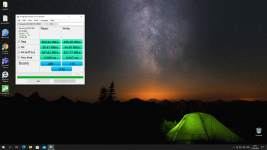
as you can see, the standard disk optimization utility slightly improved the results, but I would like to return the original speed as before using the backup
 
as you can see, the standard disk optimization utility slightly improved the results, but I would like to return the original speed as before using the backup

I am not 100% sure i understand what you say but this is my interpretation.
You make a backup, at a later time you restore the pc with that backup, and you get a decrease in speed of the pc compared to the speed you had before the restore. A decrease that stays, over time, days weeks etc. Correct?

If not explain!

But if, there is no reason for that to occur and i do not know why. It should not happen.


By the way, your post, #22, rewrite it in english.
 
  • Like
Reactions: Gandalf_The_Grey
Hello everyone, I'm a newbie, please tell me how to free. And how to protect your computer from threats effectively thanks in advance, I have a xeon1650 v2 16gbeccrrg ddr3 gtx 1060 6gb computer
If it's not difficult, please share your opinion
I would like the antivirus or your free protection combinations to have a minimal impact on computer performance thx
Hi Watarud,

The best way to keep a computer secure is to:
  • keep Windows up to date.
  • use secure passwords.
  • only use apps/software/addons from reputable sources.
  • use common sense!
Malware rarely effects sensible computer users.
 
  • Like
Reactions: roger_m
I am not 100% sure i understand what you say but this is my interpretation.
You make a backup, at a later time you restore the pc with that backup, and you get a decrease in speed of the pc compared to the speed you had before the restore. A decrease that stays, over time, days weeks etc. Correct?

If not explain!

But if, there is no reason for that to occur and i do not know why. It should not happen.


By the way, your post, #22, rewrite it in english.
Oh, sorry, but I can no longer edit the last message, but yes, you understood me correctly. No, the speed does not drop, but it still does not reach the results as it was before using the backup.
 
I certainly have an idea how you can try to fix this before using a backup, making a full backup of the registry, maybe this will fix a similar problem.