

Microsoft collects Windows diagnostic data to keep Windows up-to-date, secure, and operating properly. It also helps us improve Windows and, for users who have turned on “tailored experiences”, can be used to provide relevant tips and recommendations to tailor Microsoft products to the user’s needs. This article describes all types diagnostic data collected by Windows at the Full telemetry level (inclusive of data collected at Basic), with comprehensive examples of data we collect per each type. For additional, detailed technical descriptions of Basic data items, see Windows 10, version 1703 Basic level diagnostic events and fields.
The data covered in this article is grouped into the following categories:
OPTIONAL - For Poll, see your Settings in Windows Privacy.
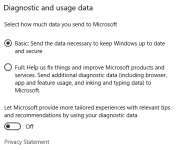
The data covered in this article is grouped into the following categories:
- Common Data (diagnostic header information)
Common Data Information that is added to most diagnostic events, if relevant and available:
- OS name, version, build, and locale
- User ID -- a unique identifier associated with the user's Microsoft Account (if one is used) or local account. The user's Microsoft Account identifier is not collected from devices configured to send Basic diagnostic data
- Xbox UserID
- Environment from which the event was logged -- Application ID of app or component that logged the event, Session GUID. Used to track events over a given period of time such the period an app is running or between boots of the OS.
- The diagnostic event name, Event ID, ETW opcode, version, schema signature, keywords, and flags
- HTTP header information including IP address. This is not the IP address of the device but the source address in the network packet header received by the diagnostics ingestion service.
- Various IDs that are used to correlate and sequence related events together.
- Device ID. This is not the user provided device name, but an ID that is unique for that device.
- Device class -- Desktop, Server, or Mobile
- Event collection time
- Diagnostic level -- Basic or Full, Sample level -- for sampled data, what sample level is this device opted into
- Device, Connectivity, and Configuration data
- Product and Service Usage data
- Product and Service Performance data
- Software Setup and Inventory data
- Content Consumption data
- Browsing, Search and Query data
- Inking, Typing, and Speech Utterance data
- Licensing and Purchase data
OPTIONAL - For Poll, see your Settings in Windows Privacy.


 I was unsure what category to vote for Spawn seeing you don't have a


