It is not as bad.You have integrated all those help files and no one bothers to read them. It is just easier to come here and ask you. Typical behavior.
Sometimes, the info in the help is not as clear as it should be.
It is not as bad.You have integrated all those help files and no one bothers to read them. It is just easier to come here and ask you. Typical behavior.
Thanks for the detailed explanation. I also prefer SWH's separate logs over HC's all in one logs. So I'm looking forward to the next releaseI am thinking about skipping FullEventLog in H_C, and using the idea of separate logs for SRP, PowerShell, Defender, and FirewallHardening. In most cases, the advanced users can recognize what sort of block has happened and can choose the right log to see the details. Next, it is easier to inspect the log witch is focused on the specific class of events. Only rarely, the user will be forced to use two or more logs to solve the problem with blocked processes.
Hi,I did not publish any update of SWH - version 6.0.0.0 can be probably related (by mistake) to H_C.
In October I will publish SWH beta 1.01.0 (with Windows 11 support).
H_C or SWH has no visible impact on the system performance. But, this requires in some cases the proper whitelisting of UserSpace applications and adjusting the H_C (SWH) settings. On simple system/software configurations, the default settings can hardly cause any problem....
I would like to ask if using the default settings in SWH or HC (including the other components packed) will have any impact on the system performance?
...
Confirmed.When opening SRP Policy Scope settings it changes from "Standard" to "High" even when pressing "Cancel". Otherwise everything is working fine.![]()
C:\Windows\System32\xwizard.exe
C:\Windows\SysWOW64\xwizard.exe
C:\Windows\Microsoft.NET\Framework\v2.0.50727\ieexec.exe
C:\Windows\Microsoft.NET\Framework64\v2.0.50727\ieexec.exe
C:\Windows\System32\findstr.exe
C:\Windows\SysWOW64\findstr.exe
c:\windows\system32\desktopimgdownldr.exe
C:\Windows\System32\certreq.exe
C:\Windows\SysWOW64\certreq.exe
C:\Windows\System32\bitsadmin.exe
C:\Windows\SysWOW64\bitsadmin.exe
C:\Windows\System32\wsl.exe
c:\windows\system32\pktmon.exe
could you add these lolbins to the FirewallHardening.
hackers can use them to download malware from the internet
source: LOLBAS
All you need is explained in the SWH help files....
What concerns me is that options were applied without even my permission. Furthermore, I have no idea what settings were applied/which registry options were changed - is there any way you can help me undo any changes? Because all I did was execute the program. Nothing more.
Thanks, yes for sure i realize that. I suppose you intentionally made it so everything is automatically switched on when user opens software?
I also suppose that if basic recommended settings are applied automatically then I should be ok - at least i can test and if anything is broken i can revert to defaults?
And two last questions:
1) based on manual, other than remote registry service, it seems that SWH does not impact any other service? I know it also disabled SMB but that is not a service I suppose.
2) Since SWH has changed SRP restrictions to high privilage, that on it's own doesn't necessarily make me more vulnerable were I to go back to windows defaults using SWH? Furthermore, does that also change my SRP restrictions to whatever they were beforehands.
thank you blocking via Exploit Protection did work.One can easily block bitsadmin.exe via Exploit Protection from Security Center.
There is mitigation "Disable Win32k system calls" that can be enabled for bitsadmin.exe and it will block the execution of this executable.
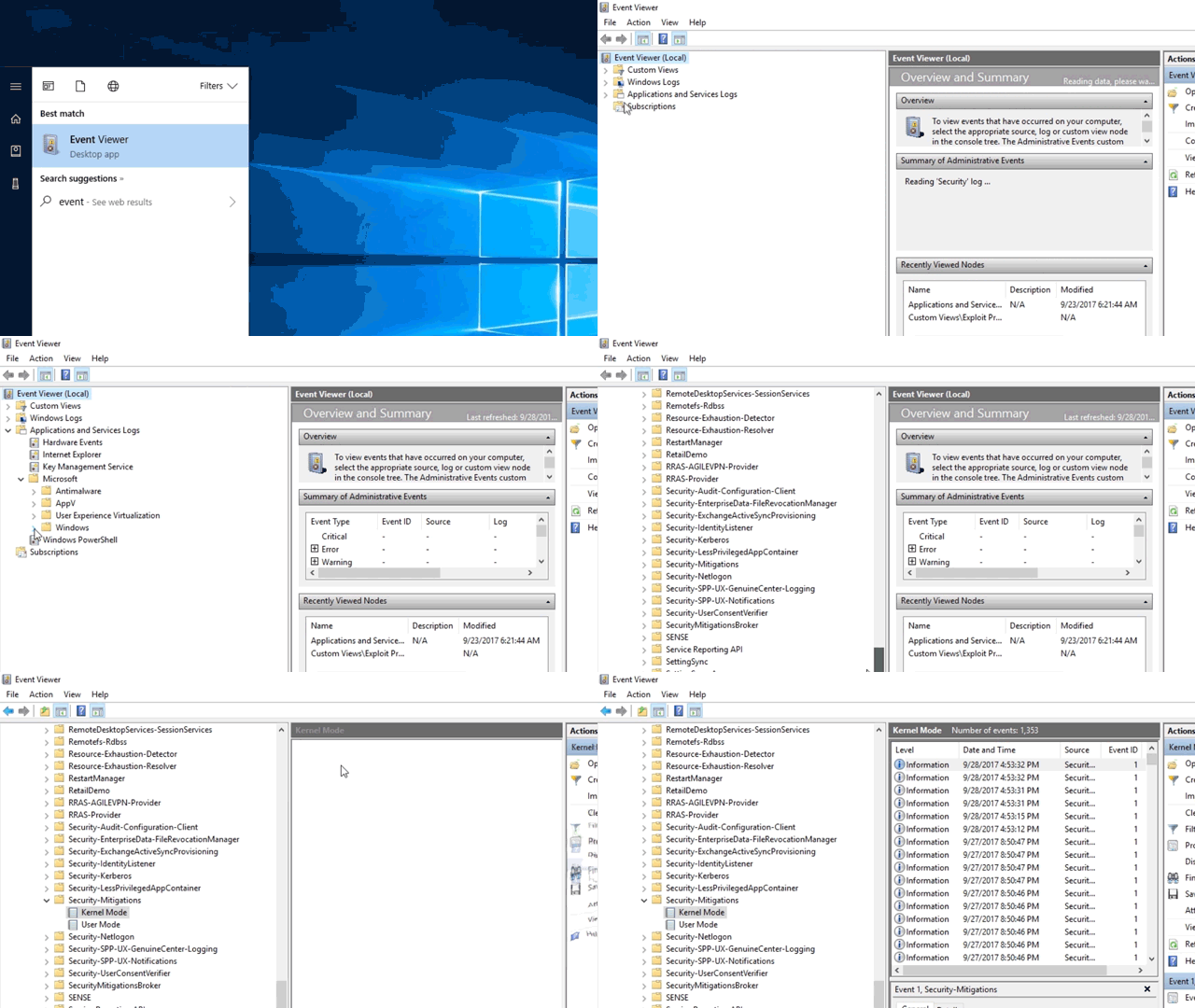
The blocks are logged via Event Id=10, Security-Mitigations (Kernel Mode/User Mode).
Microsoft prepared a nice article for inspecting Exploit Protection events:
![]()
![]()
Understand and use attack surface reduction - Microsoft Defender for Endpoint
Learn about the attack surface reduction capabilities of Microsoft Defender for Endpoint.docs.microsoft.com