Personal I fully understand any staffs decision on the matter but I'm still curious, what does the site statistic say? I mean how many members still actually use IE here on MT?Question is, should IE be supported? It's a very dated browser.
Personal I fully understand any staffs decision on the matter but I'm still curious, what does the site statistic say? I mean how many members still actually use IE here on MT?Question is, should IE be supported? It's a very dated browser.


@Jack: it seems Thumbnail feature is not working properly, probably since yesterday... after attach some pictures in a post and clicking over Thumbnail (as always) to insert a pic in an specific location, the image is inserted in full size, just realized now while posting malware results in the Hub
Hi all
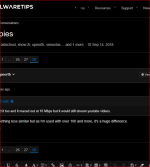
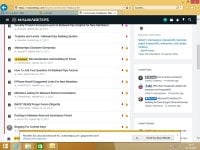
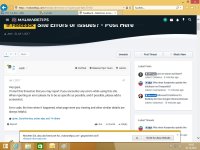
I have 2 screenshots with Internet Explorer for you that is not normal but into the Chrome Browser that is so okay
With best Regaards
Mops21
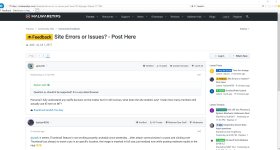
Hey @harlan4096,
I've increased the size of the thumbnails to see how they look. Previously it was 150px and now is at 600px. It's not full-sized but it's bigger. It's just an experiment to see how they look.
Hey @Mops21,
When I try to browse the site with Internet Explorer (Windows 10). It looks ok, but in your case it might be a CSS rule that IE doesn't support, I'll take a look at this and see what needs to be fixed. Thank you!
View attachment 199542


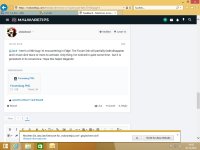
Will be fixed. I didn't really focus on this theme because I'm planning to replace it with a new one. : D@Jack - here's a little bug I'm encountering in Edge: The Forum link will partially fade/disappear and I must click twice or more to activate. Only thing I've noticed in quite some time - but it is persistent in its recurrence. Hope this helps! Regards!
Hey Mops21,
The first 3 errors are from a security header that we add "X-Content-Type-Options nosniff" and how Internet Explorer applies this rule. I'll try to find a workaround in a few hours.
The last one, it's fixed.
View attachment 202887
Thanks for the report.

Just make a report on this thread and MalwareTips Staffs will edit it.Hello!
Not errors, but update theme: EXPIRED - SafeDNS Safe@Home - Free for 12 months
with promo code: share12
Hey @military ,Hello!
Not errors, but update theme: EXPIRED - SafeDNS Safe@Home - Free for 12 months
with promo code: share12

Today I'm seeing the blue loading graphic at top of main page cycling on and on. It seems to occur when liking multiple posts on threads.
I get that a lot but i blame it on my slow internet connection not being able to keep up

Search threadsIs there any way of searching threads? For example in new member introduction, if one wants to search his/her introduction?