Troubleshoot Software to fix bad sector in my External HDD hard disk

DDE_Server

Level 23
Thread author
Verified
Top Poster
Well-known
Forum Veteran
Sep 5, 2017
1,248
6,571
2,169
Egypt
Briefly explain your current issue(s)
Bad sector
Steps taken to resolve, but have been unsuccessful
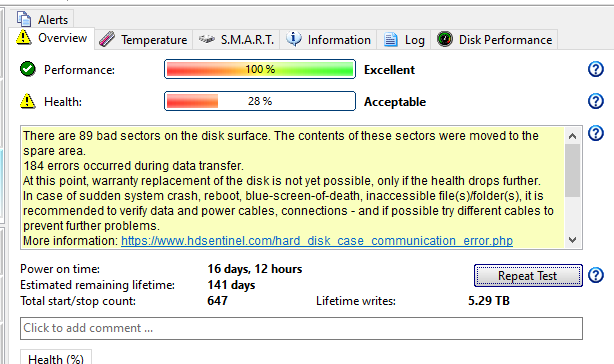
None , just know the health dropped to 28 % using hard disk sentinel software and 89 bad sector found "performance indication still 100 % though"
Dear ,
i want to know your recommendation for good software to fix bad sector in my external hard disk
1660949852047.png
 
Last edited:
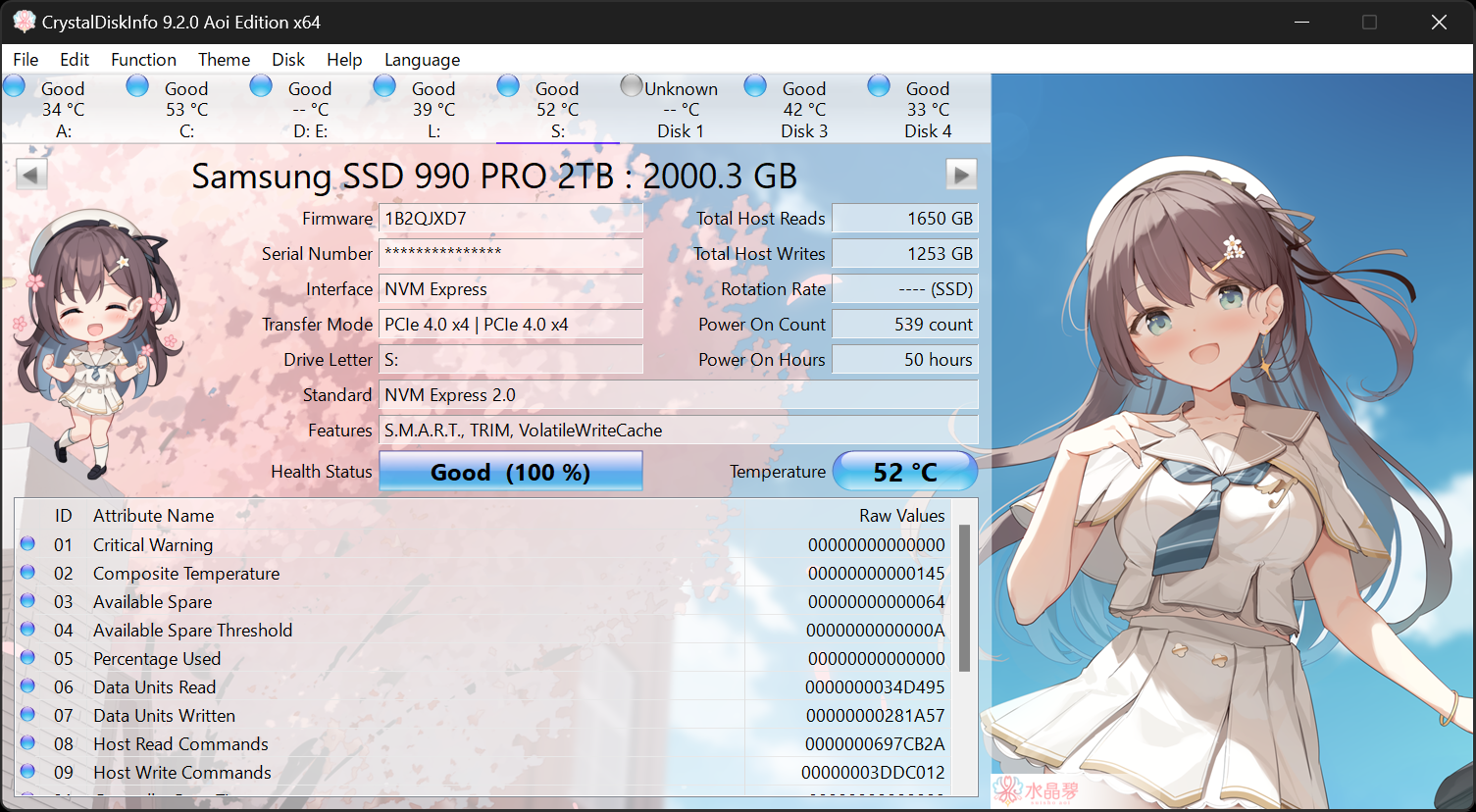
OK, so you got a replacement already, that was a good idea. How old is the HDD? Were the HDSentinel results verified by another disk program? For general health status and to confirm the Health is below 50%, you can install Crystal Disk Info. Or, again, do this in Windows:


If the failing health is confirmed and the drive is already 6-7 years old, I would consider it rather risky to use as meaningful storage. They wear out, like everything else. If you put your ear to the external device, do you hear any clicking or other suspect noises?

As show_zi already said: there is no real repair to the physical sectors, you will continue to have them and the longer the drive is used, the more that will develop.
 
Upvote 0
OK, so you got a replacement already, that was a good idea. How old is the HDD? Were the HDSentinel results verified by another disk program? For general health status and to confirm the Health is below 50%, you can install Crystal Disk Info. Or, again, do this in Windows:
No i didnot use any software else. Actually i trusted Hard disk sentinel it is very efficient . from 5 years back it informed me i have only 7 days for complete failure after that i bought the current HDD hard disk and it is actually failed after one week.

If the failing health is confirmed and the drive is already 6-7 years old, I would consider it rather risky to use as meaningful storage. They wear out, like everything else. If you put your ear to the external device, do you hear any clicking or other suspect noises?
i have it about 2-3 years i think or more than that
As show_zi already said: there is no real repair to the physical sectors, you will continue to have them and the longer the drive is used, the more that will develop.
yes i know i just want to confirm it physical bad sector to give up it anyway i will keep using it till it dies xd
 
Upvote 0
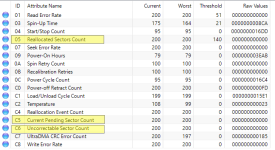
Crystal Disk Info allows you to see the status of bad sectors in a little more detail.
キャプチャ_New.PNG
Please check this item. If the situation is really dangerous, the values of these items will change.
05-Sectors already disabled by the system and replaced
C5 - Sector still in use with error
C6 - unrecoverable sector

I'm guessing it could also be a false positive by the HD sentinel. S.M.A.R.T cached data may cause false detections. In that case, the procedure to remove the internal battery and discharge the PC for about an hour will be effective. However, it also resets the BIOS settings.
 
Upvote 0
i checked the the external harddisk using check disk command and it didnot find a problem in the hard disk

Drives often come straight from the manufacturer with bad sectors if the quantity falls within their acceptable specifications. If you used chkdsk with the /r parameter and are now not seeing any bad sectors, these, as stated above, have been marked as unusable and taken out of service where they should not cause a problem. I would chkdsk the drive in another week or two for bad sectors and maybe once again after that. If you don't find any more problems everything should be fine. Later versions of Windows are pretty good at notifying users about approaching hard drive problems. I personally have been satisfied just manually using Windows occasionally to monitor the most basic drive health (admin cmd prompt > wmic > diskdrive get status) on both personal computers and a small number of business workstations. These kinds of things unless simplified can drive a person crazy (which, all in all, hasn't been as bad as it's made out to be).

And don't forget to throw an occasional simple sfc /scannow from the Windows Terminal (Admin) interface into the mix for OS integrity violations. I like to do mine right before my weekly backup disk imaging.

Forgot to note you should run DISM.exe /Online /Cleanup-image /Restorehealth from an elevated command prompt first.
 
Upvote 0

You may also like...