
Troubleshoot Something running at startup

ttto

Level 9
Thread author
Verified
Well-known
Forum Veteran
Sep 22, 2016
415
1,879
769
Spain
Briefly explain your current issue(s)
Annoying pop up
Steps taken to resolve, but have been unsuccessful
I saw lits of bootup programs, but iI didnt see nothing strange, and I run an analysis with Norton Security: all clean
Everytime I boot up my computer it appears:
It just started to do that suddenly, without installing anything or changing things
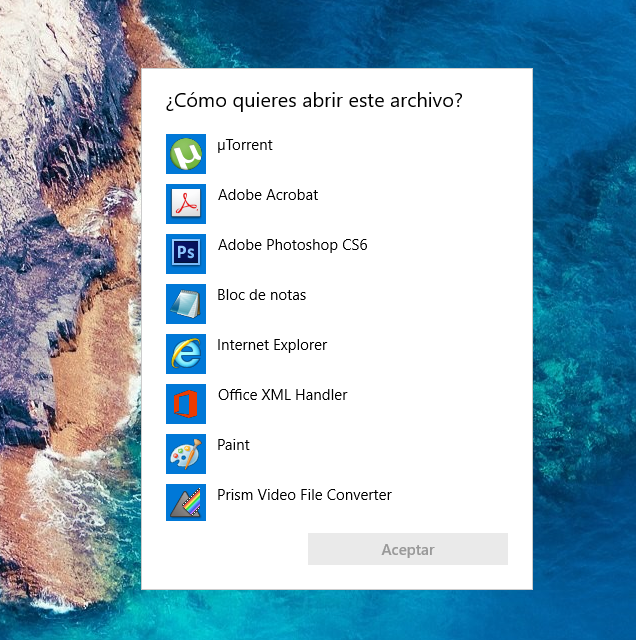
Sin título.png


I cannot see whats doing this, any advice?
 
  • Like
Reactions: Jack and stefanos
Upvote 0
It shows correctly after un/re-checking the item from Autoruns [Homepage]. May be affecting 64-bit Windows.

1566907605120.png


Autorun EntryPublisherLocationVirusTotal Scan
com.squirrel.Teams.Teams(Verified) Microsoft 3rd Party Application Componentc:\users\[username]\appdata\local\microsoft\teams\update.exe0/69
TeamsMachineInstaller(Verified) Microsoft Corporationc:\program files (x86)\teams installer\teams.exe0/58
 
  • Like
Reactions: harlan4096
Upvote 0